Combo Cleaner: Features, Free Tools, and Limits
combocleaner.com · checked 14 Oct 2026
Combo Cleaner provides malware detection and device-cleanup tools across Mac, Windows, Android, and iOS.
How it plugs in
Signal on Antivirus for Mac6.7#4 of 43
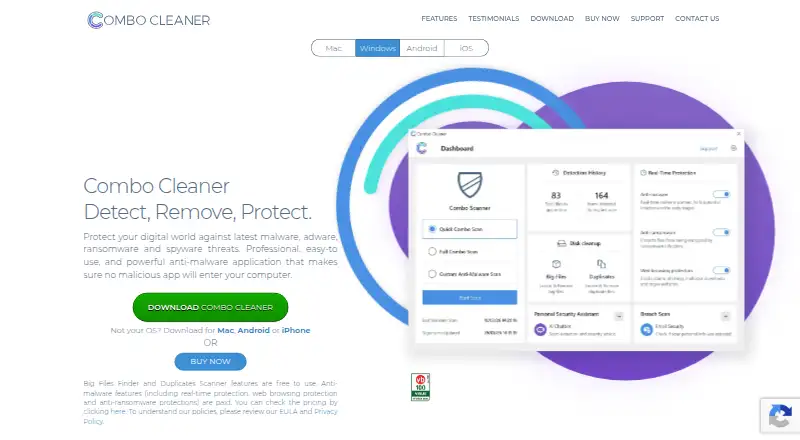
This utility pairs malware checks with storage cleanup and unwanted-file detection. Offerings differ by platform: Mac includes cleanup and privacy features, whereas Windows adds real-time defense and selected-folder anti-ransomware scanning. Android and iOS apps add mobile security features. Certain functions are free, while threat removal and several security options sit behind a paid plan.
Review
In a line
Combo Cleaner brings security and cleaning functions to Mac, Windows, Android, and iOS. It checks for malicious software and assists with reclaiming storage.
What it does
The Mac edition checks for malware and adware, with threat definitions refreshed hourly. It can also find temporary files, caches, browser data, large files, duplicates, and leftover files from uninstalled apps.
Windows protection includes real-time and on-demand scans, web protection, and anti-ransomware protection for selected folders. The Android and iOS apps offer mobile security and cleaning features, with paid features varying by app.
How it connects
Combo Cleaner is closed, commercial software rather than an open-source project. The maker's pages do not publish a public product API, software development kit, or developer documentation, and describe downloadable apps rather than self-hosted software.
On Mac, the privacy scanner covers Safari, Chrome, Firefox, and Opera. Its browser threat scan checks Chrome, Edge, and Firefox for harmful extensions and unwanted notification settings.
Good fit
It may suit people who want malware scanning alongside storage cleanup in one app, especially Mac users who want to find large or duplicate files on local and external drives. Android and iOS users can choose from mobile security, photo-cleaning, and link-protection tools.
Watch for
The no-cost edition can identify malicious items and display the findings, but removing them requires payment. On Mac, removing infections and privacy findings requires payment; several Android and iOS security features are also paid.
During the seven-day trial, full and custom antivirus scans are unavailable. The license allows use on one or five computers depending on subscription type, and paid subscriptions renew automatically unless canceled.
Pricing
Combo Cleaner offers both a free edition and a seven-day trial. The free edition has limited capabilities: it can find malicious items and show results, but cannot remove them. The trial also has scan limits.
Disk cleaning, large-file finding, and duplicate scanning are described as free desktop tools. Antivirus, privacy scanning, and app removal require payment. New subscriptions bought from the maker's site have a 30-day money-back guarantee, subject to store exclusions.
Verdict
Consider Combo Cleaner if you want a single app for device cleanup and security features, and are comfortable paying to remove detections or unlock some mobile tools. Mac users can get several cleanup tools for free, while people needing antivirus removal must choose a paid option. Check which features are paid on your device and how many computers your subscription covers before deciding.
Our take
Combo Cleaner may fit users seeking cleanup and security functions together on desktop and mobile. Its free desktop cleanup tools may be enough if you mainly want to find clutter, large files, or duplicates. If you need to remove malware or use privacy scanning, plan on paying; the free version only shows scan results. Trial users should also note that full and custom antivirus scans are not available during the seven-day period.
- Apps are offered for Mac, Windows, Android, and iOS.
- Desktop tools for clutter, large files, and duplicates are available at no cost.
- Windows includes real-time scanning and selected-folder anti-ransomware protection.
- Mac threat definitions are updated hourly.
- The free edition displays malicious scan findings but does not remove them.
- Full and custom antivirus scans are unavailable during the seven-day trial.
- Paid subscriptions renew automatically unless canceled.
- Computer coverage is limited to one or five computers, depending on subscription type.
- Pick it ifPeople who want security and cleanup tools in one app.; Mac users looking for free disk, large-file, and duplicate-file tools.
- Skip it ifYou need to remove detected threats without paying.; You need full or custom antivirus scans during the trial.
Pricing
The free edition only scans and displays malicious items; removal requires payment. A seven-day trial is offered, though full and custom antivirus scans cannot run during it. Certain desktop cleanup functions are free, whereas antivirus, privacy scanning, and app removal require payment.
- 7-day free trialTrial license key · full and custom antivirus scans unavailableFree
- Free versionLimited capabilities · can scan for malicious items and show results, but cannot remove themFree
As combocleaner.com lists them, checked 4 Oct 2026.
Questions
Which devices does Combo Cleaner support?
Apps are available for Android, iOS, Mac, and Windows.
Can I remove threats with the free version?
No. The free edition can scan for malicious items and display the findings, but removal requires payment.
What is included in the seven-day trial?
The trial costs nothing, but full and custom antivirus scans are unavailable. Quick Scan may not detect or remove every active threat.
Which Combo Cleaner tools are free on desktop?
The maker describes disk cleaning, large-file finding, and duplicate scanning as free. Antivirus, privacy scanning, and app removal require payment.
Does Combo Cleaner have a public API or open-source code?
It is proprietary software. The maker's pages do not publish a public product API, software development kit, or developer documentation.
How many computers can a subscription cover?
Depending on the subscription type, the license covers either one or five computers. Paid subscriptions renew automatically unless canceled.
Near it
All alternatives →- PM
 PC Matic#3 on this board
- AO
 Avast One#5 on this board
- AF
 Avira Free Security#2 on this board
- TA
 TotalAV Antivirus#6 on this board
- CClamAV#1 on this board
- FS
 F-Secure Internet Security#7 on this board
- EH
 ESET HOME Security#8 on this board
- MDMicrosoft Defender for Business#9 on this board
- CFCrowdStrike Falcon Pro#10 on this board
- SE
 Seqrite Endpoint Protection Cloud#11 on this board