ML Experiment Tracking Software
DagsHub: Machine-Learning Data and Experiment Management
dagshub.com · checked 15 Oct 2026
DagsHub hosts and versions machine-learning data, code, experiments, models, and annotations.
How it plugs in
Signal on ML Experiment Tracking Software6.7#3 of 39
DagsHub is a web workspace for machine-learning projects. It combines Git and DVC versioning with experiment tracking, dataset curation, annotation, model management, and collaboration. It works with many external services and offers APIs, a Python client, and a command-line tool. DagsHub hosts files but leaves training and deployment compute to your own infrastructure.
Review
In a line
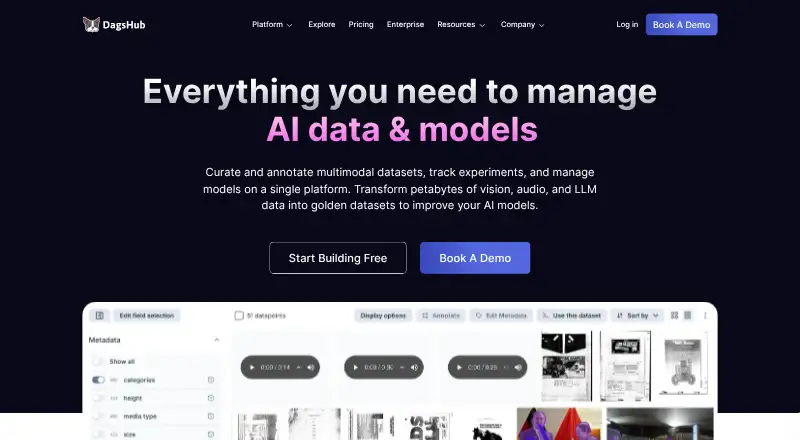
DagsHub is a hosted workspace for managing machine-learning code, data, experiments, models, pipelines, and annotations in one project. It supports text, images, audio, video, documents, medical images, and other binary files.
What it does
The service combines Git for code with DVC for large data files, so teams can track changes together. It also hosts and versions models, publishes them, and links models to code, data, and experiment runs.
Its experiment tools compare runs, show metrics and parameters, monitor progress, and support repeatable work. Data Engine adds spreadsheet-like curation, visual review, quality checks, lineage, hard-example mining, labeling, auto-labeling, and data streaming.
DagsHub provides multimodal annotation and can connect annotation work with Label Studio on the Team plan.
How it connects
Official connections include GitHub, Google Colab, DVC, MLflow, Jenkins, Label Studio, external storage, Git servers, webhooks, Google Drive, Weights & Biases, Hugging Face, Apple MLX-LM, PyCaret, Giskard, and New Relic. GitHub pull requests and issues can appear in both systems through synchronization.
It offers full MLflow and Label Studio API support for projects hosted on DagsHub. Its published API supports interactive endpoint tests, token login, and basic login with a username and token. A Python package adds tracking, direct data access, streaming, uploads, and Data Engine functions; a command-line tool handles login, repositories, transfers, DVC setup, and version reporting.
The client repository is MIT licensed, but the hosted platform is closed source. Tutorials cover Mac, Linux, and Windows, with installation through pip. DagsHub also links generated clients for several languages, while noting they are not fully tested. See [ML Experiment Tracking Software](ML Experiment Tracking Software), [Model registries](model registries), and [Data Version Control Tools](data version control tools) for related categories.
Good fit
DagsHub suits teams that want datasets, code, runs, models, and annotations kept in one place. It is useful for experiment comparison, dataset versioning, model registries, artifact tracking, and collaborative annotation across varied file types.
Enterprise customers can install it on their own infrastructure, including on-premises, in a VPC, in air-gapped environments, or in OpenShift. Enterprise security features include custom OIDC and LDAP sign-in for single sign-on, with stated ISO 27001 and ISO 9001 adherence.
Watch for
DagsHub does not supply compute resources. Training and deployment therefore use infrastructure you provide, such as local, cloud, or edge systems.
The free Individual plan limits private work to 100 tracked experiments, two private-project collaborators, and 20GB of DagsHub Storage. Reviewers have also pointed to limited interface customization, navigation challenges in large projects, and no easy way to inherit part of a model from another project.
The hosted platform is closed source even though its client is open source. Check whether the collaboration limits, deployment setup, and available integrations match your project before choosing a plan.
Pricing
DagsHub has a free Individual plan with unlimited public repositories and collaborators, unlimited private repositories for non-commercial use, 100 private tracked experiments, two private-project collaborators, and 20GB of storage.
The Team plan costs $99 per user per month when billed annually. It adds unlimited private repositories, multimodal annotation and auto-labeling, connections to your own storage, Label Studio compatibility, team role controls, priority support, and either 1TB or 2 million files.
Enterprise pricing is by custom quote. It includes petabyte-scale data, cluster model deployment, VPC, air-gapped or on-premises installation, SSO with LDAP or OIDC role controls, OpenShift, resource controls, and an enterprise service agreement. A 14-day trial is available.
Verdict
Choose DagsHub if your machine-learning work needs shared versioning for code and large datasets alongside runs, models, and annotations. Its APIs, Python tools, integrations, and self-hosted enterprise options cover varied workflows.
Look elsewhere if you need built-in training or deployment compute, a fully open-source hosted service, more than two private collaborators on the free plan, or deeper project-interface customization. Teams should compare the annual Team cost and enterprise quote with their storage, annotation, and security needs.
Our take
DagsHub is a sensible choice for machine-learning groups that want one project space for versioned data, code, experiments, models, and labels. The free tier can work for public projects or small private efforts, while paid plans add private collaboration, annotation, storage, and enterprise deployment options. Budget for your own training and deployment infrastructure because DagsHub does not provide compute. Also weigh the closed hosted platform and the free plan’s two-collaborator limit before moving a larger team.
- Combines Git and DVC versioning for code and large data files
- Tracks runs, metrics, parameters, artifacts, datasets, and models
- Supports multimodal annotation, auto-labeling, and Data Engine curation
- Offers MLflow and Label Studio APIs plus Python and CLI tools
- Enterprise deployment supports VPC, air-gapped, on-premises, and OpenShift setups
- DagsHub does not include compute for training or deployment
- Free private projects allow only two collaborators
- Free Individual storage is limited to 20GB
- Hosted platform is closed source
- Some reviewers report navigation and customization limits in large projects
- Pick it ifTeams coordinating versioned data, code, experiments, and models; Projects with mixed media and annotation workflows; Enterprises needing self-hosted or isolated deployment
- Skip it ifYou need included training or deployment compute; You require a fully open-source hosted platform; Your free private project needs more than two collaborators
Pricing
Individual is free with limits on private experiments, collaborators, and storage. Team costs $99 per user per month when billed annually. Enterprise pricing is by custom quote, and a 14-day trial is available.
- Individual$0 per user/month · Unlimited public repositories and collaborators · unlimited private repositories for non-commercial use · 100 private tracked experiments · 2 private-project collaborators · 20GB storageFree
- Individual$0 per user/month · Unlimited public repositories and collaborators · unlimited private repositories for non-commercial use · 100 private tracked experiments · 2 private-project collaborators · 20GB storageFree
- Team$99 per user/month · Unlimited private repositories · multimodal annotation and auto-labeling · own-storage connections · Label Studio compatibility · team RBAC · priority support · 1TB or 2 million files$99/mo
- Team$119 per user/month · Unlimited private repositories · multimodal annotation and auto-labeling · own-storage connections · Label Studio compatibility · team RBAC · priority support · 1TB or 2 million files$119/mo
- EnterpriseCustom quote · Petabyte-scale data · cluster model deployment · VPC/air-gapped on-premise installation · SSO/LDAP/OIDC RBAC · OpenShift · resource controls · SLA and enterprise supportOn request
As dagshub.com lists them, checked 15 Oct 2026.
Questions
Does DagsHub provide computing power?
No. DagsHub hosts project data and related files, but training and deployment run on infrastructure you supply locally, in the cloud, or at the edge.
Is DagsHub free?
Yes. The Individual plan is free. It includes public repositories and collaborators, non-commercial private repositories, 100 private tracked experiments, two private-project collaborators, and 20GB of storage.
What does DagsHub integrate with?
Connections include GitHub, Google Colab, DVC, MLflow, Jenkins, Label Studio, storage and Git servers, webhooks, Google Drive, Weights & Biases, Hugging Face, and others listed by DagsHub.
Can DagsHub run on a company’s own infrastructure?
Enterprise installations can run on-premises, in a VPC, in air-gapped environments, or in OpenShift environments.
Does DagsHub have an API?
Yes. It supports MLflow and Label Studio APIs for hosted projects and publishes an API with interactive testing, token authentication, and username-plus-token basic authentication.
What operating systems does the client support?
Official tutorials show client workflows on Mac, Linux, and Windows. The Python client installs with pip, and a command-line tool is also available.