
DocuClipper Invoice Approval Review
docuclipper.com · checked 14 Oct 2026
DocuClipper uses invoice data to support approval workflows and accounting handoffs.
How it plugs in
Signal on Invoice Approval Software6.3#2 of 37
From PDFs and scans, DocuClipper Invoice Approval captures invoice fields, validates calculations and duplicate numbers, then forwards invoices according to your approval rules. It logs review actions and can transfer approved invoices to services including QuickBooks and Xero. Starter costs $20 per month when billed annually, with a 14-day trial. Vendor payments are made separately using a bank or bill-pay service.
Review
In a line
DocuClipper captures invoice data, applies configured review steps, and transfers approved items to accounting software.
What it does
Invoice OCR pulls vendor, invoice number, date, total, tax and line-item details from PDFs and scans. Before an invoice enters review, the workflow checks its math, flags duplicate invoice numbers and supports two-way matching against purchase orders.
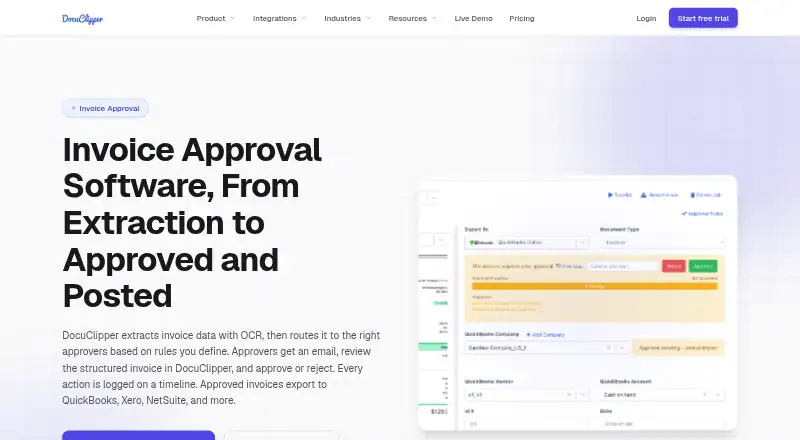
You can set approval rules using invoice amount, vendor, customer, general ledger account, expense category, or description or memo. A rule can require every designated approver or proceed with approval from any one of them. Assigned reviewers receive an email containing invoice details and a review link, and they can approve several invoices together.
The invoice timeline shows submissions, required approvals, votes, users, timestamps, rules and comments. Once approved, invoices can be sent to accounting systems. DocuClipper does not pay vendors or issue cards.
How it connects
Approved invoices can be posted or exported to QuickBooks Online or Desktop, Xero, NetSuite or Sage, or exported as Excel or CSV. Other connections include Google Drive, Dropbox, Box, OneDrive and Quicken, with email forwarding also supported. Plans and page limits vary, so check what is included before choosing.
The API returns structured data from invoices, bank statements and tax forms. Developer materials include an OpenAPI reference, an MCP endpoint for AI agents, webhooks, and examples for Node.js and Python. iOS and Android apps are available to capture and upload documents. The main service runs in a modern web browser on Windows, macOS, Linux or ChromeOS; there is no dedicated desktop app.
Good fit
This may suit finance teams, accountants, bookkeepers and operators who need invoice checks, approval routing and an accounting handoff in one workflow. It also fits teams that need more than one approver or want an invoice timeline of decisions.
The tiered plans set monthly page allowances and include unlimited users on Starter. Higher plans add analysis and team tools, then security and onboarding options.
Watch for
DocuClipper handles invoice approval and posting, not payment. Paying vendors requires a separate bank or bill-pay tool.
The plans shown are billed annually and cap monthly page volume. Jobs on trial, free or lapsed unpaid accounts that are older than 30 days are automatically deleted; paid data is kept while subscribed, and cancelled-account data is retained for 90 days after cancellation. Check whether the page allowance and retention terms fit your workflow.
Pricing
DocuClipper has no free plan, though it offers a 14-day trial. Starter is $20 monthly for 60 pages; Business is $111 monthly for 640 pages; Enterprise is $360 monthly for 2,000 pages. Each listed plan price is billed annually.
Starter provides unlimited users, API access, QuickBooks, Xero, Excel/CSV, and email and chat support. Business adds financial analysis, a dedicated processing queue, team management, phone and premium support. Enterprise adds SSO, audit logs, IP allowlisting, an SLA guarantee and white-glove onboarding.
Verdict
Consider DocuClipper if your team wants invoice data extraction, configurable approval rules, duplicate checks and an accounting handoff, and its annual billing and page limits suit your volume. Its mobile apps can capture and upload documents, while approvals and records are managed through the web service.
Look elsewhere if vendor payment or card issuance needs to happen in the same software. Before subscribing, compare your expected monthly pages with the plan limits and confirm which accounting connection you need.
Our take
DocuClipper is worth considering for teams that want invoice extraction, approval routing, validation and accounting export together. Its approval timeline and flexible requirements for multiple reviewers can help formalize the process. But it is not a bill-pay product: vendor payments happen elsewhere. The annual-billed plans also impose monthly page limits, so estimate your volume before choosing a tier. If you need vendor payments in the same tool, this is not a fit.
- Captures invoice dates, totals, taxes, vendors and line items from PDFs and scans
- Offers configurable routing fields and approval by all reviewers or any one reviewer
- Validates invoice calculations, flags duplicate numbers and supports two-way PO matching
- Keeps approval actions, reviewer identities, timestamps, rules and comments in a timeline
- Connects with QuickBooks, Xero, Sage and other accounting tools
- Vendor payments and card issuance are not provided
- No free plan; listed plan prices are billed annually
- Monthly page limits apply to every listed plan
- No dedicated desktop app
- Pick it ifFinance teams that need invoice approval and accounting handoff; Accountants and bookkeepers managing rule-based invoice reviews
- Skip it ifYou need the same product to handle vendor payments or issue cards; Your invoice volume exceeds the plan page limits
Pricing
DocuClipper has no free tier but does offer a 14-day trial.
- Starter$20/month billed annually; 60 pages/month · Unlimited users · API access · QuickBooks, Xero, Excel/CSV · Email and chat support$20/mo
- Business$111/month billed annually; 640 pages/month · Everything in Starter · Financial analysis · Dedicated processing queue · Team management · Phone and premium support$111/mo
- Enterprise$360/month billed annually; 2,000 pages/month · Everything in Business · SSO · Audit logs · IP allowlisting · SLA guarantee · White-glove onboarding$360/mo
As docuclipper.com lists them, checked 14 Oct 2026.
Questions
Is a free DocuClipper Invoice Approval plan available?
No. The service offers a 14-day trial; paid subscriptions start at $20 per month with annual billing.
Which accounting tools does it connect to?
Approved invoices can be posted or exported to QuickBooks Online or Desktop, Xero, NetSuite or Sage, or exported as Excel or CSV.
Can DocuClipper pay vendors?
No. It approves and posts invoices, but vendor payments must be made through a bank or bill-pay tool.
How does invoice approval routing work?
Rules can use amount, vendor, customer, GL account, expense category, or description or memo. Approval can be required from every listed person or just one.
What are the plan page limits?
The monthly allowances are 60 pages for Starter, 640 for Business, and 2,000 for Enterprise. All listed prices are billed annually.
Can I use it on a phone or desktop?
The iOS and Android apps are for capturing and uploading documents. The main service runs in a modern browser on Windows, macOS, Linux, or ChromeOS, and no dedicated desktop app is offered.