
DocuWare: Document Management and Workflow Software
start.docuware.com · checked 16 Nov 2026
DocuWare manages business documents, automates workflows, and keeps records in a central archive.
How it plugs in
Signal on AP Automation6.3#1 of 21
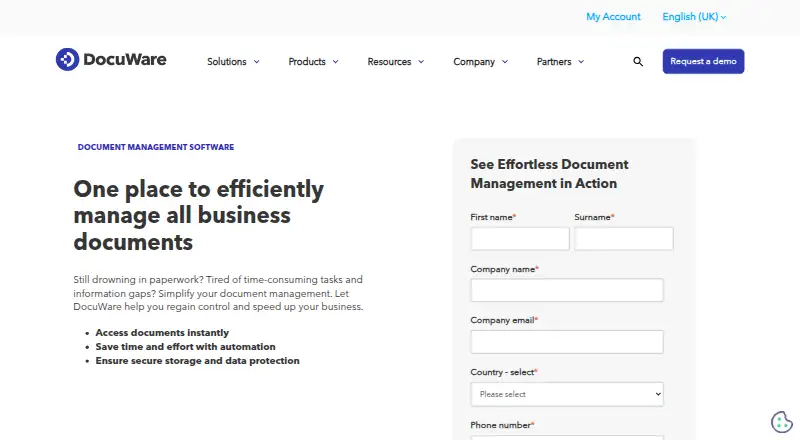
DocuWare is document management software for capturing, indexing, storing, searching, and routing business files. It runs as a cloud service, on company servers, or in a hybrid setup. OCR, workflow tools, forms, version control, access controls, and mobile apps are included in cloud subscriptions. Pricing starts at $30 per user per month, with a free trial.
Review
In a line
DocuWare is software for managing business documents and automating the steps around them. It captures information, stores it in a central archive, and routes work for review or approval.
What it does
Documents can enter from scanners, email, Microsoft Teams, file imports, print streams, and other sources. OCR reads text from documents, while indexing and barcode recognition help organize them.
Users can build drag-and-drop workflows for recurring tasks and approvals, add deadlines, and watch progress in a dashboard. Full-text search, metadata search, version history, granular access controls, audit logs, and forms are part of the cloud feature set.
An Intelligent Document Processing add-on uses AI and machine learning to extract and classify data from invoices, purchase orders, and contracts. Digital signatures are a separate add-on with volume packages and audit trails.
How it connects
DocuWare lists connections for Outlook, Teams, SAP, Sage, QuickBooks, Microsoft Dynamics, and SharePoint. Its integration methods include Smart Connect, iPaaS connectors, URL links, webhooks, printing, mail capture, and automatic indexing.
The company describes integrations with 500 applications and connectors for more than 1,000 cloud applications. A public REST API is available, along with a C# .NET API and tools for embedding task lists or searches in web apps.
It runs on the web, Windows, macOS, Linux, iOS, and Android, and can be self-hosted. See cloud document management software and document workflow software for related categories.
Good fit
DocuWare suits organizations that need a shared document store with controlled access and repeatable approval processes. Cloud plans include Intelligent Indexing, Workflow Manager, form creation, search, version control, and access controls.
It can fit teams that want cloud, on-premises, or hybrid deployment, including companies that need to keep the system on their own infrastructure. iOS and Android apps support document search, task handling, importing, and sharing for Cloud customers.
Watch for
On-premises services require at least four CPU cores, 8 GB of memory, and 64 GB of disk space; an SSD is recommended. The documented web clients support Firefox, Chrome, and Edge while their makers continue support.
On-premises customers may need extra licenses for enhanced capture, Intelligent Indexing, mobile access, data synchronization, and workflow features. The new mobile app requires DocuWare Cloud and does not connect to on-premises systems.
Cloud data is described as AES-256 encrypted, sent over HTTPS with TLS, and triply mirrored with another copy in the same region. DocuWare lists SOC 2 Type 2, ISO 27001, and ISO 9001 certifications.
Pricing
DocuWare is paid software with a free trial. The listed starting price is $30/user/mo. Cloud subscriptions are priced by users and storage rather than by feature, and each includes the complete functionality.
A DocuWare Cloud plan is listed at £1060 a month with an annual subscription; the price varies by functionality and implementation scale. Cloud 4, 15, 40, and 100 plans use annual billing and custom quotes, with typical cloud pricing of $30-$125+ per user/month. Their stated storage amounts range from 20 GB to 1,000 GB.
DocuWare On-Premises uses a perpetual license, with first-year support included. Optional support is about 20% of the license value annually from year two; modules and license scope affect the price.
Verdict
Choose DocuWare if your organization needs document capture, searchable records, and automated approvals in one system, with a choice of cloud or self-hosted deployment. Its APIs and many connector options can help it sit alongside existing business software.
Check licensing carefully if you need on-premises mobile access or advanced capture, because those may cost extra. The mobile app is currently for Cloud customers, and several plan prices require a custom quote.
Our take
DocuWare is a fit for organizations that treat documents as part of daily business processes rather than as simple files. Cloud subscriptions bundle indexing, workflow management, forms, search, version control, and access controls, while on-premises and hybrid options cover infrastructure requirements. Its broad connector list, public REST API, and mobile apps add flexibility. Buyers should budget for implementation scale, storage, users, and possible on-premises add-ons. The Cloud mobile app does not serve on-premises systems, and many plan prices are custom quotes, so a clear deployment and licensing review is important before purchase.
- Cloud plans include full functionality, Intelligent Indexing, and Workflow Manager.
- Captures documents from scanners, email, Teams, imports, and print streams.
- Offers cloud, on-premises, and hybrid deployment choices.
- Public REST API plus connectors for many business applications.
- OCR, version history, granular access controls, and audit logs included.
- On-premises users may need extra licenses for several advanced features.
- The new mobile app requires Cloud and cannot connect to on-premises systems.
- Many plan prices require a custom quote.
- Digital signatures cost extra as an add-on.
- On-premises deployment has stated hardware requirements.
- Pick it ifOrganizations automating document approvals and records; Teams needing cloud or self-hosted document management; Businesses connecting documents with existing office systems
- Skip it ifYou need a mobile app that connects to an on-premises installation.; You want digital signatures included without a separate add-on.; You require a clearly published price for your exact setup.
Pricing
Paid software with a free trial. Cloud pricing depends on users and storage; one plan is £1060 a month on an annual subscription, while other cloud plans use custom quotes. On-premises uses a perpetual license, with optional support after year one.
- DocuWare CloudAnnual subscription; typically $30-$125+ per user per month$30/mo
- DocuWare CloudAnnual subscription; per-user pricing typically $30-$125+ monthly · Tiered plans by named users and storage; four standard tiersOn request
- DocuWare Cloud 100Annual subscription; custom quote; typical cloud pricing $30-$125+ per user/month · 100 users · 1,000 GB storage · full feature set · extendable users/storageOn request
- DocuWare Cloud 15Annual subscription; custom quote; typical cloud pricing $30-$125+ per user/month · 15 users · 50 GB storage · full feature set · extendable users/storageOn request
- DocuWare Cloud 4Annual subscription; custom quote; typical cloud pricing $30-$125+ per user/month · 4 users · 20 GB storage · full feature set · extendable users/storageOn request
- DocuWare Cloud 40Annual subscription; custom quote; typical cloud pricing $30-$125+ per user/month · 40 users · 500 GB storage · full feature set · extendable users/storageOn request
- DocuWare Cloud standard plan tiersFour standard plan tiers; users and storage can be extended.On request
- DocuWare On-PremisesPerpetual ownership license; contact for pricingOn request
As start.docuware.com lists them, checked 16 Nov 2026.
Questions
Does DocuWare have a free plan?
The facts list a free trial, but no free ongoing plan.
Can DocuWare run on company servers?
Yes. It is available as on-premises software, cloud SaaS, or a hybrid deployment.
Which apps can DocuWare connect to?
Named connections include Outlook, Teams, SAP, Sage, QuickBooks, Microsoft Dynamics, and SharePoint. It also offers a REST API and other connector methods.
Does DocuWare include OCR?
Yes. OCR is included, and cloud subscriptions also include Intelligent Indexing for classifying and indexing documents.
Is there a DocuWare mobile app?
Yes. iOS and Android apps support document search and workflow tasks. The new app currently requires DocuWare Cloud and does not support on-premises connections.
How much does DocuWare cost?
The listed starting price is $30/user/mo. A Cloud plan is listed at £1060 a month with annual billing; other cloud plans and on-premises licenses require custom quotes.
Near it
All alternatives →- TTradeshift#2 on this board
- NA
 Nanonets Accounts Payable Automation#3 on this board
- OVOpenText Vendor Invoice Management for SAP Solutions#4 on this board
- BA
 BILL Accounts Payable#5 on this board
- L
 Lightyear#6 on this board
- PAPairSoft AP Automation#7 on this board
- RA
 Rossum Accounts Payable#8 on this board
- VAVic.ai APSuite#9 on this board
- EA
 Esker Accounts Payable Automation#10 on this board
- A
 Airbase#11 on this board