
HR Workflow Automation Software
Drag Shared Inbox: Features, Integrations and Pricing
dragapp.com · checked 15 Oct 2026
AI collaboration inbox for Gmail teams, combining boards, routing and support across channels.
How it plugs in
Signal on HR Workflow Automation Software6.3#6 of 28
Drag makes shared Gmail addresses into collaborative boards for assigning conversations, adding notes, co-writing replies and routing work automatically. WhatsApp and a help center can join the same queue. You can use it within Gmail or through Drag’s web app, alongside mobile and desktop apps, paid subscriptions, a seven-day Pro trial and connections for Google Workspace, Zapier, REST and MCP.
Review
In a line
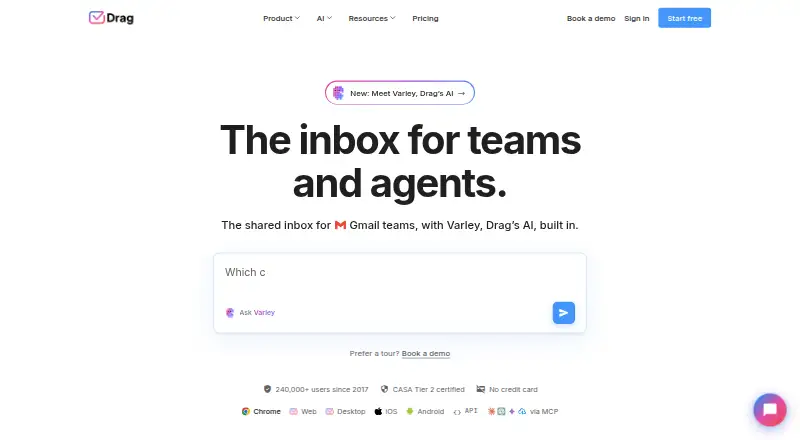
Drag provides an AI-assisted shared inbox for Gmail-based teams. Shared addresses like support@ and sales@ open as collaborative boards in Gmail or Drag’s web app.
What it does
Every conversation can have an owner. Workspaces provide Kanban, list and preview-pane views, with saved filtered views; cards can hold tasks, subtasks, due dates, checklists, custom fields and uploaded files.
Assignments, internal notes, shared drafts, mentions, tags and collision detection let colleagues handle an email together without duplicating work. Rules can route or tag messages, send automatic replies and support SLA workflows.
Varley supplies drafting and compose assistance, thread summaries, classification, sentiment analysis and knowledge-base responses. Copilot lets users query inbox data in ordinary language and proposes actions for confirmation. Drag Agent can sort incoming email, gather relevant context, carry out actions, and either close or escalate the conversation.
Email, WhatsApp, early-access live chat and the help center can all deliver conversations to one queue.
How it connects
Gmail, Google Groups, Google Calendar, Google Drive, other Google Workspace services and WhatsApp have native connectors. Zapier provides trigger-and-action links to over 5,000 applications. Drag also offers a public REST API and an MCP server for compatible AI clients.
Using API keys and JSON over its documented endpoint, the REST API handles boards, columns, cards, tags and email sequences. Official CLI utilities and SDKs are planned. Drag’s MCP server offers 47 read/write tools in 12 categories; its MIT-licensed source is distributed via GitHub and npm. The main Drag application is proprietary.
Android, iOS, macOS, Windows, web and extension versions are available. iOS requires version 12 or later, while the Mac app requires macOS 11 or later and an Apple M1-or-newer Mac.
Good fit
Drag says it targets Gmail and Google Workspace teams of up to 200 people, including support, sales, operations, IT and HR. It fits groups that want email represented as visible work with ownership, automation and shared responses.
Every subscription permits unlimited users and has no seat minimum. All plans include a help center and live chat; Plus includes onboarding and setup assistance, while Pro provides priority support.
Watch for
There is no free tier. Starter permits 10 automation rules and a three-month reporting window; Plus and Pro remove the rule cap and provide six- and 12-month reporting periods, respectively.
One Software Advice reviewer said their Outlook accounts were unsupported, so Gmail compatibility merits checking before a changeover. Live chat remains in early access.
Drag says it is GDPR compliant and CASA Tier 2 certified; application communications use TLS 1.2, data at rest uses AES-256, and email content is not stored. Shared-inbox messages are not duplicated into individual inboxes, and access can be withdrawn when a teammate departs.
Pricing
A seven-day trial unlocks all Pro capabilities without asking for a credit card. Starter costs $12 per month with annual billing or $16 month to month; Plus costs $18 annually billed or $22 monthly; Pro costs $24 annually billed or $30 monthly.
Starter includes shared inboxes, board layouts, assignments, templates, notes, subtasks, Chrome, web, desktop and mobile apps, 10 automation rules and three months of reports. Plus adds six AI assists, Copilot, Intelligence, AI help-center search, advanced live chat, onboarding, unlimited automation, email sequences, custom views and six-month reporting.
Pro adds WhatsApp, Drag Agent, API and MCP access, AI knowledge links, FAQs and files, business-hours and SLA rules, round-robin assignment, custom fields and roles, priority support and 12-month reporting.
Verdict
Drag suits teams already operating in Gmail that need one place to assign, organize and automate incoming conversations. Its boards, AI capabilities, Google integrations and API options support email workflows treated as trackable work.
Consider alternatives if Outlook is central, a free plan is essential or live chat must be fully released. Confirm device requirements, plan limits and the availability of required API functions before subscribing.
Our take
Drag is best suited to Gmail-based departments seeking shared ownership of customer or internal email. It combines collaborative inbox work, task details, automation and optional AI, with Google, Zapier, API and MCP connectivity. Annual pricing begins at $12 per user monthly, and the trial requires no card. Outlook-centric teams, buyers seeking free software and organizations needing mature live chat may want another option.
- Shared Gmail boards provide ownership, notes, co-authored drafts and collision alerts
- Connections for Google Workspace, WhatsApp and Zapier
- Varley assists, Copilot and an optional Drag Agent
- REST API plus an MIT-licensed MCP server
- Unlimited users without a minimum seat count
- No permanent free tier
- Outlook compatibility may be insufficient
- Live chat remains early access
- Starter permits only 10 automation rules
- Pick it ifGmail and Google Workspace teams numbering up to 200 people; Support, sales, operations, IT and HR workflows; Teams seeking shared email with AI-driven automation
- Skip it ifYour organization depends on Outlook accounts; You need an ongoing free plan; Fully released live chat is required
Pricing
The seven-day trial covers every Pro feature and needs no credit card. All paid plans allow unlimited users without a seat minimum. Annual per-user monthly rates are $12, $18 and $24 for Starter, Plus and Pro; monthly rates are $16, $22 and $30.
- Starterbilled yearly; $16 billed monthly · Shared inboxes · Kanban/list/preview boards · assignments and @mentions · templates, notes, subtasks · Chrome, web, desktop and mobile apps · 10 automation rules · 3-month reporting$12/mo
- Plusbilled yearly; $22 billed monthly · Everything in Starter · six AI assists · Copilot · Intelligence · AI help-center search · advanced live chat · onboarding help · unlimited automation · email sequences · custom views · 6-month reporting$18/mo
- Probilled yearly; $30 billed monthly · Everything in Plus · WhatsApp · Drag Agent · API and MCP access · AI knowledge links, FAQs and files · business hours and SLA rules · round-robin assignment · custom fields and roles · priority support · 12-month reporting$24/mo
As dragapp.com lists them, checked 15 Oct 2026.
Questions
Does Drag have a free plan?
No. It is a paid service, though a seven-day trial includes all Pro capabilities and requires no card.
Which email services does Drag support?
Drag is designed for Gmail teams. A Software Advice reviewer said their Outlook accounts were not supported.
What app integrations does Drag offer?
Google Workspace services and WhatsApp have native connections; Zapier links more than 5,000 applications, while Drag provides REST and MCP interfaces.
Is Drag open source?
The Drag product is proprietary. Its MCP server, however, is distributed as MIT-licensed open-source code through GitHub and npm.
What AI features are included?
Varley handles drafting, compose assistance, summaries, classification, sentiment analysis and knowledge-base answers. Copilot supports natural-language questions, while Drag Agent can take automated actions; availability varies by plan.
What devices can run Drag?
Drag offers Android, iOS, macOS, Windows, web and extension versions. The iOS app needs version 12 or later; the Mac app needs macOS 11 or later and an Apple M1-or-newer Mac.