Feedreader RSS Reader Review
feedreader.com · checked 15 Oct 2026
Browser and Windows RSS software for gathering subscriptions, narrowing subjects, and distributing stories.
How it plugs in
Signal on RSS Reader Software6.6#5 of 33
Feedreader pairs an online RSS reader with a Windows desktop application. It brings syndicated stories into one stream and adds nested folders, tags, keyword smart feeds, podcasts, offline use, and SSL protection. Feedreader Connect provides FTP, email, instant-messaging, IMAP, and privately hosted publishing capabilities. A free edition is available, alongside one-time licenses for expanded editions.
Review
In a line
Feedreader is an RSS subscription reader for the web and Windows. It collects articles from many sites into one reading stream.
What it does
The desktop application automatically fetches website updates and presents the syndicated material through configurable layouts, including River of News. Users can sort headlines by source, date, or tag, combine feeds, and organize them inside nested folders.
Smart feeds watch for words or phrases. Normal feeds can be turned into filtered feeds that include or exclude information. Tags, offline access, podcasts, and article enclosures are also supported.
Its Intelliupdate feature learns how often each feed changes, then refreshes it when needed.
How it connects
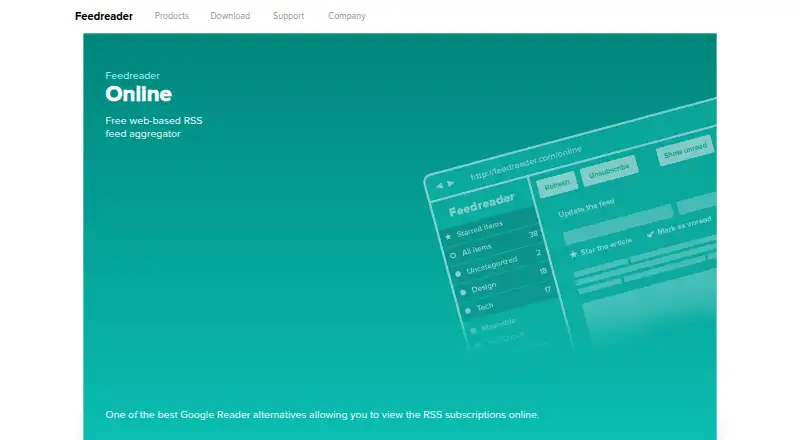
Mainstream feed formats, Unicode, and secure SSL connections are supported. Feedreader Online runs in a browser instead of requiring the desktop installation, while downloads include a Linux Feedreader Connect package and a Windows reader for Windows 2000 or later.
Through Connect, feeds can be sent to FTP, intranet, or extranet destinations, and articles can be emailed. A messaging gateway also routes matching items to Windows Live Messenger users.
Connect Server includes an IMAP mail server usable by clients such as Outlook or Thunderbird. Third-party software can use the documented integration methods and embeddable Newsbrain engine, although the published pages do not describe a conventional public REST API or SDK.
Good fit
Feedreader suits people who want many subscriptions in one place, with keyword filtering, tags, folders, and offline access. It is also aimed at users with little technical knowledge.
Organizations can use Connect to publish normal or smart feeds through private portals, mail, FTP, or intranet and extranet sites. The engine documentation covers Firebird, Microsoft SQL Server 2005, MySQL 5.x, and additional databases through ADO.
Watch for
Feedreader is not open source. The desktop system requirement listed on the official feature page is Windows 2000 or later; Linux availability is listed for Feedreader Connect, not the desktop reader.
The free Connect Server version permits four subscribed feeds and stores 1,200 archived articles for each feed. Connect Personal demo functions work for about one day before a restart is needed.
The documented integration material is technical, and there is no published conventional public API reference. Check which Connect edition and database setup you need before buying.
Pricing
Feedreader has a free plan and a free trial. Standard Edition carries no charge, and the site states that it has no hidden fees, spyware, or adware.
Paid licenses are one-time fees: MySQL Edition is €29 for one computer; Connect Personal Edition is €39; Connect Server for up to 100 feeds is €490; and Connect Server for up to 1,000 feeds is €990.
An unlimited OEM license is €500. An older page mentions a special €990 unlimited-feed offer, but also says that offer was limited to June 1, 2010.
Verdict
Choose Feedreader if you want a no-cost RSS reader with desktop and web access, detailed feed organization, and keyword-based smart feeds. Its Connect products make sense when articles must move through FTP, email, IMAP, messaging, or a privately run portal.
Look elsewhere if open-source code or a documented public REST API is essential. Also confirm platform needs: the listed desktop client is for Windows, while Linux is associated with Connect. Larger deployments should review the feed limits, database requirements, and one-time license tiers before committing.
Our take
Feedreader offers readers a free method for gathering subscriptions, organizing them with folders and tags, and tracking chosen keywords. The web option avoids installation, while the Windows client supports offline reading. Connect editions extend the product into publishing and mail workflows, but they introduce feed caps, database setup, and technical configuration. Buyers needing open-source software, a standard public API, or a clearly current unlimited-feed plan should consider other RSS tools instead.
- Free Standard Edition with browser reading
- Smart feeds filter articles by words or phrases
- Folders, tags, offline reading, and podcast support
- Connect sends or publishes feeds through several channels
- Desktop reader is listed for Windows; Linux is for Connect
- Free Connect Server is limited to four feeds
- No conventional public REST API or SDK is published
- Connect Personal demo functions last about one day before restart
- Pick it ifPeople collecting many RSS subscriptions; Teams publishing feeds through private channels; Windows users wanting offline feed reading
- Skip it ifYou need open-source code or a documented public REST API; You require a current, clearly stated unlimited-feed price; You need a native Linux desktop reader
Pricing
Standard Edition costs nothing and a trial is available. The free Connect Server tier caps subscriptions at four feeds and archives at 1,200 articles per feed.
- Standard EditionFree end-user edition · no hidden fees, spyware or adware statedFree
- Feedreader Standard EditionFree; no hidden fees, spyware, or adware statedFree
- Feedreader MySQL EditionLicense for one computer · MySQL Edition beta/trial download available€29 one-time
- Feedreader Connect Personal EditionPersonal Connect edition with communication functions€39 one-time
- Feedreader Connect Server (MSSQL or MYSQL) — up to 100 feedsUp to 100 feeds€490 one-time
- Feedreader Connect Server (MSSQL or MYSQL) up to 100 feedsUp to 100 feeds · MSSQL or MySQL€490 one-time
- Feedreader OEM unlimited licenseUnlimited OEM license · branding and customized deployment€500 one-time
- Feedreader Connect Server (MSSQL or MYSQL) — up to 1000 feedsUp to 1000 feeds€990 one-time
As feedreader.com lists them, checked 15 Oct 2026.
Questions
Is Feedreader free?
Yes. Standard Edition has no charge, and a trial is also available. Paid one-time licenses are available for MySQL and Connect editions.
Which platforms can run Feedreader?
Feedreader offers web access, a Windows desktop reader, self-hosted options, and a Linux package for Feedreader Connect. The desktop feature page lists Windows 2000 or later.
Can Feedreader narrow articles by subject?
Yes. Smart feeds monitor keywords or phrases, and feeds can be filtered to include or exclude information before being combined into one stream.
Is there a public API for Feedreader?
The published pages describe integration methods and an embeddable engine, but they do not publish a conventional public REST API, SDK package, or API reference.
Which sending and publishing options are available in Connect?
Connect can upload feeds to FTP, forward articles by email, publish to intranets or extranets, send matching items through Windows Live Messenger, and provide IMAP access.
What is the free Connect Server feed allowance?
The free Connect Server version is limited to four subscribed feeds and 1,200 archived articles per feed.