FLEX iOS Debugging Tool Review
engineering.flipboard.com · checked 8 Oct 2026
A free, open-source iOS utility that lets developers examine and alter a live application.
How it plugs in
Signal on Debuggers6.3#6 of 27
Developers get an in-app control bar for examining iOS state during execution. FLEX exposes views, heap objects, network activity, files, databases, and settings for inspection or editing. The tool operates on simulators and physical devices without an LLDB, Xcode, or remote debugging connection. FLEX targets iOS 9 and later.
Review
In a line
For iOS development, FLEX provides debugging and runtime exploration from within the application. It allows the running program’s state to be examined or changed.
What it does
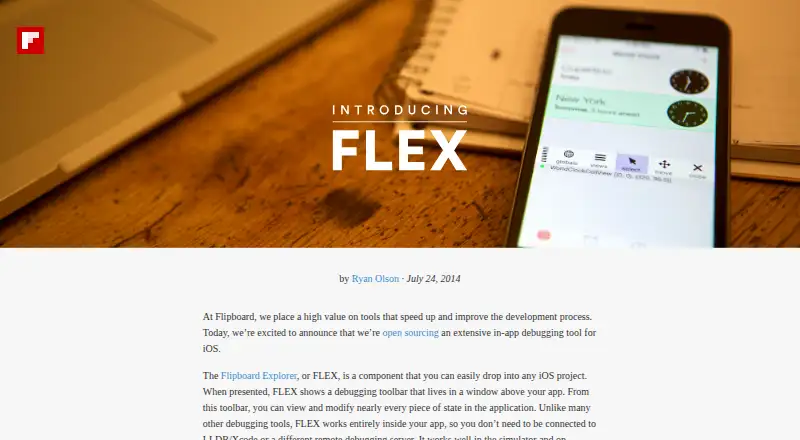
A window layered over the application contains FLEX’s toolbar. Developers can use it to navigate and edit the view hierarchy, locate heap objects, inspect properties and ivars, alter values, and invoke methods.
Its request history captures NSURLConnection and NSURLSession traffic with timing, headers, and complete responses. FLEX also opens the bundle and sandbox, examines SQLite and Realm stores, and displays or edits supported NSUserDefaults entries, including strings, numbers, arrays, and dictionaries.
How it connects
Flipboard released FLEX as open source and accepts pull requests. Setup instructions cover CocoaPods, Carthage, Buck, direct Xcode integration, and Swift Package Manager.
Objective-C and Swift projects can use it on iOS simulators or physical devices. Runtime use stays within the app, so no LLDB, Xcode, or remote debugging server connection is needed.
Good fit
This suits iOS developers investigating a live interface, objects, requests, files, databases, or stored preferences. It supports apps targeting iOS 9 or newer and can be used in both simulated and physical-device runs.
Watch for
tvOS is not supported by FLEX out of the box. The project points to third-party forks for tvOS ports.
The project advises leaving FLEX out of Release builds because exposing it to app users is not recommended and may lead to App Store rejection. Check that your app targets iOS 9 or later before adding it.
Pricing
FLEX is free. It has a free plan and no free trial because there is no paid plan listed.
Verdict
iOS teams wanting an in-app inspection panel instead of a separate debugging connection may find FLEX suitable. Its coverage spans views, objects, network activity, files, databases, and settings.
For tvOS, use it only with a third-party port. Keep it out of release builds, and confirm that your deployment target is iOS 9 or newer.
Our take
FLEX is a practical choice for iOS teams that need to inspect a live app on a simulator or device. Its free, open-source distribution and several installation routes make it easy to add during development. The main boundaries are platform and release use: it targets iOS 9 or later, has no built-in tvOS support, and should not be exposed to app users in shipped builds. Teams wanting an in-app tool without a remote debugger connection should consider it.
- Free and open-source
- Works on simulators and physical iOS devices
- Examines views, objects, requests, files, databases, and settings
- Operates without LLDB, Xcode, or a remote debugging server
- Supports CocoaPods, Carthage, Buck, manual, and Swift Package Manager setup
- No out-of-the-box tvOS support
- The project advises leaving it out of Release builds
- Requires an app targeting iOS 9 or newer
- Only supports iOS development
- Pick it ifiOS developers inspecting a running app; Teams debugging on simulators or physical devices; Objective-C and Swift projects targeting iOS 9+
- Skip it ifYou need built-in tvOS support; You cannot keep debugging tools out of release builds; Your app targets an iOS version below 9
Pricing
FLEX costs nothing: the listed FLEX plan is free, with no trial period or paid tier.
- FLEXOpen-source iOS debugging library · iOS 9 or higherFree
As github.com lists them, checked 8 Oct 2026.
Questions
What is FLEX used for?
It is an open-source debugging and runtime exploration utility that operates inside iOS apps.
Where can FLEX run?
FLEX runs on the iOS Simulator and on physical iOS devices; tvOS has no out-of-the-box support.
Does FLEX need Xcode or LLDB while running?
No. The tool runs within the app without an LLDB, Xcode, or remote debugging server connection.
Which parts of an app can FLEX examine?
Views, live objects, network traffic, app files, SQLite and Realm databases, and supported NSUserDefaults values can all be inspected or changed.
What installation methods are documented?
The project documents CocoaPods, Carthage, Buck, manual Xcode integration, and Swift Package Manager installation.
What iOS version is required?
The app must target iOS 9 or higher.
Can FLEX ship in a release build?
The project advises excluding it from Release builds because exposing the tool to users is not recommended and may cause App Store rejection.
Is FLEX free to use?
Yes. The listed plan is free, and there is no separate free trial.