pyOCD: Arm Cortex-M Debugging and Programming
pyocd.io · checked 9 Oct 2026
Python tooling and an API for exploring, debugging, and programming Arm Cortex-M microcontrollers.
How it plugs in
Signal on Debuggers6.6#3 of 27
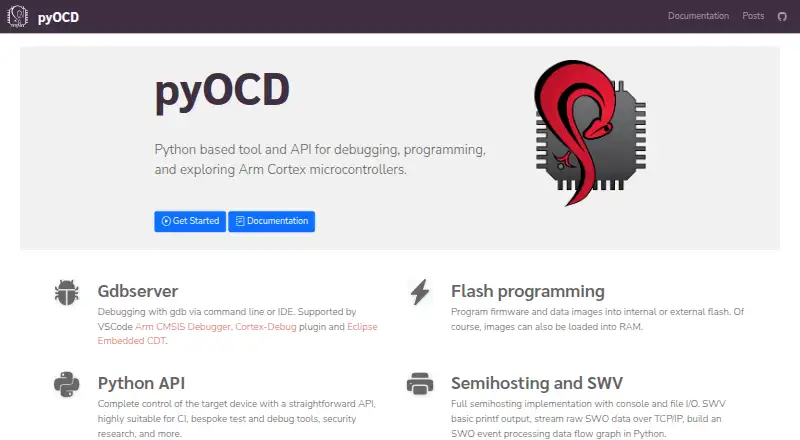
Built around Python, pyOCD gives developers an Apache 2.0-licensed way to work with Arm Cortex-M microcontrollers. Its GDB server handles terminal and IDE sessions, while image programming and a Python API cover device control, automation, and custom tooling. The package supports Windows, macOS, Linux, and FreeBSD systems running Python 3.9 or newer.
Review
In a line
As a Python utility, pyOCD helps debug and program Arm Cortex-M microcontrollers. The code is released under the Apache 2.0 license.
What it does
Its GDB server lets you debug from a command line or an IDE. Firmware and data images can go to internal or external flash, and images can also be loaded into RAM.
A Python API gives programs control over target devices. That suits continuous-integration jobs and custom test or debugging tools. The feature set also covers semihosting, basic SWV printf output, raw SWO streaming over TCP/IP, and Python handling of SWO events.
More than 70 common Arm Cortex-M devices have built-in support. Additional devices can come from CMSIS Device Family Packs, which pyOCD can install using a device part number.
How it connects
The project lists Arm CMSIS Debugger, Cortex-Debug, and Eclipse Embedded CDT among its GDB integrations. This includes VS Code setups using Arm CMSIS Debugger or Cortex-Debug.
Built-in probe plug-ins cover CMSIS-DAP, Raspberry Pi Picoprobe, SEGGER J-Link, STLink, and pyOCD remote. PE Micro Cyclone and Multilink work through a separate plug-in.
Debug probes can be made available to a client through a server over TCP/IP, including for continuous-integration setups. Remote access is blocked by default; enabling it can make the server reachable from any internet node unless protective measures are used.
The installation guide lists Windows, macOS, Linux, and FreeBSD support, with Python 3.9 as the minimum version. Installation uses pip, with pipx recommended for an isolated install.
Good fit
It suits developers working with Arm Cortex-M boards who need command-line or IDE debugging, firmware flashing, or RAM loading.
The Python API is useful when device control must be part of automated builds, tests, or a custom debugging tool. Probe sharing can also support remote or continuous-integration workflows.
Watch for
CMSIS-Pack support currently allows only one system memory map for all CPUs. Conflicting or overlapping memory regions can therefore cause problems.
Documented target-security support covers NXP Kinetis and Nordic nRF52 families. Unlocking a locked device typically requires a mass erase, which removes all data on the chip.
Remote probe access needs care: enabling remote connections may leave the server reachable by any internet node unless it is protected.
Pricing
pyOCD is free to use. The listed plan is free, and no free trial is offered.
Verdict
For Arm Cortex-M work, pyOCD brings together GDB sessions, image handling, and Python automation in an open-source package that runs across major desktop systems.
Check device, probe, and CMSIS-Pack compatibility before adopting it. Teams that need locked-device recovery should plan for possible full-chip erasure, while anyone exposing probe access over a network should add their own protection.
Our take
For Arm Cortex-M development, pyOCD combines terminal and IDE debugging, programming, and Python-driven automation in a free package. Its device and probe coverage is broad but not universal, and CMSIS-Pack memory-map conflicts can matter. Security operations are limited to documented device families, and unlocking may wipe the chip. Network probe sharing also requires safeguards before it is enabled.
- Free Apache 2.0-licensed open-source project
- GDB server supports terminal and IDE debugging
- Writes to internal or external flash and can load RAM images
- Python API supports continuous integration and custom tools
- Available on Windows, macOS, Linux, and FreeBSD
- Python 3.9 or newer is required
- Only one system memory map is supported for CMSIS-Pack targets
- Unlocking a locked device may erase all chip data
- Exposing remote probe access without safeguards can leave the server reachable
- Documented security support covers NXP Kinetis and Nordic nRF52
- Pick it ifArm Cortex-M developers needing free GDB debugging and flashing; Teams adding device control to Python automation or CI; Workflows that share probes over a network
- Skip it ifYour device or probe is outside pyOCD's supported families and plug-ins; You cannot accept possible full-chip erasure during device unlocking; You need unrestricted CMSIS-Pack memory-map handling
Pricing
The pyOCD plan is free. The project is Apache 2.0 licensed, and no free trial is offered.
- pyOCDOpen source project · Apache 2.0 licenseFree
As pyocd.io lists them, checked 9 Oct 2026.
Questions
What is pyOCD used for?
It provides Python-based debugging, programming, and exploration for Arm Cortex-M microcontrollers, including through its GDB server and API.
Which operating systems does pyOCD support?
The tool supports Windows, macOS, Linux, and FreeBSD when run with Python 3.9 or newer.
Can pyOCD work with an IDE?
Yes. Named GDB integrations include Arm CMSIS Debugger, Cortex-Debug, and Eclipse Embedded CDT.
Can it program firmware?
Yes. Firmware and data images can be written to internal or external flash, or loaded into RAM.
Does pyOCD support remote debugging?
A probe server can provide TCP/IP access to a client. Remote connections start disabled and should be protected if enabled.
What happens when unlocking a locked device?
For supported targets, unlocking may require a mass erase that clears the chip's data.