Fluen AI Subtitle Generator
fluen.ai · checked 28 Sept 2026
Fluen converts media into subtitles you can edit, translate, style, and render onto video.
How it plugs in
Signal on AI Video Caption Generators6.8#14 of 99
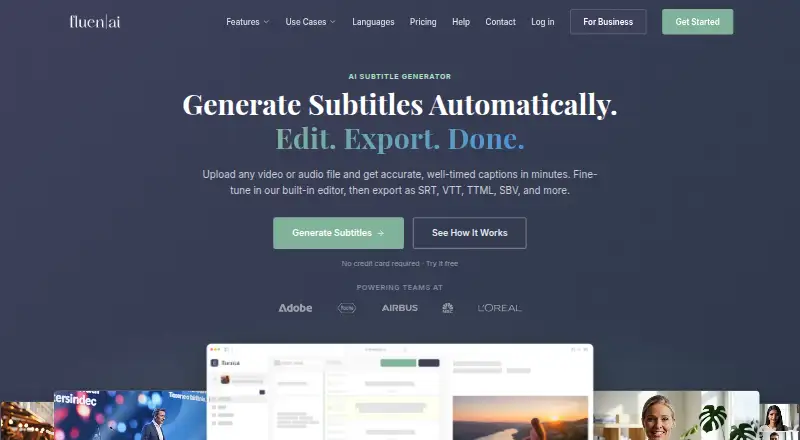
Uploaded video and audio become synchronized subtitles through Fluen's transcription workflow. The service provides editing tools, speaker labeling, translation for over 50 languages, caption styling, and video exports with captions embedded. Access is available via web, macOS, Windows, an extension, and an API. A free plan and trial are offered, while paid usage is based on subtitle minutes.
Review
In a line
Fluen AI Subtitle Generator turns video and audio uploads into synchronized subtitle tracks. The text can be revised, translated, and delivered as subtitle files or video with captions.
What it does
You can import MP4, MOV, MKV, AVI, MP3, WAV, M4A, or FLAC files. Fluen handles multiple uploads in the background, and its pricing page does not specify file-length or file-size caps for paid plans.
The editor supports millisecond-level timeline adjustments, speaker labels, filler-word deletion, natural segmentation, and custom glossaries. Voice detection can be renamed, reassigned, given dash markers, or switched off.
More than 50 translation languages are available, with layout and segmentation adapted to the target language. Output choices cover SRT, WebVTT, TTML, SBV, ITT, EBU STL, SSA, plain text, and MP4 with captions burned in. Fluen reports accuracy as high as 99.2%.
How it connects
Use Fluen through its web app, macOS or Windows apps, extension, or REST API. Outbound webhooks can send event notifications to other services.
Through Zapier, Fluen can link with over 9,000 applications. Its free Premiere Pro plugin, compatible with version 25.6 and later on macOS and Windows, brings captioning and translation into the editing interface; the upload is sequence audio, not video footage.
Shared project files support permissions, reviews, approvals, and notes for teams. Individual tracks can also receive optional public review links that expire after 72 hours.
Good fit
Fluen lists content creators, podcasters, media and post-production teams, agencies, language-service providers, e-learning projects, and corporate communications among its audiences.
It fits work that calls for speaker-aware subtitles, multiple language versions, batch handling, or videos with captions. REST API access, webhooks, Zapier, and the Premiere Pro plugin accommodate automated and editor-centered processes.
Watch for
Billing follows the amount of subtitle minutes generated rather than video count or file size. The free tier allows three files of up to 90 minutes each, and each file's translations can be previewed for 15 minutes in as many as three languages.
On the free tier, creating subtitle or video exports is restricted until you move to a paid plan. Asset retention is 30 days for Free, 90 days for Premium, and 180 days for Team; subtitle tracks stay available after asset deletion.
Email is the primary support channel. Paid-plan replies are generally targeted for 24–48 business hours on weekdays in Central European Time, so review language output and speaker assignments before release.
Pricing
Free costs $0 and covers three files, each up to 90 minutes, without requiring a card; assets remain for 30 days. Subtitle and video export is available only on paid plans.
Premium is $29 monthly for 150 minutes, one seat, 90-day retention, and $0.24 for each additional minute. Team is $59 monthly for 300 minutes, two seats, 180-day retention, $0.22 per extra minute, plus $10 monthly for every added seat.
Enterprise pricing is provided on request and can be volume-based, with custom seats and REST API access.
Verdict
Fluen is worth considering when transcription, editing, translation, and subtitle delivery need to happen in one place across familiar media formats. Speaker controls, multilingual output, shared workspaces, and integrations support both individual and team operations.
The no-cost tier is primarily a way to test transcription and translation: exports are reserved for subscribers. Since charges follow subtitle minutes, compare the included allowances with the length and frequency of your recordings.
Consider alternatives if you need unlimited bundled minutes, a different approach to export access, or support beyond the published email schedule.
Our take
Fluen gives creators and production groups a way to generate timed subtitles, translations, and captioned video from varied media files. You can test it with three files without entering a card, but exports require payment. Premium and Team impose monthly minute quotas and overage fees, making volume estimates important. API, webhook, Zapier, shared-workspace, and Premiere Pro options can fit established processes. Review retention terms and verify that the stated accuracy and speaker separation suit your publishing requirements.
- The free tier allows three files, each up to 90 minutes
- Translation is available for over 50 languages
- Subtitle formats and captioned MP4 are supported
- REST API, webhooks, Zapier, and Premiere Pro connectivity
- Speaker detection supports renaming and reassignment
- Exporting subtitles or video is not included on the free tier
- Charges are based on generated subtitle minutes
- Free assets are kept for 30 days
- Support is chiefly email during weekday CET hours
- The 99.2% accuracy figure is reported, not promised
- Pick it ifCreators and teams making subtitles in multiple languages; Processes that need API, Zapier, or Premiere Pro links; Projects involving speaker labels and collaborative review
- Skip it ifYou require unlimited included minutes or free exports; Minute-based charging does not suit your workflow; You need support outside the stated weekday schedule
Pricing
Premium and Team provide monthly minute pools with per-minute overages; Enterprise rates are available by request.
- Free$0 · 3 files · up to 90 min each · 30-day asset retentionFree
- Premium1 seat included. · 150 minutes/month · 1 seat · 90 days media retention$259/yr
- Team2 seats included; extra seats cost $10/month each. · 300 minutes/month · 2 included seats · 180 days media retention$499
- EnterpriseVolume-based pricing · Custom seats · REST API accessOn request
- Premium$29/mo · 150 min/month · 1 seat · top-up $0.24/min · 90-day asset retention$29/mo
- Team$59/mo · 300 min/month · 2 seats · top-up $0.22/min · extra seat $10/mo · 180-day asset retention$59/mo
As fluen.ai lists them, checked 28 Sept 2026.
Questions
Is Fluen free?
Yes. The Free plan is $0, permits three files of up to 90 minutes each, and requires no credit card. Exporting subtitle or video files needs a paid plan.
How does Fluen charge?
The meter tracks subtitle minutes generated, not the number of videos or their file sizes.
What languages can it translate?
Fluen offers translation to more than 50 languages and reshapes formatting for the destination language. Free users may preview 15 minutes per file in up to three languages.
Which files can I upload?
Accepted inputs are MP4, MOV, MKV, AVI, MP3, WAV, M4A, and FLAC.
Does Fluen identify speakers?
Yes. It distinguishes voices and lets you rename or reassign them, insert dash markers, or disable detection.
Can it connect to other apps?
Yes. Zapier provides links to over 9,000 apps, and Fluen also supplies REST API access, outbound webhooks, and a Premiere Pro plugin.
How long are files retained?
Free assets remain for 30 days, Premium assets for 90 days, and Team assets for 180 days. Subtitle tracks continue to be accessible after the associated asset is removed.