
Checksub Software Review
checksub.com · checked 17 Nov 2026
Video captions, translated subtitles, dubbing, and voice replacement in one service.
How it plugs in
Signal on AI Video Caption Generators6.8#12 of 99
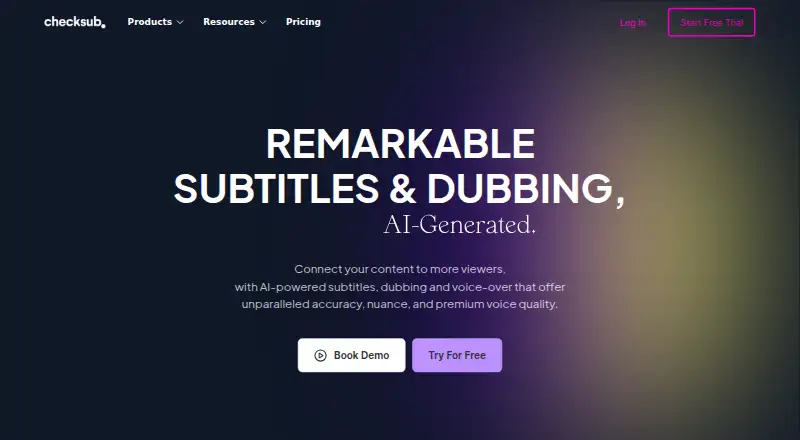
Checksub is a France-made video platform founded in 2017. It generates captions, converts them into other languages, and makes dubbed or voice-over tracks. Its editor supports sentence revisions, subtitle styling, and subtitle burning in exported videos. Access is available via web, browser extension, or API, with free and paid yearly options.
Review
In a line
Checksub brings automatic captions, translated subtitles, dubbing, and voice-over together for video. It runs through a website, browser extension, and API.
What it does
The service automatically produces subtitles and synchronizes script text to video. Speaker identification is available, translations are offered in 200 languages, and subtitle files can be saved as SRT or VTT.
Its dubbing preserves the underlying background sound while substituting the source speaker. A voice-over can also be exchanged for a cloned voice in 30 languages. Once AI subtitles or dubbing are generated, the online editor lets users revise sentences and generate them again.
Users can embed subtitles in the rendered video and apply animated styles, including karaoke effects. Checksub also provides a free YouTube subtitle downloader, while its Chrome extension offers quicker downloads.
How it connects
The listed integrations cover YouTube, Twitch, Google Drive, Adobe Premiere Pro, DaVinci Resolve, Final Cut Pro, and other video tools. Translated videos can be published to YouTube channels, with Starter supporting one channel.
An API is available on the Enterprise plan. Subtitle, dubbing, and lip-sync work use credits: one credit minute per video minute for subtitles, three for dubbing, and five for lip-sync.
Good fit
Checksub suits people who need subtitles, translated videos, or dubbed versions without handling each step separately. It can help with automatic captioning, script-based subtitles, speaker labels, and exports for editing software.
It is also a fit for YouTube publishing, animated subtitle treatments, and voice replacement in multiple languages. Teams that need an API or custom credit amounts can look at Enterprise.
Watch for
Check the credit rules before choosing a plan, especially if you need dubbing or lip-sync rather than subtitles alone. Annual plans limit credits, storage, upload size, users, or connected YouTube channels.
Voice cloning is available in 30 languages, whereas subtitle translation is listed for 200. Enterprise translation is listed for 187 languages, so confirm which language coverage applies to your project.
Account creation requires email confirmation. Paid plans include email support; Enterprise buyers must contact Checksub for a demo or quote.
Pricing
Checksub provides both a free tier and a trial. Annual paid subscriptions begin at $12 per user each month.
The Junior plan is $144 annually, with 24 credit hours, one translation per project, 20GB of storage, a 4GB upload limit, one user, and email support. Starter is $576 per year and supplies 60 credit hours, the same translation limit, 50GB of storage, a 4GB upload limit, one YouTube channel, one user, and email support.
Enterprise is priced from $299 a month. It offers custom yearly credits, translation in 187 languages, unlimited upload size, API access, YouTube channel connections, and an account manager.
Verdict
Choose Checksub if you want one service for captions, translated subtitles, dubbing, and voice-over, with an editor for correcting generated text. Its web, extension, and API options cover different workflows, while YouTube and editing-tool connections help move finished videos onward.
Look elsewhere if your work needs more than the listed plan limits, a different language range for voice cloning, or pricing that is not tied to annual credits. Enterprise may suit larger operations, but its final cost requires a quote.
Our take
Checksub is a practical option for creators and teams handling multilingual video. It combines automatic captions, translation, dubbing, voice cloning, subtitle styling, and common video-tool connections. Free access and a trial make initial testing possible. Annual plans have defined storage, upload, user, channel, and credit limits, so heavier dubbing or lip-sync work can use credits quickly. Enterprise adds an API, custom credits, unlimited upload size, and account management, but requires a quote. Pick it when those workflows match your needs; compare alternatives when plan limits or language details do not.
- Automatic captions with identified speakers
- Subtitle translation in 200 languages
- Dubbing retains the video's background audio
- SRT and VTT file export
- Web, extension, and API access
- Free tier plus trial
- Annual plans limit credits and storage
- Voice cloning covers 30 languages
- Enterprise pricing requires a quote
- Lip-sync uses five credit minutes per video minute
- Starter connects one YouTube channel
- Pick it ifCreators making subtitles or translated videos; Teams producing dubbed or voice-over content; Businesses needing an API and custom credits
- Skip it ifYou need unlimited credits on a standard plan; You require voice cloning beyond 30 languages; You need a fixed Enterprise price before contacting the maker
Pricing
A free tier and trial are available.
- JUNIORBilled monthly. · 2 hours of credits / month · Up to 1 translation per project · 20GB storage · 4Go upload size · 1 user · Email support$18/mo
- STARTERBilled monthly. · 5 hours of credits / month · Up to 1 translation per project · 50GB storage · 4Go upload size · 1 YouTube channel · 1 user · Email support$59/mo
- JUNIORBilled yearly ($144/year). · 24 hours of credits / year · Up to 1 translation per project · 20GB storage · 4Go upload size · 1 user · Email support$144/yr
- STARTERBilled yearly ($576/year). · 60 hours of credits / year · Up to 1 translation per project · 50GB storage · 4Go upload size · 1 YouTube channel · 1 user · Email support$576/yr
- ENTERPRISEFrom $299/month. (Billed Yearly) · Custom credits · Translation in 187 languages · Unlimited upload size · API Access · Connect YouTube Channels · Account managerOn request
- ENTERPRISEFrom $299/month. · Custom number of credits / year · Translation in 187 languages · Unlimited upload size · API Access · Connect YouTube Channels · Account managerOn request
As checksub.com lists them, checked 28 Sept 2026.
Questions
Is there a free Checksub option?
Yes. Checksub has a free plan as well as a free trial.
What language coverage does Checksub list?
Subtitle translation is listed for 200 languages, voice cloning for 30, and Enterprise translation for 187.
Are subtitle files downloadable from Checksub?
Yes. The service supports SRT and VTT files.
What video software is listed as connecting with Checksub?
Connections listed include YouTube, Twitch, Google Drive, Adobe Premiere Pro, DaVinci Resolve, and Final Cut Pro.
How does Checksub charge video credits?
Each minute of video uses one credit minute for subtitles, three for dubbing, and five for lip-sync.
Does Checksub offer an API?
Yes, API access is included on the Enterprise plan.
Can translated videos be sent to YouTube?
Yes. Checksub can publish them to YouTube channels, and Starter includes one channel.
Near it
All alternatives →- CClipMint#11 on this board
- WWhisply#13 on this board
- GGetCaptions#10 on this board
- FAFluen AI Subtitle Generator#14 on this board
- MMoonshot#9 on this board
- S
 Submagic#15 on this board
- S
 SRTGen#8 on this board
- CACapto Auto Subtitle Generator#16 on this board
- C
 CaptionRoom#7 on this board
- AI
 AutoCap India#17 on this board