GetCaptions: Video Captions, Translation, and Export
getcaptions.io · checked 5 Oct 2026
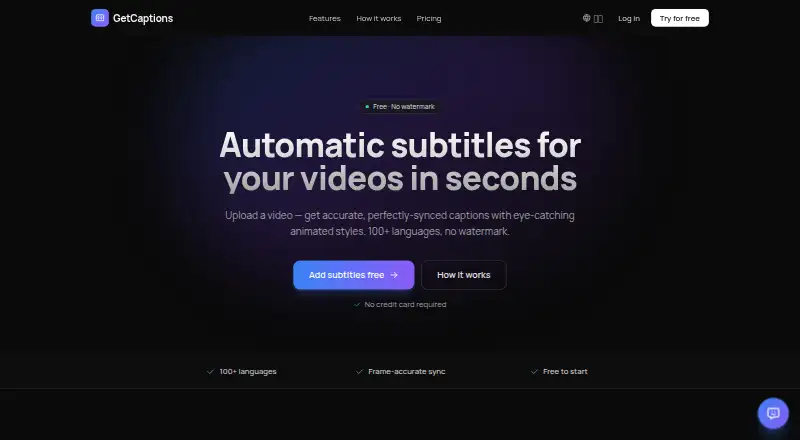
Online tool for turning spoken video into styled, translated subtitles, burned-in captions, or SRT/VTT files.
How it plugs in
Signal on AI Video Caption Generators6.9#10 of 99
GetCaptions combines browser and API workflows for transcribing speech, styling captions, translating them, and exporting videos or subtitle files. Its free Starter tier handles short projects, while Pro and Studio increase duration, output quality, and collaboration options.
Review
In a line
GetCaptions generates, edits, and exports captions for uploaded video. You can use it in a browser, with API availability on Studio.
What it does
MP4, MOV, and WebM uploads are supported. Speech is converted to editable captions with word-by-word timing across 100-plus languages, and completed captions can be translated to many other languages in one action.
More than 18 animated designs are available in the editor, including karaoke, highlight, neon, and pop. Finished work can include captions embedded in the video, or you can save subtitle tracks as SRT or VTT.
The brand kit applies your logo, color palette, and fonts to videos, and those settings can be pulled from a website or YouTube channel.
How it connects
GetCaptions works in a web browser and has an API on the Studio plan. Studio also supports one-click publishing to TikTok, Instagram, and YouTube.
Recognition is processed on GetCaptions infrastructure rather than a third-party transcription service. Video files remain available for project reopening and editing until the project or account is removed. The service describes HTTPS/TLS encryption in transit, access controls, and managed infrastructure.
Good fit
This is suited to uploaded-video workflows that call for multilingual subtitles, motion styles, captions embedded in the picture, or downloadable subtitle tracks.
Pro is aimed at longer source files and sharper exports. Studio adds branding tools, shared team use, social publishing, and API connectivity.
Watch for
Starter permits clips of no more than five minutes and outputs at 720p. Pro extends a clip to 60 minutes, while Studio advertises unlimited usage subject to fair-use rules.
A trial period is not available, and the terms disclaim any promise of uninterrupted or error-free operation. Review the plan allowances and whether you need publishing, team, or API features before subscribing.
The initial paid subscription charge qualifies for a full refund during its first 14 days; later monthly renewals cannot be refunded. Support and billing email replies generally arrive within one to two business days.
For other caption tools, see SmartSub, Captions, or SRTGen.
Pricing
Starter has no charge and provides 60 transcription minutes per month, five-minute videos, basic templates, 720p output, three projects, and standard queueing.
Pro is billed monthly at $15. Its allowance is 500 transcription minutes, clips up to 60 minutes, every animated template, 1080p output, priority processing, translation and dubbing, and 50 projects.
Studio is $35 per month on monthly billing. It includes Pro features plus fair-use unlimited usage, 4K output, a brand kit, team accounts, API access, one-click publishing, and the top processing priority.
Verdict
GetCaptions is a fit for an online caption workflow that combines transcription, animated presentation, translation, embedded text, and SRT/VTT downloads. Starter targets brief jobs; Pro handles longer videos, and Studio is the tier for branding, teams, publishing, or API use.
Look elsewhere if you require a trial, an uptime guarantee, or the longer-video and higher-resolution allowances at no cost. You could also compare Fluen AI Subtitle Generator before deciding.
Our take
GetCaptions suits creators and teams making captions from uploaded video, particularly when they need animated presentation, translation, branding, or social publishing. Starter provides a no-cost way to test the workflow but restricts clips to five minutes and 720p output. Pro is the next step for longer files and translation, while Studio is relevant for fair-use unlimited usage, 4K, team controls, publishing, or API work. There is no trial period, and the service does not promise uninterrupted operation.
- Starter includes 60 transcription minutes every month at no cost
- Word-level transcription timing across more than 100 languages
- Animated designs, caption styling, and reusable brand presets
- SRT/VTT downloads alongside video exports with embedded captions
- Studio can publish directly to TikTok, Instagram, and YouTube
- No trial period is available
- Starter restricts clips to five minutes and 720p
- Only Studio includes API access
- Studio's unlimited allowance follows fair-use conditions
- The terms provide no guarantee of uninterrupted or error-free operation
- Pick it ifCreators who want styled captions and subtitle downloads; Teams seeking brand controls, publishing links, or API use; Projects needing captions translated into several languages
- Skip it ifYou want to test a paid plan through a free trial; You need guaranteed uptime or error-free service; A no-cost plan must handle videos over five minutes
Pricing
Starter is free for short videos and basic output. Pro runs $15 monthly with higher limits and additional processing features. Studio costs $35 monthly and adds fair-use unlimited usage, 4K, branding, teams, publishing, and API access. No trial is included.
- Starter60 min transcription/mo · Up to 5 min per video · Basic templates · 720p export · 3 projects · Standard queueFree
- ProMonthly · 500 min transcription/mo · Up to 60 min per video · All animated templates · 1080p export · Priority processing · Translation & dubbing · 50 projects$15/mo
- StudioMonthly · Everything in Pro · Publish to TikTok, Instagram & YouTube in one click · Unlimited (fair-use) · 4K export · Brand kit · Team access · API access · Highest priority$35/mo
As getcaptions.io lists them, checked 5 Oct 2026.
Questions
Is there a no-cost GetCaptions tier?
Yes. The free Starter option supplies 60 transcription minutes monthly, five-minute clips, basic templates, 720p output, three projects, and standard queueing.
How much do the paid tiers run?
Monthly billing is $15 for Pro and $35 for Studio; Starter has no charge.
Which upload formats are supported?
You can submit MP4, MOV, or WebM videos.
Can captions be translated?
Yes. Completed captions can be converted into dozens of languages, with translation and dubbing included in Pro and Studio.
Are subtitle files downloadable?
Yes. SRT and VTT tracks are available, and captions can instead be embedded directly into the exported video.
Is an API available?
Studio subscriptions include API access.
Which social networks can Studio publish to?
One-click publishing is available for TikTok, Instagram, and YouTube.
What happens to uploaded video data?
Files are retained so projects can be reopened and edited, then removed when the project or account is deleted. The service describes HTTPS/TLS encryption in transit and access controls.