
FreeFrame Review
freeframe.io · checked 19 Oct 2026
Review video, images, and audio in an open-source workspace with frame-specific notes and approval tracking.
How it plugs in
Signal on Video Review Software7.3#2 of 36
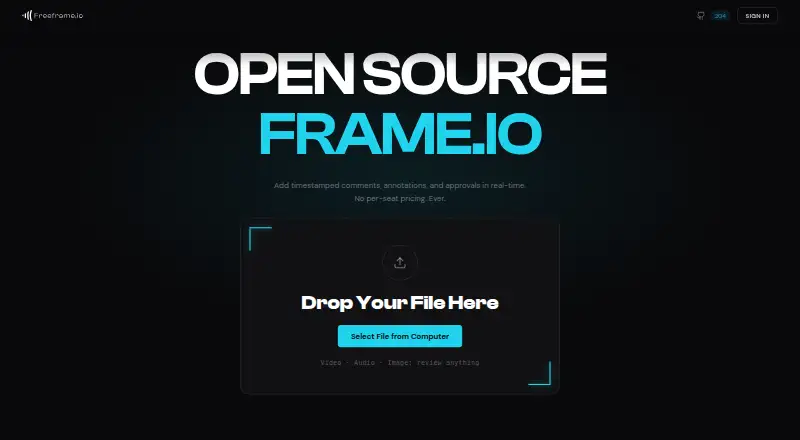
FreeFrame is an open-source platform for reviewing video, image, and audio assets. It combines frame-level comments, drawings, threaded discussion, approvals, version comparison, and guest links. Run it with Docker Compose or choose a hosted plan. Comments can be delivered in several editing formats, and storage works with S3-compatible services.
Review
In a line
This open-source workspace brings video, image, and audio asset reviews together. Feedback can be tied to precise points, marked up, approved, and shared through controlled links.
What it does
Video playback uses adaptive streaming, with comments tied to exact frames. Images can receive drawings and be viewed side by side or through a draggable wipe. Audio reviews show waveforms so notes can point to precise moments.
Discussion supports threaded replies, mentions, reactions, and file attachments. Approval workflows record each reviewer’s status, while folders, due dates, email reminders, and synchronized version comparison help organize projects.
How it connects
FreeFrame is released under the MIT License and can run on your server or cloud VM through Docker Compose. Self-hosted deployments support S3-compatible storage such as AWS, Cloudflare R2, Backblaze B2, Garage, and Silo.
Notes tied to timecodes can be saved as marker EDL for DaVinci Resolve, FCPXML for Final Cut Pro, XML for Premiere Pro, or CSV.
People opening a share link can comment without signing in. Permissions, passphrases, expiration dates, watermarks, and role-based access controls limit who can view or change work.
Good fit
Teams seeking a common review workflow for video, images, and audio may find FreeFrame useful, especially when they want media kept on infrastructure they manage.
Editors can send timecoded notes into common editing applications, and reviewers can work as guests from a link.
Watch for
The hosted plan includes social preview and custom project statuses; self-hosted FreeFrame includes version comparison and NLE comment export. Check which deployment matches the features you need.
Running it yourself means setting up Docker Compose together with PostgreSQL, Redis, Celery, FFmpeg, and S3-compatible storage. Webhooks, a Kanban board, and easy assignment are listed as not shipped yet.
Free hosted workspaces allow five members, although guests using share links do not use seats. Release 1.19.0 fixed a deleted-project share-link issue, so keep deployments current.
Pricing
FreeFrame has a free hosted plan with 5 GB of storage, up to five members, unlimited projects, and core review tools. Guests do not count toward the member limit.
Self-hosted FreeFrame is free forever, with Docker Compose deployment, no license key, and no feature gate. The hosted plan costs $5 a month, billed monthly and cancellable anytime, with 100 GB of storage, unlimited members, NLE export, version comparison, custom statuses, and social preview.
A card-free Premium trial lasts 7 days, or 30 days for existing supporters, with one trial per workspace. Assisted deployment is available through the pricing page.
Verdict
Choose FreeFrame if your team reviews mixed media, needs frame-level discussion, or wants open-source control over storage and deployment. Its guest links and editor exports can reduce account and handoff friction.
Consider another option if you need shipped webhooks, assignment boards, official SDKs, or a simpler setup than a multi-service self-hosted stack. Hosted users should also compare the five-member free limit with their team size.
Our take
FreeFrame works well for media groups that need detailed conversation on video, images, and audio while allowing reviewers to participate without accounts. The free hosted tier covers small groups, while self-hosting offers control over infrastructure and storage. Larger teams can pay $5 a month for expanded membership and extra review features. Teams that depend on automated event hooks, assignment boards, or packaged SDKs should wait or look elsewhere, since those pieces are not currently shipped or documented.
- MIT-licensed open source with self-hosted deployment
- Frame-specific video discussion and waveform audio notes
- Guest links with permissions, passphrases, expiry, and watermarks
- Timecoded comments can be exported for DaVinci Resolve, Final Cut Pro, Premiere Pro, or CSV
- Free hosted and free-forever self-hosted options
- Free hosted workspaces are limited to five members
- Self-hosting requires several services and S3-compatible storage
- Webhooks, Kanban functionality, and easy assignment have not shipped
- Pick it ifTeams handling mixed video, image, and audio reviews; Organizations that want control of storage infrastructure; Editors needing timecoded notes in NLE formats
- Skip it ifYou need built-in webhooks or assignment boards today; You want a simple single-service setup instead of Docker Compose; Your free hosted team has more than five members
Pricing
The hosted free option provides 5 GB and room for five members. Self-hosted use remains free indefinitely. Hosted upgrades cost $5 a month and add 100 GB, unlimited members, and extra review tools. A card-free trial runs for 7 days, or 30 days for existing supporters.
- Freeno card · 5 GB storage · up to 5 members · unlimited projects · core review featuresFree
- Self-hostedfree forever · Docker Compose deployment · no license key · no feature gate · own infrastructureFree
- Hostedbilled monthly · cancel anytime · 100 GB storage · unlimited members · NLE export · version compare · custom statuses · social preview$5/mo
As freeframe.io lists them, checked 19 Oct 2026.
Questions
Can reviewers use a share link without signing up?
Yes. Share-link reviewers can leave comments without signing in. Links may require permissions or passphrases and can expire or carry watermarks.
Is FreeFrame open source?
Yes. The application uses the MIT License, which permits use, modification, distribution, and sublicensing subject to its notice conditions.
What comes with the free hosted tier?
It provides 5 GB of storage, unlimited projects, core review features, and space for up to five members. Guests from share links do not count as members.
What is the monthly hosted price?
The hosted option is $5 per month, billed monthly, and can be cancelled anytime. It provides 100 GB, unlimited members, NLE export, version comparison, custom statuses, and social preview.
Can I run FreeFrame myself?
Yes. Docker Compose runs it on a server or cloud VM, using PostgreSQL, Redis, Celery, FFmpeg, and S3-compatible storage.
Where can exported comments be used?
Exports are available as DaVinci Resolve marker EDL, Final Cut Pro FCPXML, Premiere Pro XML, or CSV.