
Gling AI Video Editor Review
gling.ai · checked 28 Sept 2026
Desktop AI editor that trims weak takes, quiet gaps and verbal fillers before adding captions.
How it plugs in
Signal on AI Podcast Editing Software6.4#7 of 26
For Windows and macOS, Gling provides a desktop editing app. Its AI can discard retakes, pauses and filler language, improve audio, and generate captions. Text-driven editing is supported, with MP4, MP3 and SRT output plus handoffs to Final Cut Pro, DaVinci Resolve and Adobe Premiere. A limited, watermarked free plan is available.
Review
In a line
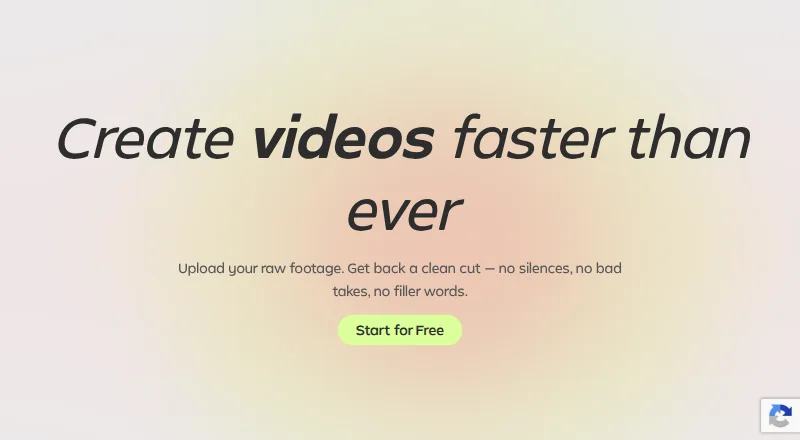
This Windows-and-Mac desktop editor uses AI to turn recorded video or audio into a tighter cut. It reduces retakes, pauses and filler words along the way.
What it does
AI can discard unwanted takes, spot quiet sections and remove words such as “um” and “uh.” Gling also includes audio cleanup driven by AI and editing through text.
Automatic captions are included. Save those captions as SRT subtitles, or export completed media as MP4 or MP3. Output resolution reaches 4K.
How it connects
Video and audio uploads are supported, including material for voiceover projects. Projects can move into Final Cut Pro, DaVinci Resolve or Adobe Premiere.
Available files include MP4 video, MP3 audio and SRT caption files. Gling runs as a Windows or macOS desktop download; no mobile app is listed.
Good fit
Creators recording spoken video or voiceovers may use Gling for automatic cleanup before completing a project. Caption files and links to major desktop editors can fit established production workflows.
Text-transcript editing is available when a timeline-only approach is not preferred. See other AI video editing software and AI video editors for related options.
Watch for
Free usage is capped at 1 hour of AI-edited media per month, and those exports carry a watermark. Subscribed tiers remove that mark but retain monthly media or generated-video-word caps.
Confirm that your preferred editor is supported and that desktop access is suitable. Premium support is reserved for Pro and Elite, not Free or Plus.
Pricing
The no-cost tier provides 1 hour of AI-edited media each month, unlimited watermarked exports and no premium support.
On monthly billing, Plus costs $20, Pro $40 and Elite $100. Those tiers provide 10, 30 and 100 hours of AI-edited media, respectively, or corresponding generated-video word allowances. Exports are watermark-free on paid plans, with premium support on Pro and Elite.
Gling advertises a 50% saving for annual billing. The annual monthly-equivalent rates are $10 for Plus, $20 for Pro and $50 for Elite, with the same allowance structure.
Verdict
Gling fits spoken-video creators on Windows or Mac who want routine cleanup, captions and transcript-led editing handled by AI. The free level may suit occasional short jobs, while subscriptions increase monthly capacity and remove export watermarks.
Consider another option if you need phone or tablet editing, exceed the included allowance, or want premium support on an entry plan. For podcast-focused work, compare AI podcast editing software as well.
Our take
Desktop creators can use Gling to automatically trim retakes, pauses and filler words while adding captions and cleaning audio. Connections with Final Cut Pro, DaVinci Resolve and Adobe Premiere support those editing workflows. The free tier is a starting point if one hour monthly and a watermark are acceptable. Annual subscriptions list lower monthly-equivalent prices, and Pro and Elite include premium support. Mobile users or those needing higher allowances should look elsewhere.
- Automatic trimming of unwanted takes, pauses and filler language
- Text editing, caption generation and AI audio cleanup are included
- MP4, MP3 and SRT output is available, with up to 4K resolution
- Handoffs work with Final Cut Pro, DaVinci Resolve and Adobe Premiere
- Free usage stops at 1 hour of AI-edited media each month
- Watermarks remain on free exports
- The product is desktop-only, with no mobile app listed
- Only Pro and Elite come with premium support
- Pick it ifDesktop makers of spoken video or voiceover content; Editors working in Final Cut Pro, DaVinci Resolve or Adobe Premiere; People seeking automatic captions with SRT output
- Skip it ifYour editing must happen on a phone or tablet; Your workload exceeds a plan's monthly allowance; You expect watermark-free files from the free tier
Pricing
Free access includes 1 hour of AI-edited media monthly and watermarked output. Gling advertises a 50% annual-billing saving.
- Freebilled monthly · 1 hour AI-edited media/month · Watermarked exportsFree
- Plusbilled monthly · 10 hours AI-edited media/month · 300 words generated video from link/month$20/mo
- Probilled monthly · 30 hours AI-edited media/month · 900 words generated video from link/month$40/mo
- Elitebilled monthly · 100 hours AI-edited media/month · 2700 words generated video from link/month$100/mo
- Free AnnualPaid annuallyFree
- Plus AnnualPaid annually$10/mo
- Pro AnnualPaid annually$20/mo
- Elite AnnualPaid annually$50/mo
As gling.ai lists them, checked 28 Sept 2026.
Questions
Is there a free Gling tier?
Yes. The Free plan permits 1 hour of AI-edited media monthly. Exports are unlimited but watermarked, and premium support is excluded.
What devices support Gling?
Downloadable desktop versions are offered for Windows and macOS. No mobile app is listed.
Which material can Gling remove?
Its AI can eliminate unwanted takes and retakes, detect silences, and cut fillers including “um” and “uh.”
Does Gling generate captions?
Yes. Automatic captions can be saved in SRT subtitle format.
Which editing programs can receive Gling projects?
Integration is available for Final Cut Pro, DaVinci Resolve and Adobe Premiere.
What do the paid Gling tiers cost?
Monthly rates are $20 for Plus, $40 for Pro and $100 for Elite. Annual equivalents are $10, $20 and $50 per month, respectively.