
GoEnhance AI Video Upscaler
goenhance.ai · checked 8 Oct 2026
Cloud video upscaling that raises footage to 1080p, 2K, or 4K with AI cleanup tools.
How it plugs in
Signal on AI Video Upscalers6.3#13 of 32
GoEnhance provides cloud-based video enlargement through web and mobile access. SD or 720p clips can be output at higher resolutions, with blur and noise cleanup plus optional frame-rate doubling. New accounts receive 20 credits without requiring a card. Upload limits and commercial-use rights vary by workflow and subscription level.
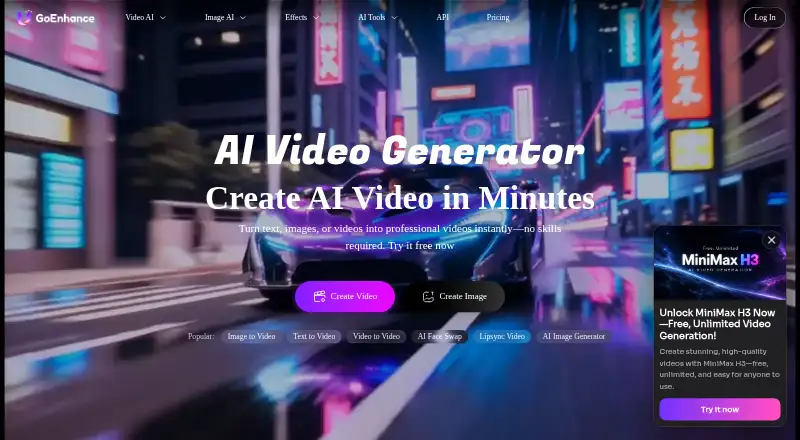
Review
In a line
GoEnhance AI Video Upscaler is a cloud tool for enlarging video and cleaning up footage. It serves creators, businesses, and personal archive projects.
What it does
It can turn SD or 720p footage into 1080p, 2K, or 4K (2160p) exports. Motion-aware deblurring, along with noise and grain reduction, are among its AI features.
Frame Boost is an optional setting that raises the frame rate to twice its original level; without it, the source rate is retained. You can preview results, make adjustments, and download a complete video without an added watermark. Existing logos or watermarks in the source remain.
How it connects
Chrome and Safari users can run the upscaler without installing software, while the GoEnhance mobile PWA provides Android and iOS access. The actual processing takes place remotely.
Through the upload widget, MP4, MOV, or WebM files are supported when they are no larger than 100 MB. Elsewhere, the workflow documentation describes MP4 or MOV uploads as large as 2 GB, plus cloud imports, so verify the applicable limit for your task.
GoEnhance provides API documentation for video and image generation and processing. The upscaler page does not name any third-party video integrations.
Good fit
This tool suits vloggers and other content creators, marketing and business teams, and people restoring personal or archival footage.
It is useful when you need a larger output, cleaner motion, reduced grain, or a higher frame rate.
Watch for
Batch jobs are not supported. Outputting at a higher resolution consumes more tokens, and the interface and workflow descriptions specify different upload caps.
The Mac and Windows desktop uploader is listed as forthcoming. Commercial rights are available to Standard, Pro, and Mega subscribers, whereas free and Basic accounts are restricted to personal use.
A selected feature may transmit submitted files, prompts, and settings to its chosen third-party AI provider. GoEnhance says content is not sold and uses encryption and industry-standard security measures.
Pricing
GoEnhance offers a freemium setup with a free plan but no trial period. Signing up gives 20 credits, and a card is not required to test clips.
Standard, Pro, and Mega plans include commercial rights; free and Basic plans restrict use to personal purposes. Stripe handles payments, and AI processing costs mean refunds are not offered.
Verdict
Choose GoEnhance if you want browser or mobile access to cloud-based resolution upgrades and cleanup, with a small free credit allowance to try clips. Its API may help teams connect video processing to their own software.
Consider another tool if you need batch jobs, a desktop app that is available now, verified third-party integrations, or commercial rights on a free or Basic account.
Our take
GoEnhance is a reasonable starting point for creators, businesses, and archivists who need occasional cloud video enlargement and cleanup. The free plan lets you test clips with 20 credits and no card, while browser, mobile, and API access cover different workflows. Before paying, confirm which upload limit applies, how many tokens your target resolution will consume, and whether your subscription permits commercial use. It is a poor match for batch processing, desktop-first work today, or projects that require removal of logos already embedded in footage.
- The free tier provides 20 credits without requiring a card
- Exports reach 4K and can be watermark-free
- Noise reduction, deblurring, and optional frame-rate doubling
- Runs in browsers, on mobile PWA, and through an API
- Batch processing is unavailable
- Upload limits differ between 100 MB and 2 GB descriptions
- Commercial use excludes free and Basic users
- Desktop uploader is not available yet
- Refunds are unavailable
- Pick it ifCreators and vloggers enlarging or cleaning individual clips; Marketing teams and personal archive projects; Users needing browser, mobile, or API access
- Skip it ifBatch jobs or a Mac/Windows desktop app available today are essential; You need commercial rights on a free or Basic account; You need to remove logos or watermarks already in source footage
Pricing
Freemium with a free plan, 20 signup credits, and no trial period. More tokens are required for higher resolutions, and commercial rights begin with Standard, Pro, and Mega subscriptions.
Questions
Is there a free way to use GoEnhance AI Video Upscaler?
It has a free plan with 20 signup credits. No separate trial is offered, and a card is not required to test clips.
Which output resolutions are available?
The choices shown are 720p, 1080p, 2K, and 4K (2160p); larger outputs consume more tokens.
What upload formats and sizes are supported?
The interface lists MP4, MOV, and WebM files up to 100 MB. The workflow section separately describes MP4 or MOV files up to 2 GB and cloud imports.
Will the frame rate be altered?
The original frame rate remains unless Frame Boost is turned on; that option doubles FPS.
Are commercial projects allowed?
Standard, Pro, and Mega subscribers may use results commercially. Free and Basic users are limited to personal use.
Can it erase watermarks already in a video?
No. Exports are described as watermark-free, but logos or watermarks already present in the source video remain.
Where does processing run?
Video processing occurs in the cloud, and access is available via Chrome or Safari plus the Android and iOS mobile PWA.
Near it
All alternatives →- VVideo2X#12 on this board
- NA
 Nero AI Video Upscaler#14 on this board
- R
 Refocused#11 on this board
- WEWaifu2x-Extension-GUI#15 on this board
- RCReal-CUGAN#10 on this board
- UV
 UniFab Video Enhancer Pro#16 on this board
- N
 NextGenUp#9 on this board
- AV
 Aiarty Video Enhancer#17 on this board
- SSeedVR2#8 on this board
- RVREAL Video Enhancer#18 on this board