Video2X: Free Video Upscaling and Frame Interpolation
github.com · checked 18 Nov 2026
Free, open-source framework for video enhancement and frame interpolation on Windows, Linux, macOS, and self-hosted setups.
How it plugs in
Signal on AI Video Upscalers6.3#12 of 32
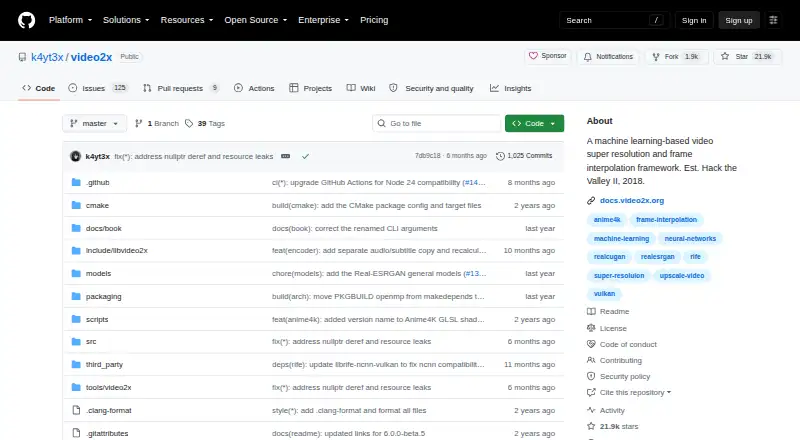
Video2X is free software that applies machine learning to video enlargement and frame creation. Available models include Anime4K v4, Real-ESRGAN, Real-CUGAN, RIFE, and custom MPV-compatible GLSL shaders. It runs on Windows, Linux, macOS, and containers, with a Google Colab option for users without a strong graphics card.
Review
In a line
Video2X applies machine learning to video super resolution and frame interpolation. The project began in 2018 and uses the GNU AGPL version 3 license.
What it does
The software enlarges video through filtering and can generate intermediate frames between existing ones.
For enlargement, it offers Anime4K v4, Real-ESRGAN, and Real-CUGAN. RIFE provides interpolation, while custom MPV-compatible GLSL shaders are also accepted.
How it connects
Video2X is open-source software rather than a hosted service. It runs on Windows, Linux, and macOS, with a Windows installer and GUI. Linux availability includes Arch packages and an AppImage for other distributions.
Container images are provided through GitHub Container Registry for Linux and macOS deployment with Docker or Podman. A Google Colab notebook can use free NVIDIA T4, L4, or A100 GPU sessions for up to 12 hours each. See video upscaling software for the wider category.
Good fit
Video2X suits people who want a free tool for enlarging video or adding frames between shots, including users with Windows, Linux, or macOS systems.
Developers and technical users can also build, install, use, or develop the project from its documentation and container images.
Watch for
Precompiled binaries need an AVX2-capable processor and a Vulkan-capable graphics card. Check that your hardware meets both requirements before installing.
Google Colab GPU access is limited to 12 hours per session. The project says some documentation pages are still under construction, and support is provided through a Telegram discussion group.
Pricing
Video2X is free. It has a free plan and no free trial because the software itself is offered at no charge.
Verdict
Choose Video2X if you want open-source video enlargement and frame interpolation across desktop systems, or if a Colab GPU session can cover your work. Its range of models and shader support gives experienced users several processing choices.
Skip it if your computer lacks AVX2 and Vulkan support for the precompiled builds, or if a 12-hour Colab session is too short. People who prefer a fully hosted service should look elsewhere; Video2X is software you run yourself.
Our take
Video2X is a practical no-cost choice for people who can run desktop software or use Google Colab. It handles video enlargement and frame interpolation through named models and custom shaders. Windows has an installer and GUI; Linux offers Arch packages or an AppImage, while container images support Linux and macOS deployment. Precompiled builds need AVX2 and Vulkan hardware. Colab helps users without a strong GPU, but each free session lasts up to 12 hours. The project is open source under AGPL version 3.
- Free software with no purchase cost
- Supports video upscaling and frame interpolation
- Compatible with Anime4K v4, Real-ESRGAN, Real-CUGAN, and RIFE
- Runs on Windows, Linux, macOS, and containers
- Free NVIDIA T4, L4, or A100 GPUs are available through Colab
- Precompiled binaries need an AVX2 CPU and Vulkan GPU
- Colab GPU sessions are limited to 12 hours
- Some documentation pages are still under construction
- Users must run the software themselves rather than use a hosted service
- Pick it ifPeople seeking no-cost video enlargement or frame interpolation; Users without a strong GPU who can use Google Colab; Open-source and self-hosting users
- Skip it ifYour computer lacks AVX2 or Vulkan support; You need processing sessions longer than 12 hours on free Colab; You want a fully hosted video enhancement service
Pricing
Video2X is free with a free plan and no free trial. There is no paid price listed.
Questions
What is Video2X?
Video2X uses machine learning for video super resolution and frame interpolation. It can enlarge video and generate intermediate frames.
Which models does Video2X support?
Supported models include Anime4K v4, Real-ESRGAN, Real-CUGAN, and RIFE; custom MPV-compatible GLSL shaders are also accepted.
What computers can run Video2X?
It supports Windows, Linux, and macOS. Precompiled binaries need an AVX2-capable CPU and a Vulkan-capable GPU.
Is Video2X free?
Yes. Video2X has a free plan and no free trial because the software is free.
Does Video2X support containers?
Yes. Container images are available through GitHub Container Registry for Linux and macOS deployment with Docker or Podman.
Where can I get help?
The project provides documentation for building, installing, using, and developing Video2X, plus a Telegram discussion group for questions.
Near it
All alternatives →- R
 Refocused#11 on this board
- GA
 GoEnhance AI Video Upscaler#13 on this board
- RCReal-CUGAN#10 on this board
- NA
 Nero AI Video Upscaler#14 on this board
- N
 NextGenUp#9 on this board
- WEWaifu2x-Extension-GUI#15 on this board
- SSeedVR2#8 on this board
- UV
 UniFab Video Enhancer Pro#16 on this board
- VAVmake AI Video Enhancer#7 on this board
- AV
 Aiarty Video Enhancer#17 on this board