SeedVR2: Open Video Restoration Model
github.com · checked 10 Oct 2026
One-step video restoration and image enlargement from an open model at variable output sizes.
How it plugs in
Signal on AI Video Restoration Software6.6#3 of 25
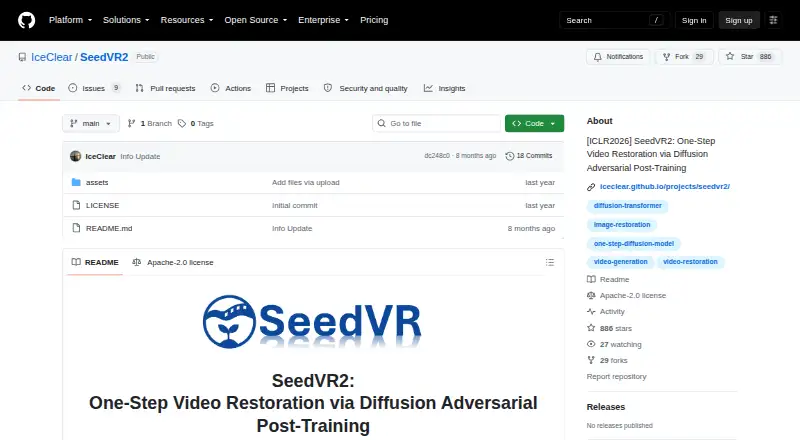
SeedVR2 is an open model available at no cost that restores video in one pass. It includes ComfyUI support plus a standalone CLI for Windows, macOS, Linux, and self-hosted setups. Video and image enlargement are covered, with 3B and 7B variants and controls intended to reduce inference memory use.
Review
In a line
SeedVR2 applies a single diffusion-transformer pass to restore video at any resolution. Its official ComfyUI package can enlarge images as well.
What it does
Video restoration runs in one step rather than through an additional diffusion-prior stage. The project describes high-resolution results, including 1080p, and accepts both video and image inputs.
You can choose between 3B and 7B variants. Adaptive window attention changes its window to match the requested output, while training combines adversarial video restoration against real data with feature matching loss.
How it connects
The project publishes SeedVR2 under the Apache 2.0 license. Its ComfyUI release has four nodes for the upscaling flow, while the separate CLI handles batch and multi-GPU jobs.
The upscaler accepts RGB or RGBA media for both video and images. Standalone installation instructions span Windows, macOS, and Linux, and document Apple Silicon MPS. Weight choices cover FP16, FP8, and quantized GGUF. Offloading, VAE tiling, and BlockSwap are documented for controlling memory use.
A security update makes model loading tensor-only, reducing the risk of code execution from hostile .pth files.
Good fit
SeedVR2 fits users who need video restoration or image and video enlargement through ComfyUI or command-line batch jobs.
If you are comparing tools in AI video restoration software or AI video upscalers, SeedVR2 is an option when local control and open-source code matter.
Watch for
Each input dimension—height and width—needs to be divisible by 32; the demo crops resized media when needed.
Inference includes memory-related controls such as offloading, VAE tiling, and BlockSwap, so setup choices may affect how you run the models.
Pricing
The project presents SeedVR2 as free, with no paid plans or usage limits listed on its pages. It does not offer a trial tier.
Released inference code and model weights are available from the project.
Verdict
Choose SeedVR2 if you want video restoration, image upscaling, or batch processing without a subscription. ComfyUI nodes and a command-line interface provide two execution paths, while several model and memory options give you configuration choices.
The 32-pixel input rule means some files may need cropping or resizing before processing.
Our take
SeedVR2 is a sensible pick for technically comfortable users seeking open-source restoration on Windows, macOS, or Linux. It enlarges video and images through ComfyUI or CLI workflows and costs nothing to use. Keep the divisible-by-32 input requirement in mind when preparing files.
- No-cost open-source release under Apache 2.0
- Single-pass video restoration plus image enlargement
- ComfyUI integration and a separate command-line utility
- Runs on Windows, macOS, Linux, and self-hosted systems
- 3B and 7B variants with multiple weight formats
- Input width and height must be divisible by 32
- Inference setup includes memory-management choices
- Some inputs may need cropping or resizing
- Pick it ifSelf-hosted video restoration and image upscaling; ComfyUI users needing batch or multi-GPU processing; People comparing free open-source restoration models
- Skip it ifYour workflow cannot resize inputs to multiples of 32
Pricing
SeedVR2 is offered free under its open-source project; no paid plans or usage limits are stated, and there is no trial tier.
- SeedVR2No paid plans or usage limits stated on the project pagesFree
As github.com lists them, checked 10 Oct 2026.
Questions
Does SeedVR2 cost anything?
The project presents SeedVR2 as free and lists no paid plans or usage limits.
What media can SeedVR2 restore or enlarge?
It restores video, while the official ComfyUI release also upscales images. RGB and RGBA inputs are supported.
Which systems are supported for SeedVR2?
Standalone guidance covers Windows, macOS, and Linux, including Apple Silicon MPS; self-hosted use is also supported.
Can SeedVR2 run within ComfyUI?
Yes. The release includes four nodes for controlling its upscaling pipeline.
What model sizes and weight formats does it provide?
Documentation covers SeedVR2-3B and SeedVR2-7B, with FP16, FP8, and quantized GGUF weights.
What input dimensions does SeedVR2 require?
Both height and width need to be divisible by 32, and the demo crops resized inputs when necessary.
Near it
All alternatives →- HVHitPaw VikPea#2 on this board
- V
 Vapourkit#4 on this board
- TTensorPix#1 on this board
- R
 Refocused#5 on this board
- PUPhoenix Upscaler#6 on this board
- AV
 Aiarty Video Enhancer#7 on this board
- P
 Pixop#8 on this board
- AVAVCLabs Video Enhancer AI#9 on this board
- RRestoraX#10 on this board
- DNDRS Nova#11 on this board