
Google Antigravity IDE Review
antigravity.google · checked 14 Oct 2026
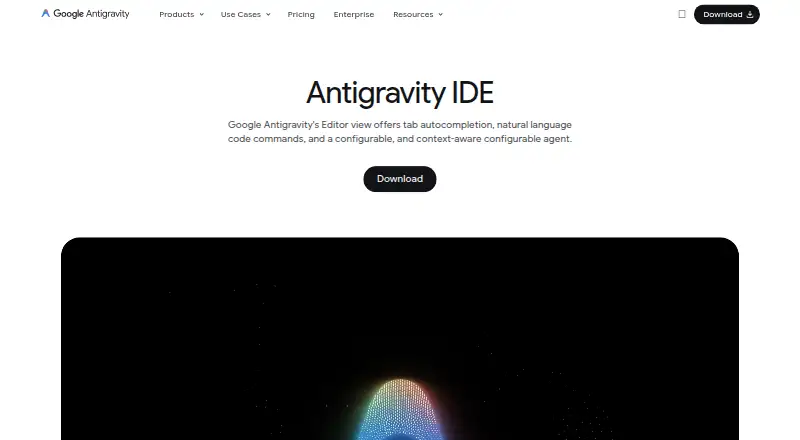
Google Antigravity IDE provides an AI-enabled workspace for coding with agents and an integrated browser.
How it plugs in
Signal on AI Code Generators6.7#4 of 54
The IDE pairs a code editor with agents that operate through the editor, terminal, and browser. These agents can handle concurrent work and return plans, diffs, diagrams, images, and browser recordings for inspection. Individuals can start on a free plan, with quotas shaped by the Google AI plan and workload. The desktop IDE supports macOS, Windows, and Linux.
Review
In a line
Google Antigravity IDE is an AI-enabled development workspace. Its agents plan and perform software work through the editor, terminal, and browser.
What it does
The editor offers code completion, suggestions, command requests, and agent assistance. Asynchronous agents may run concurrently across workspaces and codebases, while users can comment on artifacts and ask for revisions.
Agents can return Markdown plans, code-diff views, diagrams, images, and browser recordings. A browser agent can read dashboards, perform source-control actions, and test user interfaces.
How it connects
The standalone IDE supports macOS, Windows, and Linux. Official extensions are listed for Visual Studio Code, Visual Studio, JetBrains IDEs, Zed, and Xcode. The IDE is not open source.
Agents support the open Model Context Protocol, which can connect them to tools, databases, and remote services. Projects can use Git worktrees, scoped permissions, and multiple folders for work across codebases.
Good fit
It may suit people who want AI assistance inside a code editor and want agents to handle several development tasks at once. The plans, diffs, and recordings give users material to inspect and comment on as agents work.
Watch for
Independent reviews report that agents can stall and that the IDE is less stable than mature competitors. They also report hitting Gemini usage limits when running several demanding agents at once.
Quotas and model availability are tied to the Google AI plan and agent workload, and those limits can change. Enterprise customers are not supported on the IDE; Google directs them to Antigravity 2.0 or Antigravity CLI.
Pricing
The For Individuals plan costs nothing and provides basic weekly rate limits, several agent models, plus unlimited Tab completions and Command requests.
Eligible Gemini Enterprise customers pay $30 per seat each month for Business Standard/Plus. Business pay-as-you-go charges for consumption without a seat fee, with pricing available on request.
Verdict
Antigravity IDE may suit users seeking an editor in which AI agents handle coding, terminal, and browser work while exposing plans and outputs for review. Check operating-system requirements, plan limits, and the business terms before relying on it for sustained work. Its reported instability and lack of IDE support for enterprise configurations make it a less clear fit for teams that need a mature, enterprise-supported editor.
Our take
Antigravity IDE may be a fit if you want code completion together with agents that span projects and browser tasks, and you want plans and diffs to inspect. A free individual option lets you begin without a listed charge, though its weekly limits are basic. Before choosing it for regular or team use, weigh reports of stalling and rate limits against your workload. Enterprise customers should use the alternatives Google names, because the IDE itself is not supported in enterprise configurations.
- Free individual plan with unlimited Tab completions and Command requests
- Asynchronous agents can run concurrently across workspaces
- Agent outputs include plans, diffs, diagrams, images, and recordings
- Official extensions listed for major editors and IDEs
- Project folders can use scoped permissions and Git worktrees
- Independent reviews report stalling and lower stability than mature IDE competitors
- Demanding parallel agent work can hit Gemini rate limits
- Enterprise configurations are not supported for the IDE
- Pick it ifPeople who want AI agents and code completion in one editor; Users who want to review plans, diffs, and browser recordings
- Skip it ifYou need an IDE supported for enterprise configurations; You need predictable capacity for several demanding agents at once
Pricing
Individuals can use a free plan with basic weekly limits. Business Standard/Plus is priced at $30 per seat each month for eligible customers; pay-as-you-go has no seat fee and bills by consumption.
- Business pay-as-you-goconsumption based · $0 seat fee · eligible Gemini Enterprise customers · Google Cloud terms · spend capsFree
- For Individualsvariety of agent models · unlimited Tab completions · unlimited Command requests · basic weekly rate limitsFree
- Business Standard/Plusper seat · eligible Gemini Enterprise customers · Google Cloud terms · centralized administrative controls · spend caps$30/mo
- Business planvia Google Cloud · API access with consumption-based pricing · Eligible Gemini Enterprise Standard/Plus plans starting at $30 USD per seat per month · Pay-as-you-go with $0 seat fee and consumption based pricingOn request
- Google AI Promore rate limits · flexible AI credit poolOn request
- Google AI Ultraeven more rate limits · flexible AI credit poolOn request
As antigravity.google lists them, checked 14 Oct 2026.
Questions
Is Google Antigravity IDE free?
Individuals have access to a free plan with basic weekly rate limits, unlimited Tab completions, and unlimited Command requests.
Which computers can run the standalone IDE?
The standalone release supports macOS 12 or later, Windows 10 64-bit or later, and Linux with glibc 2.28 or newer plus glibcxx 3.4.25 or newer.
Which editors have official Antigravity extensions?
Official extensions are listed for Visual Studio Code, Visual Studio, JetBrains IDEs, Zed, and Xcode.
Does it support enterprise customers?
The IDE itself is unavailable for enterprise configurations. Google points enterprise users toward Antigravity 2.0 or Antigravity CLI.
How much does the business plan cost?
Business Standard/Plus charges eligible Gemini Enterprise customers $30 per seat monthly. Business pay-as-you-go has no seat fee and bills consumption, with the price available on request.
Can agents work on tasks in parallel?
Yes. Asynchronous agents may run at the same time across workspaces and codebases. Usage limits depend on the plan and workload.