Social Media Template Libraries
InVideo AI Review: Features, Integrations and Pricing
invideo.io · checked 21 Oct 2026
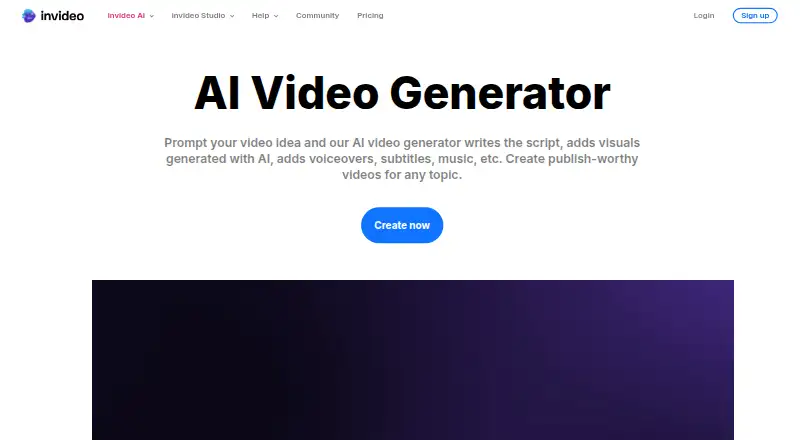
Prompt-driven video software that combines scripts, images, voiceovers, music and subtitles in editable projects.
How it plugs in
Signal on Social Media Template Libraries6.6#4 of 41
From text or images, InVideo AI assembles scripts, visuals, narration, captions and music within a single workspace. It offers a browser tool, mobile apps and a hosted MCP connection for several AI clients. The service follows a freemium model, with paid tiers adding credits, storage, seats, models and stock footage.
Review
In a line
InVideo AI turns prompts into completed videos in the cloud. It can also begin with an image or a script.
What it does
The service writes a script, chooses visuals, and adds voiceovers, subtitles and music. It can generate images and video in the same workspace, and searches more than 16 million stock photos and videos.
Magic Box takes plain-language instructions for edits, including accent changes, scene deletion or intro additions. The editor also offers a multitrack timeline, shot-by-shot storyboards, real-time editing with live cursors and custom agents for creative roles.
Voiceovers cover more than 50 languages, with choices for language, accent and voice gender. Exports can reach 4K and do not carry a watermark.
How it connects
InVideo runs on the web, Android and iOS, with a browser extension. No download is needed for the web tool, which works in common mobile and desktop browsers. Local video, image and audio files can be brought in, and audio uploads are supported.
Its documented developer connection is a hosted remote MCP server. Through it, Claude, ChatGPT, Claude Code, Codex, Cursor, VS Code and other remote-MCP clients can open projects, import media, edit timelines and export videos. Setup uses browser sign-in and does not require an API key.
The service is not open source and is hosted by InVideo rather than offered for self-hosting. InVideo lists SOC 2 and GDPR compliance.
Good fit
Solo users, small businesses, mid-market companies and enterprises can use InVideo for prompt-based video creation with editing controls. It is useful for turning ideas or scripts into storyboards, social videos or other narrated content.
Its free plan, mobile apps, stock library, templates and support by email, chat, phone, community and documentation make it approachable for people who do not want separate tools for images, video and voice.
Watch for
Video creation and generative models consume credits. The free plan has a limited weekly allowance, and unused credits do not carry into the next month.
Paid plans differ in monthly credits, seats, guest seats, storage, premium stock footage and model access. Check those limits before choosing a plan, especially if several people will edit.
The service is cloud-hosted. Its terms provide a limited subscription license, prohibit reverse engineering and do not provide a self-hosted version.
Pricing
A free InVideo tier resets its quota each week. You can use it without entering card details; the limited credits reset each Monday at 00:00 UTC.
Basic costs $4 a month when billed annually and includes 190 credits, up to five seats, 100 GB of storage, 45 premium stock footage items and Agent Two Lite. Pro costs $15 a month on annual billing and provides 1,000 credits, up to 10 seats, 10 guest seats, 300 GB of storage and all models and features. Ultra costs $40 a month with annual billing and includes 3,000 credits, up to 20 seats, 20 guest seats, 800 GB of storage and all models and features.
Pro and Ultra include Seedance 2.0/2.5. Basic does not. Pro includes 150 premium stock footage items; Ultra includes 180.
Verdict
Choose InVideo AI if you want one workspace for prompt-based video, generated media, stock assets and timeline editing. It also makes sense when your workflow includes Claude, ChatGPT or another remote-MCP client.
The free tier lets you try the workflow without a card, but its credit limits may restrict regular production. Compare the paid plans by credits, seats and storage, and avoid it if your requirements include open-source code or self-hosting. For simpler collage projects, consider Video Collage Maker Software; for slideshow work, see AI Slideshow Makers.
Our take
InVideo AI fits people who want to turn a prompt or script into a narrated video without assembling separate image, voice and music tools. Its timeline editor, storyboards, stock library and mobile access support both quick drafts and more involved edits. The free tier is a low-risk starting point, while paid plans scale credits, storage and seats. Check credit renewal, model access and storage limits before paying. It is a poor match for teams that require open-source software, self-hosting or ownership of the service’s underlying models and interfaces.
- Prompt-based creation of scripts, visuals, voiceovers, subtitles and music
- Generates images and videos in one workspace
- 4K, watermark-free exports with mobile apps
- Hosted MCP connection works with several AI clients
- Free plan needs no card and resets credits weekly
- Credits are limited and unused credits expire rather than roll over
- Seedance 2.0/2.5 is unavailable on Basic
- Cloud service has no self-hosted distribution
- Paid plans vary in seats, storage and model access
- Not open source
- Pick it ifPrompt-based video creation in one workspace; Solo users and teams needing shared seats and storage; Workflows using Claude, ChatGPT or other MCP clients
- Skip it ifYou need open-source code or self-hosting; You require unlimited, non-expiring credits; Your team needs features outside the listed plan limits
Pricing
A no-card free tier offers limited credits with weekly resets.
- FreeWeekly quota resetFree
- Basic$9$4 per seat/mo, billed annually · 190 credits/mo · up to 5 seats · Agent Two Lite · 45 premium stock footage · 100 GB storage · no Seedance 2.0/2.5$4/mo
- Pro$30$15 per seat/mo, billed annually · 1,000 credits/mo · up to 10 seats · 10 guest seats · all models and features · Seedance 2.0/2.5 · 150 premium stock footage · 300 GB storage$15/mo
- Ultra$80$40 per seat/mo, billed annually · 3,000 credits/mo · up to 20 seats · 20 guest seats · all models and features · Seedance 2.0/2.5 · 180 premium stock footage · 800 GB storage$40/mo
As help.invideo.io lists them, checked 20 Sept 2026.
Questions
Can I use InVideo AI for free?
Yes. No card is required, and the free tier has a limited credit quota that resets each Monday at 00:00 UTC.
What can InVideo AI create?
It turns prompts, scripts or images into videos with visuals, AI voiceovers, subtitles and music. It can generate images and video inside the same workspace.
Can I edit videos manually?
Yes. InVideo Editor provides a multitrack timeline that you can take over at any frame, plus natural-language Magic Box commands.
Does InVideo AI offer an API?
Its documented developer connection is a hosted remote MCP server at mcp.invideo.io/mcp. It uses browser sign-in and does not require an API key.
What integrations are supported?
The hosted MCP connection works with Claude, ChatGPT, Claude Code, Codex, Cursor, VS Code and other remote-MCP clients.
What resolution can it export?
The maximum output resolution is 4K, and exports can be watermark-free.
Do unused credits carry forward?
No. Credits pay for video creation and generative models, and unused credits do not roll over to the next month.
Is InVideo AI open source or self-hosted?
No. The service is proprietary and hosted at InVideo domains; its terms do not provide a self-hosted distribution.