
CapCut Video Editor Review
capcut.com · checked 18 Nov 2026
Video editing app with templates, AI tools, captions, and cross-platform projects.
How it plugs in
Signal on Video Editing Software7.5#5 of 153
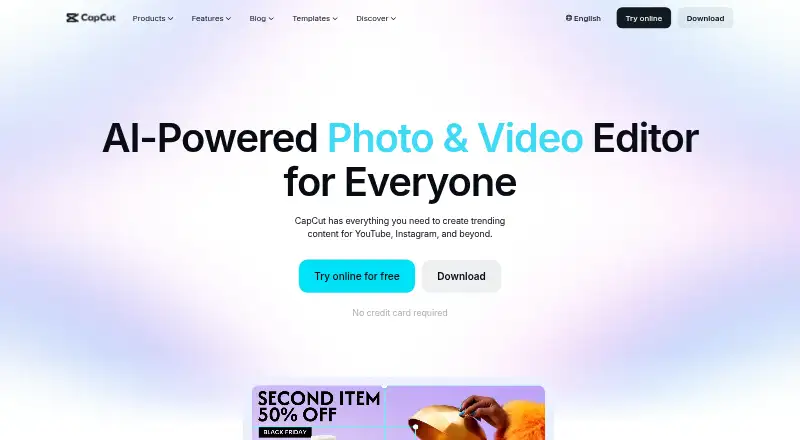
CapCut brings video-editing tools together for creators, from beginners to experienced users. Apps are available for Android, iOS, Windows, macOS, and web browsers. Its feature set spans templates, effects, AI-assisted editing, captions, transcription, translation, and background removal. Basic work is available on the free plan, while Pro unlocks additional tools and collaboration.
Review
In a line
Creators at any level can use CapCut to edit video. It is available through phone, computer, and browser apps.
What it does
Templates, transitions, animations, filters, and AI-generated effects form the editor's core toolkit. The AI suite can generate video, images, and music; automate edits; clip footage; transcribe and translate speech; create avatars; and remove backgrounds.
In the online editor, speech can become subtitles through AI transcription, and text-to-speech is also available. Exports can be prepared for TikTok, YouTube, and Instagram, including at 4K.
How it connects
Media can be brought in from Google Drive or Dropbox. Through Google Drive collaboration, files can also be opened in CapCut Online.
Projects can be edited across supported platforms, and collaboration features are included with Pro. CapCut offers apps for Android, iOS, Windows, macOS, and the web.
Good fit
CapCut suits people making social videos, short clips, and other edited content who want ready-made templates and AI assistance. It works for beginners as well as more experienced creators.
Its mobile, desktop, and browser options help when a project needs to move between devices. Pro targets users seeking premium templates, assets cleared for commercial use, advanced AI, and more cloud capacity.
Watch for
Availability of individual AI functions depends on region, so check before building a workflow around one.
The yearly Pro charge depends on region, device, and promotions, and the payment page displays the final price. CapCut says Pro cloud storage can reach 1TB, while the free Standard plan has around 100GB.
Pricing
The no-cost Standard plan provides basic editing, free templates, mobile editing, around 100GB of cloud storage, and essential AI tools.
Pro adds premium templates, commercial-use assets, advanced AI tools, cross-platform editing, collaboration, and cloud storage.
Verdict
CapCut fits users who want templates and many AI-assisted tasks in an editor that spans phones, computers, and the web. The free Standard plan gives a way to start without a subscription.
Consider another tool if your workflow relies on region-limited AI features or if you require a known Pro price before subscribing. Confirm the checkout amount and the features available where you live.
Our take
CapCut works well for creators moving projects among mobile, desktop, and browser apps. Its free plan covers core work, and the toolset goes beyond cuts with captions, speech tools, generation, translation, and background removal. Pro makes more sense for regular publishing, shared projects, commercial assets, or larger cloud storage. Before paying, check the yearly price at checkout and confirm that the AI features you need are offered in your region.
- Basic editing and around 100GB of cloud storage come with the free plan
- Apps cover Android, iOS, Windows, macOS, and the web
- Captioning, transcription, translation, and background removal are among the AI capabilities
- Videos can be exported in 4K and shared to TikTok, YouTube, and Instagram
- Pro brings collaboration, commercial-use assets, and up to 1TB of storage
- Regional limits may exclude some AI capabilities
- The Pro charge differs by region, device, and promotions
- You see Pro's price at checkout instead of a single listed amount
- Commercial-use assets and advanced AI tools are Pro features
- Pick it ifCreators editing social videos across phones and computers; Users seeking templates together with AI-assisted editing; Teams needing shared projects and cross-platform work
- Skip it ifYou need a fixed subscription price before reaching checkout; Your workflow depends on AI features unavailable in your region
Pricing
Standard provides core editing, mobile work, essential AI tools, and around 100GB of storage at no cost. Pro uses yearly billing; its price depends on region, device, and promotions, with the final amount displayed at checkout. The upgrade supplies premium and commercial-use assets, advanced AI, collaboration, cross-platform editing, and additional storage.
- FreeFree templates and basic editing toolsFree
- CapCut StandardBasic editing and free templates · mobile editing · around 100GB cloud storage · essential AI toolsFree
- TeamsRenews automatically. Cancel anytime. · Per seat; 1200 AI credits per seat, brand kit, 1 TB storage$12.49/mo
- ProRenews automatically. Cancel anytime. · 1200 monthly AI credits, AI features, premium templates, 1 TB storage$19.99/mo
- UltraRenews automatically. Cancel anytime. · 8645 monthly AI credits, exclusive AI features, 1 TB storage$79/mo
- CapCut ProMonthly subscription; price varies by region, device, and promotions and is shown at checkout. · Premium templates and commercial-use assets · advanced AI tools · cross-platform editing · cloud storageOn request
- CapCut ProYearly subscription; price varies by region, device, and promotions and is shown at checkout. · Premium templates and commercial-use assets · advanced AI tools · cross-platform editing · cloud storageOn request
As capcut.com lists them, checked 17 Nov 2026.
Questions
Is CapCut free?
Yes. The free Standard tier supplies basic editing, free templates, mobile editing, around 100GB of cloud storage, and essential AI tools.
Where can I use CapCut?
You can access CapCut through Android, iOS, Windows, macOS, and a web app.
Can videos be exported at 4K in CapCut?
Yes, 4K export is available.
Can CapCut import files from cloud drives?
CapCut says media can come from Google Drive or Dropbox. Google Drive collaboration also supports opening files in CapCut Online.
Which features come with CapCut Pro?
The Pro tier supplies premium templates, commercial-use assets, advanced AI, cross-platform editing, collaboration, and up to 1TB of cloud storage.
Are all CapCut AI features available everywhere?
No. According to CapCut, certain AI features may be unavailable in some regions.
Can CapCut make captions automatically?
Its online editor can turn speech into subtitles with AI and also provides text-to-speech.