
Collaborative Whiteboard Software
Klaxoon: Collaborative Whiteboard and Workshop Platform
klaxoon.com · checked 15 Oct 2026
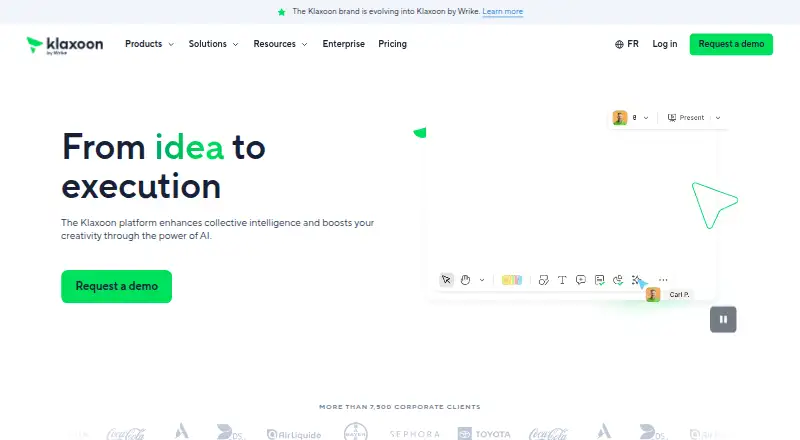
Klaxoon brings visual whiteboarding and interactive activities together to turn ideas into action.
How it plugs in
Signal on Collaborative Whiteboard Software6.7#2 of 29
Klaxoon combines a collaborative whiteboard with activities for brainstorming, workshops, meetings, planning, retrospectives, problem-solving, and training. It runs on the web, mobile devices, Windows displays, and offers APIs plus optional self-hosting. A free plan is available; paid Starter and Enterprise plans add users, storage, templates, integrations, administration, and hosting choices.
Review
In a line
The platform combines a shared visual workspace with interactive activities. Companies use it to collect ideas, run sessions, and turn discussion into action.
What it does
Board provides a shared canvas with ideas, shapes, connectors, mind maps, drawing, multiple views, search, and filters. Diagramming, presentation mode, an infinite canvas, voting, guest participation, and workshop templates are also available.
Activities include Session, Question, Quiz, Survey, Memo, Adventure, Mission, Network, and Journal. Teams use these formats for brainstorming, solving problems, planning projects, Agile meetings, retrospectives, workshops, and training.
Board AI can summarize or group ideas, translate text, and create action plans. An administrator must turn it on, and processing uses Microsoft Azure OpenAI.
How it connects
Available connections cover Microsoft Teams, Google Workspace, Wrike, Jira, OneDrive, Google Drive, Google Calendar, Confluence, Dropbox, Moodle, and Zapier.
Its APIs cover Board creation and management, activity embedding, audit-log retrieval, and participant activity reports. SCIM and Activity Picker and Embed APIs are also listed. Board API connections use OAuth 2, so users grant read or write access. Some APIs are limited to Enterprise, and there is no public OpenAPI specification.
It runs on the web, Android, iOS, and Windows display hardware, with an API and self-hosted option. The mobile app supports joining activities, notifications, sharing ideas and files, and viewing resources. Current Chrome, Firefox, Edge, and Safari are supported. See collaborative whiteboard software for similar tools.
Good fit
Klaxoon suits companies that need structured, visual sessions rather than a whiteboard alone. It is aimed at brainstorming, meetings, workshops, planning, retrospectives, training, and follow-up actions.
Paid plans include more than 200 templates and let teams create templates. Enterprise adds personalized templates, advanced administration, governance, security and privacy controls, and optional self-hosting.
Watch for
Session activities are listed for up to 300 simultaneous participants; Klaxoon says to contact it to connect more people. Enterprise lists unlimited participants subject to 1,000 concurrent users.
Board AI must be enabled by an administrator. Synchronous activities need WebSocket access to Klaxoon domains, so network rules may need changes. Check the required browser and mobile versions before rollout.
Review summaries mention a steep learning curve, difficult board navigation, complex group sessions, limited export or survey flexibility, and phone use that can be difficult.
Pricing
The Free plan costs nothing and includes five participants with free editing, free templates, individual access, one open activity, 500 MB of storage, and 50 ideas per Board.
Starter costs $24.90 a month when billed annually. It includes up to four Pro users, 20 participants with free editing, unlimited open activities, 200+ templates, 10 GB of storage, and integrations with Teams, Google Workspace, Wrike, and Jira.
Enterprise is price on request. It starts at five Pro users and adds SAML 2.0 single sign-on, advanced administration and governance, security and privacy controls, and self-hosted hosting on demand. A free trial is available.
Verdict
Choose Klaxoon if your company wants one place for visual workshops, interactive meeting formats, and action plans, with templates and common workplace connections. The free plan is suitable for small trials, while Starter adds storage, activities, users, and integrations.
Check participant limits, browser and network requirements, and the learning curve before a broad rollout.
Our take
Klaxoon is a sensible choice for companies that run recurring workshops, meetings, and training sessions and want those activities tied to a shared visual workspace. Its range of activity types, templates, integrations, APIs, and optional self-hosting can cover formal programs as well as everyday collaboration. The free plan gives small groups a way to try the basics. Larger deployments should review concurrent-user limits, browser and WebSocket requirements, Enterprise-only controls, and reports of difficult navigation or a steep learning curve before committing.
- The free tier supports five participants, one open activity, and 500 MB of storage.
- Board combines whiteboarding, diagrams, mind maps, search, filters, and voting.
- More than 200 templates are included on paid plans.
- Connections are available for Teams, Google Workspace, Wrike, Jira, and other listed services.
- APIs support Boards, embeds, audit logs, SCIM, and participant reports.
- Free plan is limited to 50 ideas per Board and five participants.
- Session activities have a listed simultaneous-participant cap of 300.
- Some APIs and advanced controls require Enterprise.
- Review summaries cite a steep learning curve and difficult board navigation.
- Synchronous activities require WebSocket access to Klaxoon domains.
- Pick it ifCompanies running visual workshops, meetings, retrospectives, or training; Teams that need templates, integrations, and action plans
- Skip it ifYou need a very simple whiteboard with little setup or administration.; Your sessions exceed listed participant limits or cannot allow required WebSocket traffic.; You require flexible survey controls or easier phone-based use.
Pricing
The free tier covers five participants and basic activity and storage limits. Starter is $24.90 a month when billed annually; Enterprise pricing is on request. A free trial is available.
- Free5 participants with free editing · free templates · individual access · 1 open activity · 500 MB storage · 50 ideas per BoardFree
- StarterBilled annually · Up to 4 Pro users · 20 participants with free editing · unlimited open activities · 200+ templates · 10 GB storage · integrations with Teams, Google Workspace, Wrike and Jira$24.90/mo
- EnterpriseStarts at 5 Pros · unlimited participants subject to 1,000 concurrent users · SAML 2.0 SSO · advanced administration and governance · security and privacy controls · self-hosted hosting available on demandOn request
As klaxoon.com lists them, checked 15 Oct 2026.
Questions
Does Klaxoon have a free plan?
Yes. Free includes five participants with free editing, one open activity, 500 MB of storage, free templates, and 50 ideas per Board.
How much does Klaxoon Starter cost?
Starter costs $24.90 a month when billed annually. It includes up to four Pro users, 20 participants with free editing, unlimited open activities, 200+ templates, 10 GB storage, and listed integrations.
What integrations does Klaxoon support?
The listed service connections are Microsoft Teams, Google Workspace, Wrike, Jira, OneDrive, Google Drive, Google Calendar, Confluence, Dropbox, Moodle, and Zapier.
Can Klaxoon be self-hosted?
Yes. Self-hosted hosting is available on demand, with Enterprise listing it as an option. Pricing documentation also lists shared, private, and dedicated hosting with BYOK on demand.
What can Klaxoon's API do?
APIs cover Board management, embedding activities, audit logs, SCIM, and participant activity reports. Board API integrations require an application registration and OAuth 2 authorization.
Which devices and browsers support Klaxoon?
It supports the web, Android 10 or later, iOS 15 or later, and Windows 10 or later for its interactive-display app. Supported browsers include current Chrome, Firefox, Edge, and Safari.
How many people can join a Session activity?
For Session activities, the pricing comparison specifies 300 participants at once. Klaxoon says to contact it about connecting more people.