Launchy Review
launchy.net · checked 15 Oct 2026
Keyboard-focused, open-source launching for replacing menus and icons.
How it plugs in
Signal on App Launcher Software7.7#1 of 40
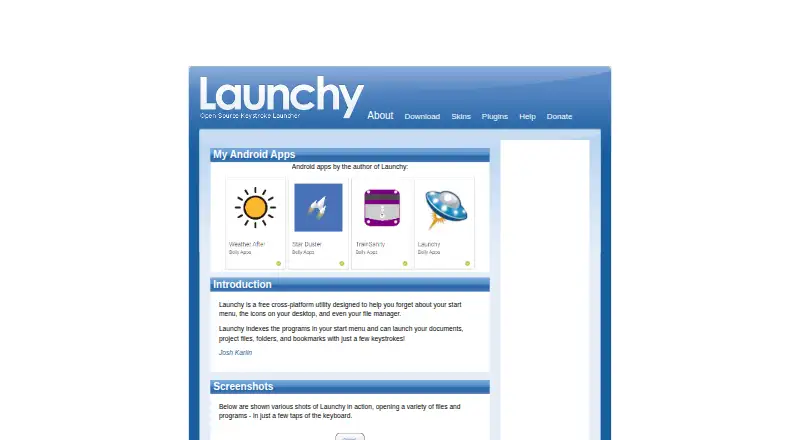
Launchy is a free, open-source utility that runs on Windows, macOS and Linux. Its index covers programs, files, folders and bookmarks, which you can open from a keyboard command. Plugins add searches, calculations and commands. A USB-based setup is possible in portable mode, though Linux skins and outside plugins have limitations.
Review
In a line
Launchy is a free, open-source utility for replacing the start menu, desktop icons and file manager. It fits the app launcher software category and runs across supported desktop systems.
What it does
The launcher remains in the background until its activation key is pressed. Windows uses Alt+Space by default, while Mac uses Apple+Space and Linux uses Ctrl+Space.
It catalogs programs and selected folders, then applies fuzzy matching to launch applications, documents, project files, folders, websites and bookmarks. Directories can be added, with file groups or extensions such as music, images, documents or all files available for indexing.
Explory lets users browse folders and files by entering a path and pressing Tab repeatedly. Once an application is selected, another Tab press opens a field for command-line arguments. Runny provides aliases and parameterized commands through placeholders including $1, $2 and $3.
How it connects
Launchy uses the GNU General Public License version 2.0 and publishes its source. Its plugin architecture covers web searches, Firefox bookmarks, calculations, custom commands and more. The official list also names Todoist, PuTTY sessions, system power controls and task switching.
Weby can search services such as Google, Yahoo, weather, Amazon, Wikipedia, IMDb and MSDN. Foxy indexes Firefox bookmarks and quick-search keywords. Calcy handles addition, subtraction, multiplication and division with parentheses; GCalc sends calculations and unit conversions to Google.
Plugins use Win32 DLLs built in C++, with Unicode and statically linked libraries. The current route to binary-compatible development depends on Visual Studio 2005. These extensions come from other developers, are not exhaustively reviewed, and carry no functionality guarantee.
Good fit
Launchy suits people who prefer keyboard access to programs, files and folders instead of navigating menus or desktop icons. It can also help users who want one search box for bookmarks, websites and indexed directories.
In portable mode, configuration files remain in Launchy's running directory, allowing the program to operate from a USB stick. Downloads cover Windows, Mac OS X and Ubuntu/Linux, and the project also offers a source tarball.
Watch for
Transferring a portable copy between computers may leave the catalog stale, so the documentation advises rebuilding the index. On Linux, skins can display black mask areas when no compositing manager is present.
The calculator handles only basic operations and parentheses. Plugin functionality is not guaranteed, and the documented build setup depends on an old Visual Studio version. Help directs users to the included Readme PDF and Launchy forums.
Pricing
Launchy has a free download and no set price. Its pay-what-you-want listing gives $10 as a suggested value and invites a $3 contribution.
Verdict
Choose Launchy if you want a keyboard-first launcher that can search local files, folders, programs and bookmarks across Windows, Mac or Linux. Its open-source code, portable mode and plugin system add flexibility.
Look elsewhere if you need modern plugin tooling, guaranteed third-party extensions, advanced calculations or dependable skin behavior on Linux. The documentation and development requirements also reflect an older project.
Our take
Launchy is a sensible pick for anyone replacing menu navigation with keyboard search at no mandatory cost. It covers everyday launching, folder browsing, bookmarks, web queries and simple commands, and its source is openly licensed. The trade-offs are its aging plugin toolchain, limited calculator, uneven Linux skin support and unverified extensions. Portable users should rebuild the index after moving between computers. If those limits fit your setup, Launchy offers a focused launcher without a subscription.
- Free download with a pay-what-you-want option
- Open-source GPL 2.0 project
- Searches programs, files, folders, websites and bookmarks
- Portable mode can run from a USB stick
- Plugin system adds searches, commands and utilities
- Third-party plugins are unreviewed and not guaranteed
- Plugin development requires Visual Studio 2005
- Calculator handles only basic arithmetic
- Portable moves can leave the index stale
- Some skins can fail on Linux without compositing
- Pick it ifKeyboard-driven launching on Windows, Mac or Linux; People who want local file and bookmark search; Users needing a portable launcher
- Skip it ifYou need modern, supported plugin development tools; You require advanced calculations or guaranteed plugin behavior; Linux skin compatibility is essential
Pricing
Launchy has no mandatory charge. The pay-what-you-want listing suggests $10 and asks users to consider paying $3.
- Pay what you wantNo fixed price; free download; recommended value $10 USD; creator asks users to consider paying $3 · Windows 10/7/XP · Mac OS X · Ubuntu/Linux downloads · source tarballFree
As launchy.net lists them, checked 15 Oct 2026.
Questions
What is Launchy used for?
It replaces menu and desktop navigation with keyboard search for programs, documents, folders, websites and bookmarks.
Which systems does Launchy support?
The download page lists Windows 10, 7 and XP, Mac OS X, and Ubuntu Linux builds in 32-bit and 64-bit versions. A source tarball is available too.
What shortcut opens Launchy?
Windows starts with Alt+Space, Mac with Apple+Space, and Linux with Ctrl+Space.
Can Launchy search my own folders?
Yes. Add directories to its catalog and choose extensions or groups such as music, images, documents or all files.
Does Launchy support plugins?
Yes. Plugins provide web searches, Firefox bookmarks, calculations, custom commands, Todoist, PuTTY, power controls and other functions.
Is Launchy really free?
Yes. It is available as a free download without a fixed price. The pay-what-you-want listing suggests $10 and asks users to consider paying $3.
Can I run Launchy from a USB drive?
Yes. Portable mode keeps configuration files in Launchy's own directory, though moving it between computers may require rebuilding the index.