
LiveWebinar Features, Plans and Cost
livewebinar.com · checked 28 Sept 2026
Browser-hosted software for live, automated and on-demand webinars, including recording, audience interaction and paid options.
How it plugs in
Signal on Webinar Software6.7#4 of 62
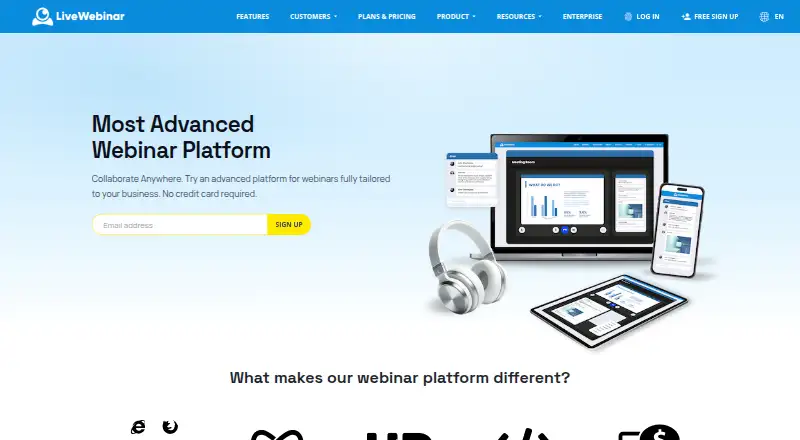
LiveWebinar provides cloud tools for webinars, meetings, classes and recruiting. Events can be run from computers, mobile devices, Smart TVs and conferencing systems through a browser. Hosts can schedule live, automated or on-demand sessions, capture recordings, gather registrations, use polls and Q&A, and charge attendees. A free account remains available for life, while paid tiers use annual billing.
Review
In a line
LiveWebinar is browser-based software for running webinars, meetings, classes and other online events. Its event options cover live broadcasts, automated presentations and on-demand viewing.
What it does
You can share your screen, stream live video, record in HD and broadcast to social media. Registration pages, polls, surveys, chat, Q&A, breakout rooms, a whiteboard and certificates support audience participation.
Ticket sales and payment processing are built in for paid webinars. Evergreen events can be set to run continuously and automatically for lead generation and sales.
How it connects
No installation or plugin is needed: LiveWebinar operates in a browser across Android, iOS, Linux, macOS, Windows and the web. PCs, Smart TVs, mobile devices and conferencing systems are supported as well.
Connections are available for marketing automation platforms and CRMs. An advanced API, embedding and webhooks provide additional integration routes, and the company says it can build a missing connection on request.
Good fit
It suits teams running webinars, online classes, recruiting sessions or internal meetings. Creators can use paid events and built-in payments, while marketers can use automated sessions and registration tools.
Hosts can define rooms for 25 to 1,000 attendees; Enterprise customers can arrange larger rooms.
Watch for
The free plan allows five attendees, 30-minute sessions, five cameras, one concurrent session and 50MB of storage. No separate trial is offered, but the free account lasts for life and needs no credit card.
Paid plans have different attendee, session, camera, storage and registration limits. Enterprise pricing is by quote, and the pricing tables list English support.
Pricing
The Free tier costs nothing and provides a lifetime account for up to five attendees. Annual billing puts Basic at $25.58 per month, Plus at $33.58 and Premium at $49.67; the advertised annual discount is 20%.
Basic allows 25 attendees, six-hour sessions and 100MB of storage. Plus allows 25 attendees, 12-hour sessions and 1GB of storage. Premium allows 25 attendees, sessions of 12 hours or more, 10 paid webinars and 10GB of storage.
Enterprise pricing is provided on request, with customizable attendee and session limits, at least 10 concurrent sessions, 1,000 or more registrations per day and a white-label option.
Verdict
Choose LiveWebinar if you want browser-based events with recording, audience tools, automation, paid access and connections to marketing or customer-management software. The lifetime free plan is useful for very small sessions, but its five-person and 30-minute limits are restrictive.
Check each plan's storage, registration and concurrency limits before committing. Larger audiences, custom branding and higher capacity require an Enterprise quote.
Our take
LiveWebinar fits organizers who need more than a basic video room: it combines webinars, automated events, recordings, audience interaction and paid registration in one browser service. Its API and webhooks can connect it to existing marketing or customer-management systems. The free account is suitable for occasional groups of five, while larger events require a paid plan. Buyers should compare session length, storage, registration and concurrent-session limits, and review the support language listed for their needs. Enterprise customers must request a quote for larger or white-label setups.
- Lifetime account at no cost, with no credit card required
- Browser operation without downloads or plugins
- Live, automated and on-demand webinar modes
- API, embedding, webhooks and business-tool integrations
- Ticketing and payment processing for paid webinars
- Free plan is limited to five attendees
- Free sessions can last only 30 minutes
- Paid plans limit storage, registrations and concurrent sessions
- Enterprise pricing is available only by quote
- Listed support is in English
- Pick it ifSmall teams running webinars, classes or meetings; Creators selling webinar access or courses; Marketers using automated events and integrations
- Skip it ifYou need free sessions for more than five attendees; You require a published Enterprise price
Pricing
A lifetime free plan supports up to five attendees. Annual billing is advertised with 20% off; Enterprise is price on request.
- Freeup to 5 attendees · 30min sessions · 5 cameras · 1 concurrent session · 50MB storageFree
- BasicPer month, billed annually · 25 attendees · 6h sessions · 10 cameras · 1 concurrent session · 100MB storage · 50 registrations/24h$25.58/mo
- PlusPer month, billed annually · 25 attendees · 12h sessions · 12 cameras · 1 concurrent session · 1GB storage · 200 registrations/24h$33.58/mo
- PremiumPer month, billed annually · 25 attendees · 12h+ sessions · 12 cameras · 1 concurrent session · 10 paid webinars · 10GB storage · 1000 registrations/24h$49.67/mo
- Enterprisecustom attendees · custom sessions · 10+ concurrent sessions · 10GB+ storage · 1000+/24h registrations · white-label solutionOn request
As livewebinar.com lists them, checked 28 Sept 2026.
Questions
Can I use LiveWebinar for free?
Yes. The Free plan is a lifetime account with no credit card required. It supports up to five attendees and 30-minute sessions.
Does LiveWebinar require a download?
No. Webinars run in a browser using HTML5, without downloads or plugins.
What devices and systems does it support?
It supports Android, iOS, Linux, macOS, Windows and the web, plus PCs, Smart TVs, mobile devices and conferencing systems.
Can LiveWebinar connect to other software?
Yes. It offers integrations with marketing automation tools and customer-management systems, plus an API, embedding and webhooks.
Can I sell access to a webinar?
Yes. LiveWebinar supports paid webinars with built-in ticketing and payment processing.
What is the largest audience?
Room sizes can be set from 25 to 1,000 attendees. Larger rooms are available to Enterprise customers.
Does LiveWebinar offer a separate trial period?
No. There is no separate free trial, but the Free account itself is lifetime.