
Loom Review
loom.com · checked 28 Sept 2026
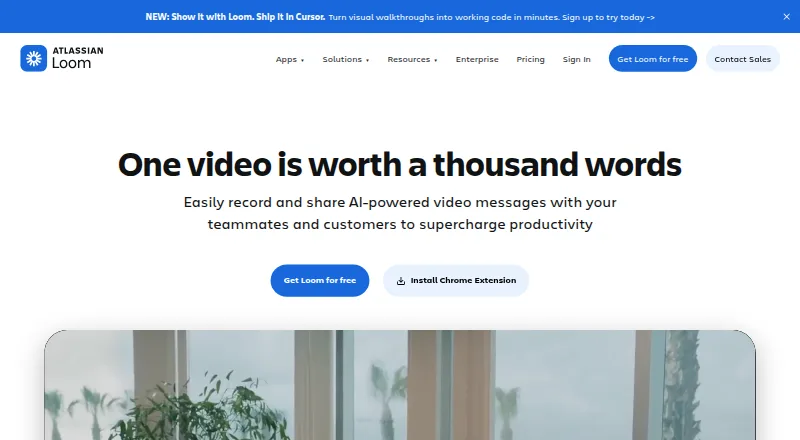
Loom lets people create screen-and-webcam videos, then share them with comments, transcripts, and workplace connections.
How it plugs in
Signal on Screen Recording Software7.5#4 of 131
Across browsers, computers, and phones, Loom pairs video recording with messaging. It captures screens, webcams, microphones, and system audio, then offers editing, sharing, and embedding tools. Comments, tasks, transcripts, and captions help with follow-up. Free Starter clips run for no more than five minutes, whereas paid plans remove that recording limit.
Review
In a line
Loom gives people a way to make and send screen recordings or video messages. It fits the broader screen recording software and video messaging software categories.
What it does
Recordings can show the screen alongside a webcam, microphone input, and computer audio. Users can capture through a browser, Windows, macOS, iOS, Android, or a Chrome extension. Video quality reaches 4K.
The editor supports trimming and joining clips, plus backgrounds, text, arrows, and box overlays. Viewers can respond with emojis, comments, tasks, and calls to action; Loom AI can produce titles, summaries, chapters, and tasks while removing filler words.
More than 50 languages are supported for transcripts and captions. Starter limits an individual video to five minutes.
How it connects
Loom videos can be shared or embedded in workplace tools. Integrations include Slack, Jira, Confluence, GitHub, Gmail, and more.
Loom was acquired by Atlassian and is integrating its systems. Enterprise plans add Salesforce integration, plus controls including SSO, SCIM, custom retention policies, and privacy settings.
Good fit
Loom suits people who explain work through recorded screens, webcams, or voice rather than live meetings. It also fits teams wanting comments, tasks, transcripts, and workplace links around one video workflow.
The free plan allows as many as 50 workspace members and 25 videos per person, with five-minute recordings and unlimited screenshots. Paid plans allow unlimited members, videos, recording time, and screenshots.
Watch for
A Starter clip cannot exceed five minutes, so longer recordings need a paid tier. Before selecting a plan, consider whether Loom AI, Salesforce, enterprise security, or dedicated support is necessary.
Deactivated workspace members forfeit fees and access for the rest of the billing cycle.
Pricing
Starter costs nothing and covers up to 50 members, 25 videos per person, five-minute recordings, and unlimited screenshots.
Business costs $18 per user each month and removes video and recording-time limits. Business + AI costs $24 per user each month, adds Loom AI, and includes a 14-day free trial.
Enterprise uses quote-based pricing; it includes advanced security, Salesforce connectivity, dedicated support, an account manager, and a 99.95 percent uptime service-level agreement. Paying annually costs 17 percent less than monthly billing.
Verdict
Choose Loom if your work depends on short or long screen explanations, asynchronous video messages, and comments or tasks around each recording. It is also a fit when your team uses Slack, Jira, Confluence, GitHub, or Gmail.
Look elsewhere if five-minute free recordings are not enough and you cannot justify a per-user plan, or if you need a published Enterprise price before contacting sales.
Our take
Loom is a practical choice for teams replacing some meetings with recorded explanations. Its broad device support, editing tools, captions, and workplace integrations cover common sharing needs. The free tier works for small trials but imposes a five-minute video ceiling and per-person limits. Business removes those restrictions, while Business + AI adds automated summaries and related tools. Larger organizations should review the Enterprise security package and request a quote before deciding.
- Records the screen together with webcam, microphone, and system audio
- Capture works on web, Windows, macOS, iOS, Android, and Chrome
- Paid tiers provide unlimited videos and recording duration
- Transcripts and captions cover more than 50 languages
- Connects with Slack, Jira, Confluence, GitHub, Gmail, and more
- Each Starter recording may run for only five minutes
- Enterprise costs are available only through a sales inquiry
- Certain security and support capabilities are reserved for Enterprise
- Pick it ifTeams sharing screen explanations instead of live meetings; People needing video comments, tasks, and transcripts; Workplaces using Slack, Jira, Confluence, GitHub, or Gmail
- Skip it ifYou need free recordings longer than five minutes; You require a public Enterprise price before contacting sales; You do not need recorded video messages or screen capture
Pricing
Starter is free with member, video-count, and five-minute recording limits. Business is $18 a month per user; Business + AI is $24 a month per user with a 14-day trial. Enterprise pricing is provided on request. Annual billing saves 17 percent.
- Starterbilled monthly · Up to 50 members · Up to 25 videos per person · 5 minutes per video recording · Unlimited screenshotsFree
- Businessbilled monthly · Unlimited members · Unlimited videos per person · Unlimited video recording length · Unlimited screenshots$18/mo
- Business + AIbilled monthly · Unlimited members · Unlimited videos per person · Unlimited video recording length · Unlimited screenshots$24/mo
- EnterpriseUnlimited members · Unlimited videos per person · Unlimited video recording length · Unlimited screenshotsOn request
As loom.com lists them, checked 28 Sept 2026.
Questions
Is Loom free?
Yes. Starter has no charge and allows up to 50 workspace members, 25 videos per person, five-minute recordings, and unlimited screenshots.
How long can a Loom recording be?
On Starter, an individual recording can run for up to five minutes. Business, Business + AI, and Enterprise plans do not cap recording length.
What devices does Loom support?
Video capture is available through web browsers, Windows, macOS, iOS, Android, and a Chrome extension.
Can Loom record audio and a webcam?
Yes. It can capture webcam video, microphone input, and system audio, with the webcam displayed over the screen recording.
Which tools integrate with Loom?
Loom lists Slack, Jira, Confluence, GitHub, and Gmail among its integrations. Videos may also be shared or embedded across workplace tools.
What does Loom AI add?
Loom AI can automatically create titles, summaries, chapters, and tasks, and remove filler words. Business + AI includes these features.
Does Loom offer enterprise security?
Enterprise provides SSO, SCIM, custom retention policies, privacy settings, Atlassian Guard Standard, EBA Compliance, and a 99.95 percent uptime SLA.