Ludusavi PC Game Save Backup and Restoration
github.com · checked 15 Oct 2026
Open-source utility that saves and restores PC game data across stores and operating systems at no cost.
How it plugs in
Signal on Game Save Managers7.6#2 of 27
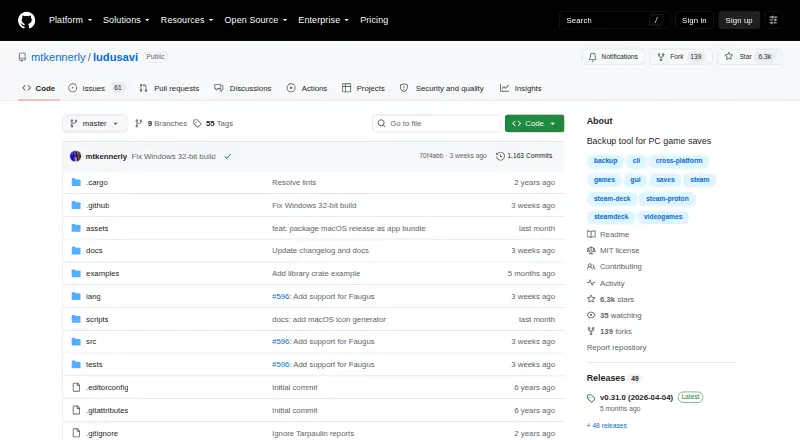
Using Ludusavi, players can preserve and recover save data for over 19,000 PC games. It covers Steam, GOG, Epic, Heroic, Lutris and other libraries, including Proton paths, registry entries and screenshots. A graphical app handles routine jobs, while command-line tools support scripts and JSON requests. Rclone sends copies to various cloud and network destinations.
Review
In a line
Ludusavi offers free, open-source backup and restoration for PC video-game save data. It runs on Windows, Linux and macOS, with an API and extensions available.
What it does
The graphical interface scans game libraries, then guides backup and restore work. Ludusavi can detect games, make automatic or scheduled backups, keep version history and restore saves.
Save data may reside in files, the Windows registry, Steam Proton paths or Steam screenshots. Its coverage exceeds 19,000 games, and custom entries can be added.
How it connects
Steam, GOG, Epic, Heroic, Lutris and other game libraries can be used with Ludusavi. It is also available as a Playnite extension. Community projects add plugins for Decky Loader, LaunchBox and Visual Studio Code.
Cloud synchronization uses Rclone. Rclone remotes can point to Google Drive, OneDrive, Dropbox, Box, FTP, SMB and WebDAV. Before changes are uploaded, synchronization compares local and cloud saves and flags conflicts.
For scripting, the command-line interface offers tab completion and an open API mode that exchanges structured JSON requests and responses. Backup paths come from the Ludusavi Manifest, mainly sourced from PCGamingWiki. Ludusavi is released under the MIT License.
Good fit
Ludusavi suits players who use several PC game stores or want backups beyond Steam Cloud. Its graphical workflows suit routine backups, while command-line tools suit automation and bulk operations.
It fits Windows, Linux and macOS users seeking portable releases, custom game entries or Rclone-based cloud copies.
Watch for
Automatic movement from a backup on one operating system to restoration on another is not supported. Check your save locations and target system before moving a backup.
Rendering works best with DirectX, Vulkan or Metal; a tiny-skia software renderer is available as a fallback. Windows may show an unrecognized-publisher warning, and macOS may identify the developer as unidentified.
The runtime configuration controls certificate and hostname checks for downloads. Safe validation is the default, while an unsafe option disables those checks.
Pricing
Ludusavi has no stated charge or paid tier. The Free plan includes portable desktop backup and restore. Windows, Linux and Mac executables can be used portably, and Winget, Scoop, Flatpak and Cargo distribution options are listed.
Verdict
Choose Ludusavi when one tool must protect saves distributed across multiple PC stores, including Proton titles, registry-based data or screenshots. Its open source, portable releases and command-line API also suit people building repeatable backup routines.
Look elsewhere if you need automatic cross-operating-system restore. For a broader starting point, compare game save managers.
Our take
For PC players, Ludusavi provides a no-cost way to protect saves from many storefronts in one place. It covers a large game list, supports both a visual app and scripts, and can send synchronized copies through Rclone. The main planning issue is platform movement: a backup made on one operating system is not automatically ready to restore on another. Check your games, save locations and destination system first. If those limits fit, Ludusavi offers broad coverage without a subscription.
- MIT-licensed open-source software at no cost
- Coverage exceeds 19,000 games, and custom entries are supported
- Works with major PC game stores and Steam Proton
- Graphical interface plus command-line scripting and JSON API
- Rclone support includes cloud and network remotes
- No automatic backup-to-restore support across operating systems
- Rendering performance depends on graphics backends, with fallback software rendering
- Windows or macOS may show publisher identification warnings
- An unsafe download setting turns off certificate and hostname validation
- Pick it ifPeople protecting saves from several PC game stores; Users needing Proton, registry or screenshot backups; People automating backups with scripts or Rclone
- Skip it ifYou need automatic restore between different operating systems; You require a paid support plan or a stated paid tier
Pricing
The Free plan costs nothing and includes portable desktop backup and restore on Windows, Linux or Mac. No paid tiers are listed.
- FreePortable desktop backup and restore; no paid tiers statedFree
- Ludusaviportable executable · Windows, Linux, or Mac · MIT licensedFree
As github.com lists them, checked 15 Oct 2026.
Questions
Is Ludusavi free?
Yes. Ludusavi has a free plan, and no paid tiers are stated.
Which stores does Ludusavi support?
Its supported libraries include Steam, GOG, Epic, Heroic, Lutris and other game stores.
How many games can it back up?
Its database covers over 19,000 games, with custom entries also available.
Can Ludusavi back up Steam Proton saves?
Yes. Supported sources include Steam Proton locations, files, Windows registry data and Steam screenshots.
Can I send backups to cloud storage?
Yes. Rclone can use remotes such as Google Drive, OneDrive, Dropbox, Box, FTP, SMB and WebDAV.
Does Ludusavi have an API?
Its command-line interface includes an API mode using structured JSON requests and responses for operations such as backup and title finding.
Can I restore a backup on another operating system?
Not automatically. A backup made on one operating system is not automatically restorable on another with Ludusavi.