MakeSense.ai: Free Image Labeling for Computer Vision
makesense.ai · checked 21 Oct 2026
Browser-based, open-source image labeling for computer vision datasets.
How it plugs in
Signal on Image Annotation Software7.7#3 of 28
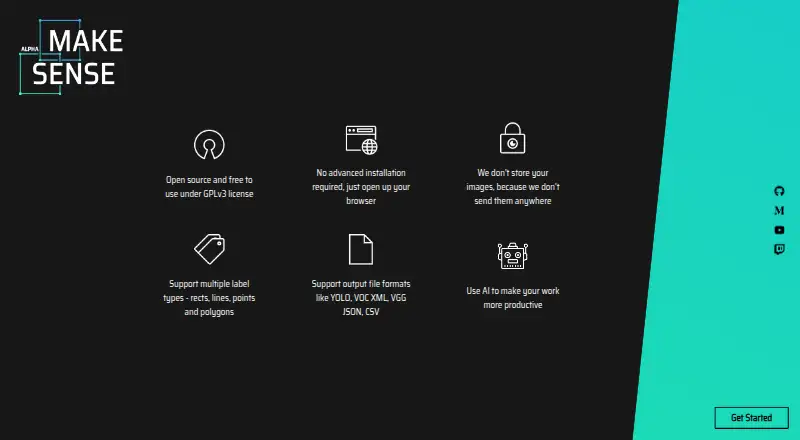
MakeSense.ai is a free, browser-based image labeling tool for preparing computer vision datasets. It supports point, line, rectangle, polygon, and image-level labels, with local AI assistance from YOLOv5, SSD, and PoseNet. You can import and export several common dataset formats, run it across operating systems, or host it locally with Docker.
Review
In a line
MakeSense.ai is an open-source browser tool for labeling photos and preparing datasets for computer vision work. It runs in a web browser on Windows, macOS, Linux, and self-hosted setups.
What it does
You can mark images with points, lines, rectangles, polygons, or image-level labels. Rectangles suit object-detection boxes, points mark keypoints, lines mark edges, and polygons outline segments.
Its model-assisted tools include YOLOv5, an SSD model trained on COCO, and PoseNet for human-pose estimates. You can also load your own YOLOv5 model when it is exported in TensorFlow.js format. The AI runs in the browser.
How it connects
MakeSense.ai imports YOLO, VOC XML, and COCO JSON files, and exports CSV, YOLO, VOC XML, VGG JSON, and COCO JSON where the selected annotation type is supported.
Images are not sent to a server, according to the project, and the application can run locally or through Docker. The project documents a Roboflow inference-server connection for annotation assistance, but it lists no product API or SDK.
Its code is available under the GNU GPL-3.0 license. For related tools, see image annotation tools.
Good fit
The project is aimed at small computer-vision deep-learning projects and dataset preparation. It suits people who want browser labeling, local image handling, common dataset exports, and optional model suggestions.
Because it runs in a browser, you can open the web application without a complicated installation. Local setup and Docker instructions are available for self-hosting.
Watch for
The format table marks some annotation and import/export combinations as unsupported, so check the exact format and label type you need before starting.
There is no documented product API or SDK. Local setup requirements also differ between documents: one lists npm 6.x.x and Node.js v11.x.x, while the README lists npm 8.x.x and Node.js v16.x.x.
The releases page shows version 1.11.0-alpha dated December 20, 2022 as the latest release shown.
Pricing
MakeSense.ai is free. The free plan covers browser photo labeling, with images not uploaded to a server.
Verdict
Choose MakeSense.ai if you need no-cost image annotation for a small computer-vision project and want browser use, local processing, or self-hosting. Its annotation types, model helpers, and format exports cover several common workflows.
Look elsewhere if your process depends on a public API, a documented SDK, or an import/export pairing marked unsupported. You can compare other options in data labeling software or Label Studio.
Our take
MakeSense.ai is a practical free choice for individuals and small teams assembling image datasets. Browser access, GPL-3.0 code, local image handling, and Docker deployment give it flexible ways to run. Its labeling tools and in-browser model assistance cover common computer-vision tasks. The main checks are format compatibility, the lack of a documented API or SDK, and conflicting version requirements for local setup. Projects needing larger integrations or unsupported format combinations should consider another labeling tool.
- Free browser application with no image upload to a server
- Open-source code under the GNU GPL-3.0 license
- Point, line, rectangle, polygon, and image-level labels
- YOLOv5, COCO-pretrained SSD, and PoseNet assistance
- Imports and exports several common dataset formats
- Some annotation and format combinations are marked unsupported
- No documented product API or SDK
- Local setup requirements differ between project documents
- Latest listed release is version 1.11.0-alpha from December 20, 2022
- Pick it ifSmall computer-vision projects and dataset preparation; Teams wanting browser labeling with local or Docker hosting; Users needing model-assisted image annotation
- Skip it ifYou require a documented public API or SDK; Your workflow depends on a format pairing marked unsupported; You need setup requirements that are consistent across documents
Pricing
The only listed plan is Free: browser photo labeling at no cost, with images not uploaded to a server.
- Freebrowser photo labeling · no image upload to serverFree
As github.com lists them, checked 21 Oct 2026.
Questions
Is MakeSense.ai free?
Yes. The listed Free plan provides browser photo labeling, and the pricing model is free.
Does MakeSense.ai upload images?
The project says images are not sent to a server. Its AI features run in the browser with TensorFlow.js.
Which annotation types does it support?
It supports points, lines, rectangles, polygons, and image-level labels.
What files can it import and export?
Imports include YOLO, VOC XML, and COCO JSON. Exports include CSV, YOLO, VOC XML, VGG JSON, and COCO JSON where supported.
Can I run MakeSense.ai locally?
Yes. The project documents local setup and Docker instructions, including serving the application on localhost:3000.
Does it have an API or SDK?
The public documentation presents no product API or SDK. It documents local code, model loading, and an inference-server connection instead.
Which AI models are included?
Listed integrations include YOLOv5, an SSD model pretrained on COCO, and PoseNet. Custom YOLOv5 models can be loaded in TensorFlow.js format.