
Moxie for Freelancer Work and Billing
withmoxie.com · checked 15 Nov 2026
Moxie gives freelancers an online workspace for client work, projects, billing, and communications.
How it plugs in
Signal on Freelance Management System6.2#6 of 25
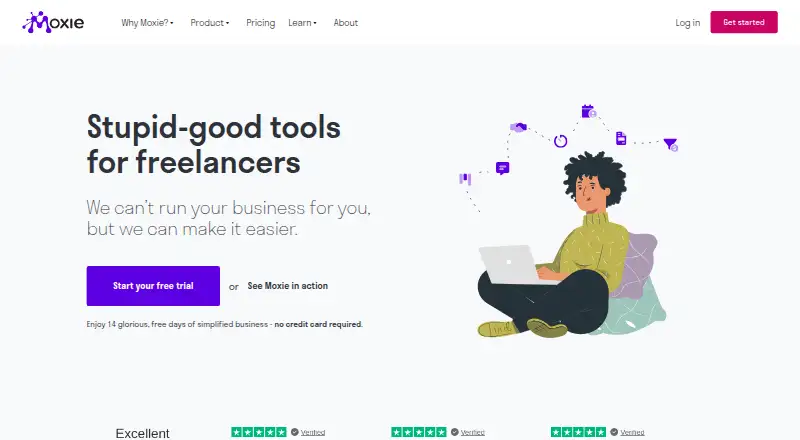
Moxie brings together freelancer tools for clients, projects, proposals, contracts, time tracking, invoicing, expenses, scheduling, and communication. Use it on the web or with its iOS and Android apps. Annual plans start at $10 per month, and the 14-day trial does not require a credit card. Pro and Teams include advanced API and automation integrations.
Review
In a line
For freelancers, Moxie puts client work and business tasks—from proposals through invoicing—in one paid online workspace.
What it does
Client records bring together contact information, agreements, invoices, payments, and custom fields. Projects can contain tasks, subtasks, files, and notes, with hourly, recurring, or fixed-rate billing. Track time live or enter it manually, then add billable time to invoices. Invoices can cover recurring services and reimbursable expenses.
Create proposal templates and turn approved proposals into contracts. Users can collect signatures and have an approved proposal automatically create a project. Moxie tracks expenses, vendors, and write-offs, and generates profit-and-loss reports.
The workspace includes forms, scheduling, and a sales pipeline for prospects and onboarding. Communicator combines a universal inbox with a business phone service offering calls, texts, forwarding, and business hours in the US, Canada, and UK. The mobile app covers project management, time tracking, invoicing, expenses, proposals, and contracts.
How it connects
Moxie connects with Google and Microsoft calendars, Stripe and PayPal for invoice payments, and QuickBooks Online and Plaid for accounting. Automation options include Zapier, Make, and Pabbly Connect. Pro and Teams list advanced API and automation integrations.
Moxie's public API lets other software exchange information with the workspace. Its documentation covers authentication, endpoints, schemas, enums, webhook events, and examples. API keys are specific to each workspace; requests use JSON over HTTPS, with a limit of 100 per five minutes. Moxie also offers a remote MCP server with OAuth and read or write scopes for compatible clients such as Claude, ChatGPT, and Cursor on active Pro and Teams workspaces.
Moxie is proprietary cloud software, and its terms bar modification, derivative works, reverse engineering, resale, and sublicensing. Connecting an email inbox is optional. Moxie says disconnecting one immediately and permanently removes its email and related information collected by the application.
Good fit
Moxie positions itself for freelancers, consultants, and solopreneurs who want client management, project work, proposals, billing, and basic accounting together. Teams targets small agencies and freelancers working together; it allows up to five team members and unlimited project collaborators.
Watch for
Starter does not list a custom-domain portal, white-label client portal, workflow automations, Communicator phone line, or advanced API integrations; Pro lists these features. Check which plan includes the integrations you need before choosing.
Moxie runs in the cloud under a proprietary license, which rules out modifying or reselling it. The iOS app requires iOS 13 or later.
Pricing
Starter costs $12 a month on monthly billing or $120 a year on annual billing. Pro costs $25 monthly or $240 annually, and Teams costs $40 monthly or $385 annually. Annual prices are charged yearly.
There is no free plan. Moxie offers a 14-day trial with no credit card required. Its pricing page says every plan includes priority support.
Verdict
Moxie may work for freelancers who want business operations in one place and can fit within its plan limits. Pro adds listed client portal options, a phone line, automations, and API integrations; Teams adds seats for a small group. Skip it if you need open-source software or a free ongoing plan.
Our take
Moxie groups project work, proposals, time tracking, invoicing, and expenses for freelancers and consultants. Starter lists many core tools, while Pro and Teams add automation, portal, integration, and group-work features. Annual billing costs less than paying monthly for a full year, but the yearly amount is charged upfront. If you require a free plan or open-source software, Moxie is not a match.
- Client records combine contact details, agreements, invoices, and payments.
- Tracked billable time and reimbursable expenses can go on invoices.
- Online invoice payments work with Stripe and PayPal.
- Mobile apps are available for iOS and Android.
- Teams includes up to five team members and unlimited project collaborators.
- There is no free plan.
- The product is proprietary cloud software, not open source.
- The Communicator phone service is available only in the US, Canada, and UK.
- Advanced API and automation integrations are included with Pro and Teams.
- Pick it ifFreelancers who want client work and billing tools together in one workspace; Small teams needing up to five seats and unlimited project collaborators
- Skip it ifYou need an ongoing free plan or open-source software; You need Communicator phone service outside the US, Canada, or UK
Pricing
Starter costs $12 monthly or $120 annually; Pro is $25 monthly or $240 annually; Teams is $40 monthly or $385 annually. Annual plans are charged yearly. There is no free plan, but the 14-day trial does not require a credit card.
- StarterMonthly · Client management, project management, invoicing and payments, proposals, time tracking, sales pipeline, basic accounting, forms, schedulers, calendar/inbox, AI assistant$12/mo
- Starter (monthly billing)Monthly · Client management · Project management · Invoicing and payments · Proposals, quotes, and contracts · Time tracking · Sales pipeline · Basic accounting · Custom forms · Meeting schedulers · Calendar and inbox · Moxie AI assistant$12/mo
- ProMonthly · Everything in Starter plus custom domain, white-labeled client portal, support ticketing, workflow automation, phone line, API integrations, QuickBooks, unlimited project collaborators$25/mo
- Pro (monthly billing)Monthly · Everything in Starter · Custom domain · White-label client portal · Support ticketing and client requests · Automations · Communicator phone line (US, CA, UK) · API integrations · QuickBooks integration · Unlimited project collaborators$25/mo
- Teams (monthly billing)Monthly · Everything in Pro · Up to five team members · Unlimited project collaborators · One additional communicator phone line$40/mo
- TeamsMonthly · Everything in Pro plus up to five team members, unlimited project collaborators, one additional communicator phone line$40/mo
- Starter (annual billing)$120 charged annually · Client management · Project management · Invoicing and payment tools · Proposals, quotes, and contracts · Time tracking · Sales pipeline · Basic accounting · Custom forms · Meeting schedulers · Calendar and inbox · Moxie AI assistant$120/yr
- Starter$120 charged annually · Client management, project management, invoicing and payments, proposals, time tracking, sales pipeline, basic accounting, forms, schedulers, calendar/inbox, AI assistant$120/yr
As withmoxie.com lists them, checked 15 Nov 2026.
Questions
Does Moxie have a free plan?
No. Moxie is a paid product, with a 14-day trial that requires no credit card.
How much does Moxie cost?
Starter costs $12 a month or $120 a year, Pro $25 a month or $240 a year, and Teams $40 a month or $385 a year.
What does Moxie connect to?
It connects with Google and Microsoft calendars, Stripe, PayPal, QuickBooks Online, Plaid, Zapier, Make, and Pabbly Connect. Some advanced API and automation options are for Pro and Teams.
Can clients use a portal?
Yes. Clients can use a branded portal for projects, invoices, agreements, and custom pages, with configurable access to Moxie tools. Pro lists a white-label client portal.
Can I use Moxie on my phone?
Moxie offers iOS and Android apps. The iOS app requires iOS 13 or later.
Does Moxie have a public API?
Yes. Its documented API uses workspace-specific keys and allows 100 requests every five minutes. API and automation integrations are listed with Pro and Teams.