
Bonsai: Service Business Management Software
hellobonsai.com · checked 16 Nov 2026
Bonsai brings client management, projects, time, billing, and financial tracking into one service-business platform.
How it plugs in
Signal on Client Management software6.3#1 of 27
Bonsai is a paid platform for agencies, consultancies, freelancers, and other professional service teams. Client records, proposals, contracts, projects, time and expense tracking, invoicing, payments, reporting, and resource planning are handled in one place. Users can access it through the web, iPhone, Android, or Mac, while Premium adds selected integrations and a public API.
Review
In a line
Bonsai gives agencies, consultancies, freelancers, and other professional service providers a single business platform. Clients, projects, teams, billing, and revenue tracking sit together.
What it does
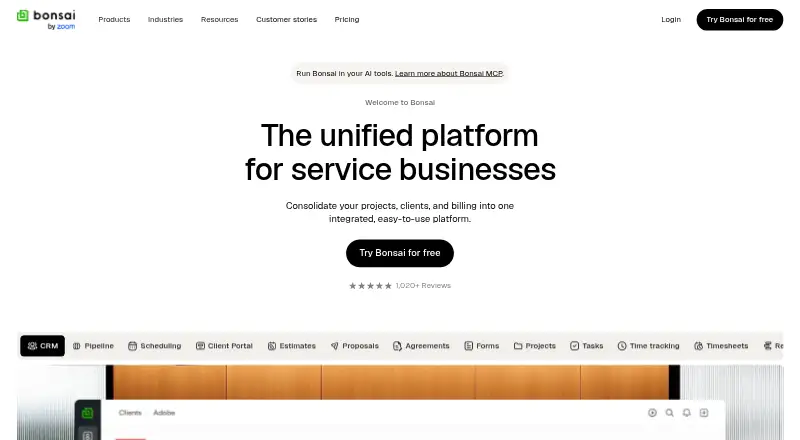
For client work, Bonsai brings together CRM records, deals, estimates, proposals, contracts, retainers, forms, a client portal, scheduling, contacts, companies, and email and calendar synchronization. Reusable templates, editable documents, signature fields, and PDF downloads support proposals and contracts.
Project tools include tasks, Gantt charts, budgets, time tracking, timesheets, reports, and resource planning. Financial features handle invoices, online payments, recurring billing, reminders, rate cards, expenses, forecasting, and accounting integrations.
How it connects
Bonsai runs on the web and has iPhone, Android, and Mac apps, with an API for integrations. QuickBooks, Xero, Zapier, Calendly, and Google connections are listed with Premium.
Its public REST interface returns JSON and covers contacts, companies, deals, projects, tasks, subtasks, comments, time entries, and invoices. It offers account API keys or OAuth authorization, with access limited by each member's permissions. The documented limits are 600 requests per minute and 10,000 per hour overall, with writes limited to 120 per minute. No official language SDK packages are listed.
Through Zapier, Bonsai triggers such as document views or signatures and invoice views or payments can reach more than 1,000 other tools.
Good fit
Firms and freelancers that want client records, project work, billable time, expenses, invoicing, payments, and reporting together may find Bonsai suitable. The site presents workflows for leadership, operations staff, project managers, and team members.
It can also be considered alongside freelance invoicing software, professional services CRM software, and time billing software when a combined system is preferred.
Watch for
Bonsai has no free tier. Its seven-day trial includes full, unlimited access; continuing afterward means selecting a paid plan and supplying payment details. Elite is available only with a minimum of three users.
Check your integration and automation needs before choosing a tier: the listed integrations are on Premium, and the API has request quotas. Bonsai is closed-source.
Pricing
Bonsai has a seven-day free trial and no free plan. Basic costs $15 a user a month, or $9 a user a month when billed annually. Essentials costs $25 a user a month, or $19 a user a month annually.
Premium costs $39 a user a month, or $29 a user a month annually. Elite costs $59 a user a month, or $49 a user a month annually, and requires a minimum of three users.
Verdict
Choose Bonsai if your service business wants one workspace for client work, project delivery, time, expenses, invoices, payments, and reporting, with mobile apps and an API available. The higher tiers add integrations, workload views, profitability reports, custom permissions, and other controls.
Look elsewhere if you need open-source software, a permanently free plan, or a smaller tool focused on only one job. Buyers with fewer than three users cannot take the Elite plan, and API-heavy setups should stay within its published quotas.
Our take
Bonsai is a sensible choice for agencies, consultancies, freelancers, and service teams that want client, project, and billing work together instead of spread across several products. Its web, mobile, and Mac access helps distributed teams, while the API and Zapier support offer ways to connect other systems. Budget for a paid subscription once the seven-day trial ends, and check whether needed integrations sit behind Premium. Businesses seeking open-source software, a free plan, or Elite features with fewer than three users should consider alternatives.
- CRM, projects, time, expenses, invoicing, and payments share one platform
- The trial unlocks all features for seven days
- Public REST API with key and OAuth authentication
- iPhone, Android, Mac, and web access
- Recurring invoices and online payments are supported
- No free plan after the trial
- Elite requires at least three users
- API has per-minute and hourly quotas
- Closed-source software
- Pick it ifAgencies and consultancies managing clients and projects; Freelancers needing contracts, time tracking, and invoices; Service teams tracking profitability and workload
- Skip it ifYou need open-source software or a permanent free plan; You have fewer than three users and need Elite features; Your integrations exceed the published API quotas
Pricing
Monthly billing is $15 for Basic, $25 for Essentials, $39 for Premium, and $59 for Elite. The seven-day trial includes full access, after which a paid plan is required; Elite has a three-user minimum.
- BasicBilled annually · Per user; unlimited projects and clients$9/yr
- EssentialsBilled annually · Per user$19/yr
- PremiumBilled annually · Per user$29/yr
- EliteBilled annually · 3 users minimum$49/yr
As hellobonsai.com lists them, checked 15 Nov 2026.
Questions
Does Bonsai have a free plan?
No. Full, unlimited use is available for seven days, then a paid plan and payment details are needed to continue.
Which platforms run Bonsai?
Bonsai is available through its website and apps for iPhone, Android, and Mac. An API is also available.
What can Bonsai track?
Bonsai records billable and non-billable time, expenses, projects, tasks, budgets, invoices, payments, income, and profitability.
Does Bonsai connect to accounting tools?
Premium lists integrations for QuickBooks and Xero, as well as Zapier, Calendly, and Google.
Does Bonsai have a public API?
Yes. The REST API covers contacts, companies, deals, projects, tasks, subtasks, comments, time entries, and invoices. Limits include 600 requests per minute overall and 120 writes per minute.
What is the Elite plan's user requirement?
Elite is limited to plans with at least three users.
Can clients use a portal?
Yes. A client portal is included in the Essentials plan and higher tiers.