NovaClip: Open-Source Video Clipping and Repurposing
github.com · checked 9 Oct 2026
Open-source software for cutting, making, refining, adapting, and bundling video content.
How it plugs in
Signal on AI Video Repurposing Tools6.7#2 of 50
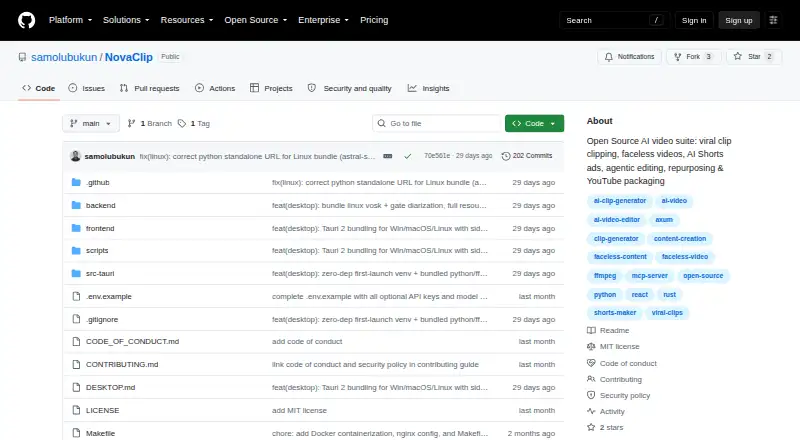
NovaClip is a no-cost, open-source video toolkit for creating clips, editing footage, producing new videos, and adapting content. It can identify and caption highlights, generate faceless videos, prepare platform-specific versions, and publish to several social networks. You can use it on supported desktops or host it yourself while supplying provider credentials when required.
Review
In a line
NovaClip brings together tools for converting video ideas and source footage into clips, edited sequences, social adaptations, and campaign packages.
What it does
Nova Clipper turns speech into a transcript, scores likely viral moments, reframes and captions them, then saves clips separately or in a ZIP archive.
Nova Studio generates a faceless video from either a subject or a script. It can also make a user-generated-content-style short ad from a product URL.
Nova Edit lays out a proposed edit for human sign-off, renders the sequence, and evaluates the result. Its targets include short-form pieces lasting 20–90 seconds and long-form videos running 2–60 minutes.
Nova Repurpose produces tailored video cuts for TikTok, Instagram, YouTube, LinkedIn, and X. It also outputs newsletter or blog text together with a campaign PDF.
How it connects
NovaClip is available through an API, browser interface, desktop applications, or self-managed installations on Windows, macOS, Linux, and Docker Compose. Documentation also covers a native local installation.
Listed providers and integrations include Gemini, OpenRouter, Deepgram, ElevenLabs, Pexels, Pixabay, WaveSpeed, and Upload-Post. Upload-Post can send generated videos to YouTube, TikTok, and Instagram.
The pipeline is exposed through an HTTP Model Context Protocol route at POST /mcp, which compatible clients such as Claude Desktop and Cursor can use. NovaClip follows a bring-your-own-key approach, keeping configured credentials only in the browser.
For transcription, you can choose hosted Deepgram Nova-3 or local Vosk and Whisper. Voice generation options are Edge-TTS, ElevenLabs, and Deepgram Aura.
Good fit
NovaClip suits creators, marketers, and teams that want one self-hosted toolkit for turning source footage into short clips, ads, social versions, and campaign text.
It is a fit when you want open-source code, local speech options, social presets, automatic reframing, highlight detection, and brand templates.
Watch for
The project calls itself young and prototype-heavy, warning that AI Shorts, YouTube Studio, Nova Edit, integrations, and other pipelines may fail.
Nova Edit has not reached full non-linear-editor status. Its roadmap still includes transitions, color grading, keyframed motion graphics, and detailed audio mixing.
Desktop operation requires FFmpeg at runtime. Python reframe support is optional, and the backend continues with reduced capability without it. Provider credentials must also be supplied for integrations that require them.
Pricing
NovaClip costs nothing and is released under the MIT License; no hosted tier or usage allowance is specified.
The free arrangement relies on your own provider credentials, so those providers may bill you separately.
Verdict
Choose NovaClip if you want an open-source, self-managed workspace for automated clipping, AI video creation, edit proposals, and repurposing across platforms. Its MCP interface is useful for connecting the workflow with compatible AI assistants.
Look elsewhere if you need a mature editor with advanced finishing controls, or if maintaining local software and provider credentials is not practical. Because the project remains at a prototype stage, pipelines can fail and each integration should be checked before production publishing.
Our take
NovaClip is a practical option for people comfortable running open-source software and supplying their own AI service keys. It covers highlight extraction, faceless video creation, suggested edits, social resizing, copy generation, and publishing in one project. Its free MIT-licensed model removes a subscription, but provider costs remain your responsibility. The main trade-off is maturity: the project warns that parts can break, and its editor still lacks several advanced finishing tools. Choose it for flexible, self-hosted workflows rather than a polished, fully managed production suite.
- No-cost MIT-licensed release
- Supports Windows, macOS, Linux, web, API, and self-hosting
- Creates clips, social variants, copy, and campaign PDFs
- Offers local Vosk and Whisper speech transcription
- Provides an MCP route for Claude Desktop and Cursor
- The project is young and prototype-heavy
- Some pipelines and integrations can fail
- Nova Edit is missing several advanced editing controls
- Desktop runtime depends on FFmpeg
- Provider credentials are your responsibility where required
- Pick it ifCreators repurposing footage for several social networks; Teams wanting a self-hosted, open-source video workflow; Users who need MCP access to video pipelines
- Skip it ifYou need a mature editor with transitions, color grading, or detailed audio mixing; You want a hosted plan with included AI usage; You cannot manage local installs and provider keys
Pricing
NovaClip has no charge and uses the MIT License. No hosted plan or usage quota is specified; you supply provider credentials, and any provider fees are separate.
- Open source (MIT License)Bring your own provider keys; no hosted plan or usage quota is statedFree
As github.com lists them, checked 9 Oct 2026.
Questions
Is NovaClip free?
Yes. It is distributed at no cost under the MIT License, and no hosted plan or usage quota is specified.
Where can NovaClip run?
It supports Windows, macOS, Linux, web, API, and self-hosted deployments. Docker Compose and native local setup are documented.
Can NovaClip publish videos?
Yes. Upload-Post can publish generated videos to YouTube, TikTok, and Instagram.
Does NovaClip have an API?
It provides an HTTP Model Context Protocol route at POST /mcp that Claude Desktop, Cursor, and other MCP clients can connect to.
Which speech tools are supported?
Speech recognition can use Deepgram Nova-3, Vosk, or Whisper. Voice synthesis options include Edge-TTS, ElevenLabs, and Deepgram Aura.
What are NovaClip’s editing limits?
Nova Edit is not yet a complete non-linear editor. Transitions, color grading, keyframed motion graphics, and detailed audio mixing remain roadmap items.