OPENPASS: Open-Source Event Management You Can Host Yourself
github.com · checked 15 Oct 2026
A no-cost, open-source event platform that organizers can run on their own infrastructure.
How it plugs in
Signal on Event Management Software7.3#6 of 181
OPENPASS lets communities list events, take registrations, send QR tickets, scan arrivals, and collect feedback. Attendees can browse local event calendars and maps, follow organizers, and manage tickets without attendee accounts. Registration and check-in dashboards, attendee CSV exports, and bulk email or SMS give organizers operational tools. It is self-hostable and also has a web interface and a documented API.
Review
In a line
OPENPASS provides free, open-source software for event discovery, registration, ticketing, check-in, and feedback, with organizer-controlled hosting.
What it does
People can browse event calendars based on their location, choose a region manually, or explore an interactive map and local trends. Attendees can follow organizers, manage tickets, and submit ratings. Each event has a details page and a unique QR code.
Event-specific forms are assembled by organizers with text, select, and checkbox fields. QR tickets arrive by email, while an offline-capable scanner handles check-in and is designed to reject duplicate scans.
Live registration, check-in, and capacity figures are available to organizers, along with CSV attendee exports and bulk email or SMS. Events can be published in a simple listing mode or managed through the platform's broader event lifecycle features.
How it connects
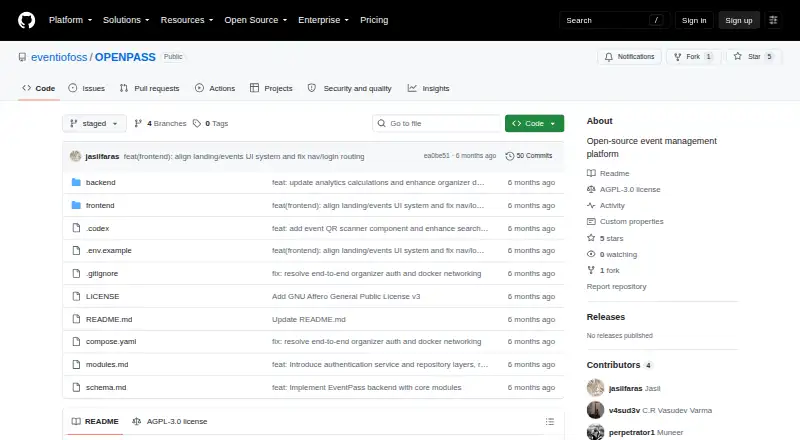
OPENPASS runs as a web app, through its API, or on a server an organizer manages. Its documented API covers events, registration, forms, check-in, analytics, and CSV export. Some API routes require an organizer session cookie; public registration and form information do not.
Hyperswitch provides the payment orchestration for optional paid tickets. Free events can operate without payment configuration. The documented self-hosting quickstart uses Docker Compose and PostgreSQL; it requires Docker, Docker Compose, and Git.
The project is open source under AGPL-3.0. If you run a modified version as a public service, you must publish the source changes.
Good fit
OPENPASS suits organizers and communities that want to publish events, manage registration and check-in, and control their own hosting. Its discovery features may also suit communities building an event calendar around a location or theme.
Instance managers can review event proposals and vet organizers before publication.
Watch for
Running it yourself means installing Docker, Docker Compose, Git, and PostgreSQL, which is more involved than joining a hosted service. The documented setup runs separate frontend and API services.
Attendees do not have login accounts; the platform describes attendee access as passwordless. Federation, waitlists, multilingual support, webhook integrations, and fine-grained role permissions appear on the roadmap rather than among available features.
Pricing
There is no charge for OPENPASS or its listed Free and OpenPass plans, and the software is open source. It can be self-hosted. Paid tickets are optional; free events need no payment configuration.
Verdict
Choose OPENPASS if your community wants event discovery and registration tools, and you are prepared to host and maintain the platform yourself. It includes useful attendee-facing features alongside organizer tools for ticketing, check-in, metrics, and exports.
Look elsewhere if you need attendee login accounts or rely on features that remain on the roadmap, such as waitlists, webhooks, or multilingual support.
Our take
OPENPASS is a practical option for communities that want to publish local events and manage sign-ups, tickets, and entry without paying for the software. The tradeoff for its free, open-source model is that you handle hosting, with a quickstart built around Docker, Docker Compose, Git, and PostgreSQL. Check whether its current feature set covers your event needs, especially if you require attendee accounts, waitlists, or integrations beyond its documented API and payment routing.
- No-cost, open-source software that can be self-hosted.
- Supports event discovery, registration, QR tickets, and check-in.
- Organizers get live metrics and CSV attendee exports.
- Bulk email and SMS are included.
- Tickets can be sold optionally, while free events work without payment setup.
- Running the service yourself calls for Docker, Docker Compose, Git, and PostgreSQL.
- Attendee login accounts are not provided.
- Waitlists, webhooks, and multilingual support are listed as planned work.
- Public-service operators must publish source changes to modified versions.
- Pick it ifCommunities and organizers willing to self-host event software; Teams needing event registration, QR check-in, and attendee exports
- Skip it ifYou need attendee login accounts or features still listed as planned work.; You do not want to set up and maintain self-hosted software.
Pricing
Both listed plans cost nothing; the software is open source and self-hostable. Optional paid tickets are supported, while free events require no payment setup.
- Freefree and open source · self-hostableFree
- OpenPassFree and open source · self-hostableFree
As github.com lists them, checked 15 Oct 2026.
Questions
Is OPENPASS available at no cost?
Yes. The listed Free and OpenPass plans have no charge, and the platform is open source.
Can I run OPENPASS on my own server?
Yes. Its documented quickstart uses Docker Compose and PostgreSQL and requires Docker, Docker Compose, and Git.
Does OPENPASS support selling tickets?
Optional paid tickets use Hyperswitch for payment orchestration, while free events need no payment configuration.
Are attendee accounts required?
No attendee login is provided. Attendees can manage tickets, follow organizers, and submit ratings through the platform's passwordless access model.
Is an API included?
Yes. Its documented API includes routes for events, forms, registration, check-in, analytics, and CSV export.
Which capabilities remain on the roadmap?
Federation, waitlists, multilingual support, webhook integrations, and fine-grained role permissions are listed as planned work.