Web and Video Conferencing - Midmarket Software
OpenTalk Video Conferencing Review
opentalk.eu · checked 14 Oct 2026
Browser-based video meetings, available as a hosted service or for installation in your own data center.
How it plugs in
Signal on Web and Video Conferencing - Midmarket Software7.7#2 of 23
OpenTalk serves businesses, schools, public bodies and providers with browser-based video meetings. Its moderation and collaboration tools include breakout rooms, voting, a whiteboard and meeting minutes. Open APIs, Keycloak single sign-on, telephone access and an Outlook add-in support connections to other systems. Starter is free, with calls limited to 30 minutes and five participants.
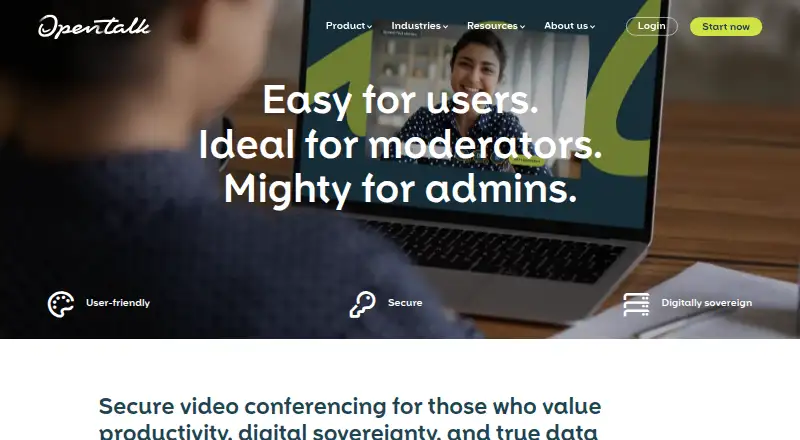
Review
In a line
OpenTalk is an open-source video-conferencing platform that works in a browser. Organizations can use the hosted service or run an installation in their own data center.
What it does
Meetings support breakout rooms, private sub-rooms, multiple moderators, a shared whiteboard, meeting minutes, polls and surveys. Moderators can organize breakout groups and move between them.
Participants can cast open or secret votes, with results documented. Telephone access is available for audio-only participation.
How it connects
OpenTalk's APIs let organizations link other products and platforms. Its REST API supports room creation and automated actions after OAuth authentication through Keycloak, which also provides single sign-on. The Outlook add-in can create, edit and delete meetings and add join links to calendar events; it is intended for on-premises installations, not the hosted meet.opentalk.eu service.
SIP connections link compatible room systems and desk phones through Asterisk and the Obelisk bridge. Conference output can be streamed to services such as YouTube or Twitch using RTMP or RTMPS. The community source release uses the European Union Public Licence (EUPL).
Good fit
OpenTalk is aimed at businesses, schools, public authorities, political organizations and providers that need browser meetings with moderation or voting. Organizations can deploy it in their own data centers using Docker and Kubernetes.
Users can join through supported browsers on Windows, macOS, Linux, iOS and Android without installing local software.
Watch for
OpenTalk has no native mobile app, so phone and tablet users join through a browser. Safari on Apple devices has functional limitations; check the listed browser versions and operating systems before rollout.
Starter does not include recording and allows up to five participants on calls of up to 30 minutes. The Outlook add-in is unavailable on the hosted service.
Pricing
The free Starter plan includes 10 conference rooms, calls up to 30 minutes, five participants, 100 MB of storage, no recording and FAQ support.
Standard costs €7.50 per user per month, excluding VAT. It includes unlimited rooms, calls up to 240 minutes, 50 participants, recording, 1 GB of storage and email support. Premium costs €12.50 per user per month, excluding VAT, and includes unlimited call length, 200 participants, 10 GB of storage, recording, voting, streaming and telephone dial-in.
Annual options are listed at $75 for Standard and $125 for Premium, excluding VAT. Custom pricing is available on request, with on-premises hosting available.
Verdict
Consider OpenTalk for browser meetings with moderation, documented votes, telephone access or deployment in your own facilities. Its open-source code and APIs can suit organizations connecting conferencing to existing systems.
The free tier limits call length and attendance and does not include recording. Check browser support, mobile browser access and whether the hosted-service restriction on the Outlook add-in fits your needs.
Our take
OpenTalk may suit organizations that prioritize self-hosting, open-source licensing and structured meeting controls. The plans differ in participant and call-length limits, recording and other features. The free tier is limited, and mobile users join through a browser. Check Safari behavior and whether your Outlook workflow requires the on-premises add-in.
- Open-source code and self-hosted deployment option
- Browser access without local software installation
- Breakout rooms, voting, whiteboard and meeting minutes
- APIs, Keycloak single sign-on and SIP connections
- Free Starter plan
- No native mobile app
- Starter calls are limited to 30 minutes and five participants
- Starter does not include recording
- Outlook add-in is unavailable on the hosted service
- Safari on Apple devices has functional limitations
- Pick it ifOrganizations considering self-hosted or open-source video meetings; Formal meetings that use moderation, voting or minutes; Teams integrating conferencing with existing systems
- Skip it ifYou need a native mobile app; You rely on the Outlook add-in with the hosted service; Starter's participant, duration or recording limits do not meet your needs
Pricing
Starter is free. Standard is listed at €7.50 per user monthly and Premium at €12.50 per user monthly, excluding VAT. Annual options are listed in dollars at $75 and $125 respectively, excluding VAT. Custom pricing is on request; on-premises hosting is available.
- Starterfree · 10 conference rooms · 30-minute calls · 5 participants · 100 MB storage · no recording · FAQ supportFree
- Standard7.50€ per user monthly, price excl. VAT · Unlimited rooms · 240-minute calls · 50 participants · recording · 1 GB storage · breakout rooms · email support€7.50/mo
- Standard (monthly)Per user; price excl. VAT. · Unlimited conference rooms · 240-minute maximum call length · 50 participants · recording · 1 GB storage · email support$7.50/mo
- Premium12.50€ per user monthly, price excl. VAT · Unlimited rooms · unlimited call length · 200 participants · recording · 10 GB storage · breakout rooms · subroom audio · voting · streaming · telephone dial-in · email support€12.50/mo
- Premium (monthly)Per user; price excl. VAT. · Unlimited conference rooms · unlimited call length · 200 participants · recording · 10 GB storage · email support$12.50/mo
- Standard75€ per user annually, price excl. VAT · Unlimited rooms · 240-minute calls · 50 participants · recording · 1 GB storage · breakout rooms · email support€75/yr
- Standard (annually)Per user; price excl. VAT. · Unlimited conference rooms · 240-minute maximum call length · 50 participants · recording · 1 GB storage · email support$75/yr
- Premium125€ per user annually, price excl. VAT · Unlimited rooms · unlimited call length · 200 participants · recording · 10 GB storage · breakout rooms · subroom audio · voting · streaming · telephone dial-in · email support€125/yr
As opentalk.eu lists them, checked 14 Oct 2026.
Questions
Does OpenTalk have a free plan?
Yes. Starter includes 10 conference rooms, calls up to 30 minutes, five participants, 100 MB of storage, no recording and FAQ support.
Can OpenTalk be self-hosted?
Yes. It can be deployed in an organization's data center using Docker and Kubernetes. A Custom plan is available on request.
Is there a mobile OpenTalk app?
There is no native mobile app. Mobile users can join through a browser.
What integrations does OpenTalk offer?
OpenTalk offers APIs, Keycloak single sign-on, SIP connections, streaming via RTMP or RTMPS, and an Outlook add-in for on-premises installations.
How many people can join?
Starter allows five participants, Standard 50 and Premium 200. Call-length limits also vary by plan.
Does OpenTalk record meetings?
Starter does not include recording. Recording is listed for Standard and Premium.