ScreenMeet Remote Support: Features, Limits, and Pricing
screenmeet.com · checked 15 Oct 2026
Browser-based remote support with device control, session records, and ITSM or CRM workflows.
How it plugs in
Signal on Remote Support Software6.3#16 of 49
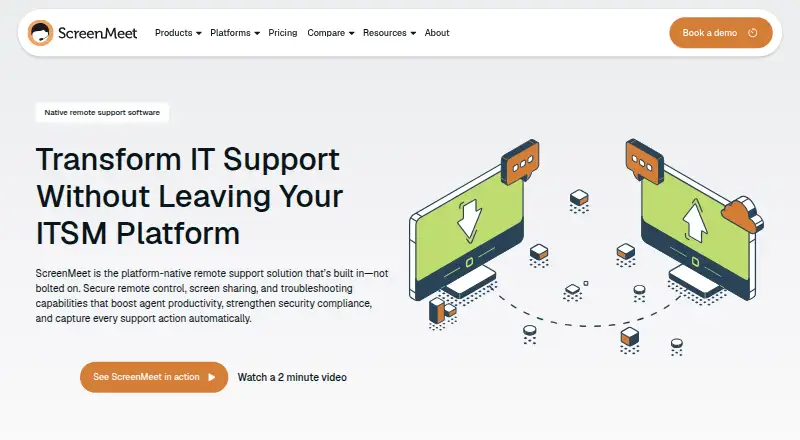
From a browser, support teams can view and control customer or employee devices with ScreenMeet Remote Support. It works inside ServiceNow, Salesforce, and Tanium, and offers remote access, file transfer, diagnostics, unattended support, recording, and AI-generated session notes. The cloud service runs on major desktop and mobile systems, with some platform limits.
Review
In a line
ScreenMeet Remote Support gives technology staff a cloud workspace to view and troubleshoot end-user devices remotely. Agents work from a browser or from supported IT service and CRM systems.
What it does
Agents can share a device screen, take control, move files, use a shared clipboard, reboot and reconnect systems, and gather system details. The toolkit also handles custom scripting, registry changes, chat, co-browsing, session handoffs, and collaboration among multiple agents.
Both attended and unattended connections can serve servers, meeting rooms, and other important endpoints. The related incident, ticket, or case receives an automatic activity record. AI turns sessions into case notes, while Agent Assist offers troubleshooting guidance as work proceeds.
How it connects
ServiceNow, Salesforce, and Tanium interfaces provide one-click session launches, and their workflows retain the session details. Microsoft Dynamics 365, Genesys Cloud CX, and Zendesk are among the other listed connections.
REST APIs support session creation, scheduling, and management. Partner APIs cover organizations and signing keys. An iOS SDK is available under an MIT license. Files and recordings may reside in the connected CRM or ITSM platform, an AWS S3 bucket, or an Azure Blob Container.
The service runs in AWS and is accessed through a browser rather than deployed on premises.
Good fit
ScreenMeet describes Remote Support for IT leaders, platform owners, security operations teams, and support agents. It suits organizations that want remote troubleshooting inside an existing ITSM or CRM workspace.
Listed coverage spans Windows, Mac, Linux, iOS, Android, and unattended endpoints. Administrators can install Windows MSI, macOS PKG, or Debian DEB packages, and Beam unattended-service licensing is optional.
Watch for
An IPv4 connection and port 443 are required. The service does not handle IPv6 or multi-user environments, and agents must use Chrome 121 or newer, Edge 121 or newer, or Safari 17.3 or newer.
ChromeOS devices cannot be controlled remotely, and iOS offers no remote control; mobile screen sharing is unavailable as well. Supported requirements list Windows 11, Windows Server 2022 or 2025, macOS 15 or 26, Ubuntu 18.04.3 or later, Red Hat 7.6 or later, iOS 12.3 or later, and Android 13 or later.
Check storage, compliance, and integration needs before choosing a plan. ScreenMeet states that it maintains SOC 2 Type 2 and ISO 27001 certifications, supports GDPR, and encrypts traffic with TLS or DTLS 1.2 or newer and sensitive stored data with AES-256.
Pricing
There is no free plan. Pricing is offered as monthly cloud plans or by request, and a general 14-day trial is available. ScreenMeet for Salesforce has a separate free 15-day trial through Salesforce AppExchange.
The monthly Contact Center Access tier is $49, while Contact Center Access/Remote is $79. IT Help Desk/Virtual Tech Bar is $99 per month and adds device charges.
Remote Support is quoted using active-agent seats, with availability by request. Its package includes ServiceNow, Salesforce, or Tanium integrations, support, and annual or multi-year contracts.
Verdict
ScreenMeet is a fit when ServiceNow, Salesforce, or Tanium already anchors the support operation and each case needs a recorded remote-control session. Its APIs, unattended access, storage choices, and security controls suit structured enterprise workflows.
Look elsewhere when remote control from iOS or ChromeOS, IPv6 connectivity, multi-user operation, mobile screen sharing, or a no-cost plan is required. Buyers should confirm device coverage, browser versions, network access, and the custom-seat terms before signing. For broader browsing, see screen sharing software or video customer support software.
Our take
ScreenMeet Remote Support fits IT and customer-support teams that want browser-based device control tied directly to service tickets or CRM cases. Its unattended access, recordings, APIs, deployment packages, and configurable storage cover formal support operations. The product is less suitable for small teams seeking free software, or for environments that depend on iOS or ChromeOS remote control, IPv6, or multi-user systems. Confirm the required browser and operating-system versions, network ports, integration scope, and custom pricing before purchase.
- ServiceNow, Salesforce, and Tanium workflows can launch sessions while preserving the resulting activity
- Remote access with file exchange, diagnostics, and unattended operation
- Records sessions and documents activity in related cases
- REST APIs and an MIT-licensed iOS SDK are available
- Offers configurable storage locations and stated security certifications
- No free plan; Remote Support pricing is by request
- iOS and ChromeOS remote control are unavailable
- The service does not support IPv6 or multi-user environments
- Agents need IPv4, port 443, and specified browser versions
- Mobile screen sharing is unavailable
- Pick it ifIT and support teams using ServiceNow, Salesforce, or Tanium; Organizations needing recorded, unattended remote assistance; Teams that need APIs and configurable data storage
- Skip it ifYou need remote control on iOS or ChromeOS; Your network requires IPv6 or multi-user support; You need a free plan or mobile screen sharing
Pricing
Remote Support is quoted per active agent. A 14-day trial is available, and Salesforce has a separate free 15-day trial.
- Contact Center Accessper month · cloud plan · standalone access$49/mo
- Contact Center Access/Remoteper month · cloud plan · remote support$79/mo
- IT Help Desk/Virtual Tech Barper month · standalone cloud plan · device charges apply$99/mo
- Remote Supportcustom active-agent-seat pricing · ServiceNow, Salesforce, or Tanium · integrations and support included · annual or multi-year contractsOn request
As trustradius.com lists them, checked 15 Oct 2026.
Questions
Does ScreenMeet have a free plan?
No. It offers paid plans and a 14-day trial. ScreenMeet for Salesforce has a separate free 15-day trial through Salesforce AppExchange.
Which systems can ScreenMeet control remotely?
Supported end-user systems include Windows, Windows Server, macOS, Ubuntu, Red Hat, and Android. iOS is listed for support, but remote control is unavailable there; ChromeOS remote control is also unsupported.
Which business tools does it integrate with?
One-click launches are listed for ServiceNow, Salesforce, and Tanium. Microsoft Dynamics 365, Genesys Cloud CX, and Zendesk are also listed.
Can ScreenMeet run unattended sessions?
Yes. Unattended support covers servers, meeting rooms, critical infrastructure, and other endpoints, with optional Beam unattended-service licensing.
Does it provide an API?
Yes. REST APIs cover creating, scheduling, and managing sessions. Partner APIs cover organizations and signing keys.
Where can recordings and files be stored?
They can be stored in the connected CRM or ITSM platform, an AWS S3 bucket, or an Azure Blob Container.
What network and browser setup is required?
Remote Support requires IPv4 and port 443. Agents need Chrome 121+, Edge 121+, or Safari 17.3+; IPv6 and multi-user environments are unsupported.
Near it
All alternatives →- A
 AnyDesktops#15 on this board
- MFMatrix42 FastViewer#17 on this board
- RRemotely#14 on this board
- MDMicrosoft Defender for Business#18 on this board
- H
 HelpWire#13 on this board
- RRemoteToPC#19 on this board
- Ddualmon#12 on this board
- S
 SimpleHelp#20 on this board
- MQMicrosoft Quick Assist#11 on this board
- LLiteManager#21 on this board