
Vapourkit: Free Video Restoration and Upscaling
vapourkit.app · checked 4 Oct 2026
A Windows and Linux desktop tool for cleaning up and enlarging video, offered as free open-source software.
How it plugs in
Signal on AI Video Restoration Software6.4#4 of 25
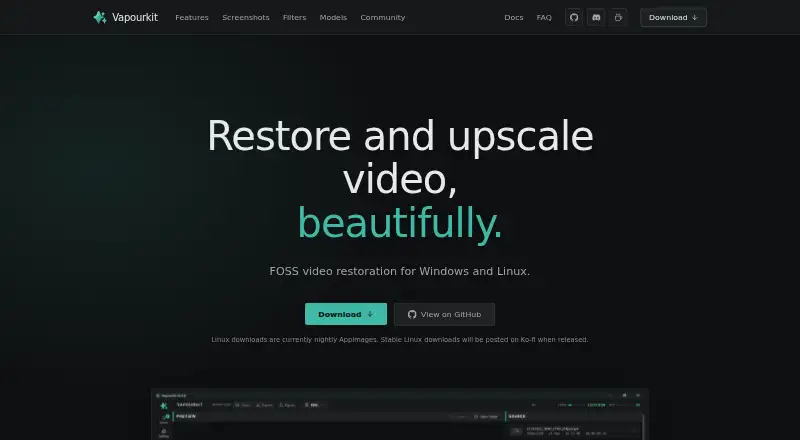
Vapourkit is a free desktop application for restoring and enlarging video. It combines AI models with VapourSynth filters and provides live previews, source-result comparisons, batch queues, and workflow customization. Windows has a stable release, whereas Linux currently uses nightly AppImages. Available engines and filters depend on the operating system and GPU.
Review
In a line
This desktop application uses processing models and filters to restore and enlarge video. It runs on Windows and Linux.
What it does
Load a video, choose a workflow, and apply operations such as denoising, artifact removal, frame interpolation, sharpening, deinterlacing, and debanding.
A live viewer shows resulting frames during processing. You can alter filters and run the pipeline again, inspect source and output side by side, and queue multiple videos with separate workflows.
Listed models include TSPAN / TFDAT VSR, AnimeJaNai, and AnimeSharpV4. You can also import an ONNX model you provide.
How it connects
Vapourkit combines VapourSynth filters, FFmpeg video handling, and AI inference backends. Its named backend options are TensorRT, DirectML, and NCNN Vulkan, though the usable options depend on the operating system and GPU.
You can create custom filters as well as use a platform-verified VapourSynth catalog. Windows has the broader selection, while Linux offers a curated verified set. Portable .vkfilter and .vkworkflow files can be saved and shared.
The project carries the GPL 3.0 license and is described as free and open source. On Linux, setup puts a private Python environment in your configuration folder rather than installing packages globally or needing sudo.
Good fit
Vapourkit is aimed at people restoring or upscaling video, whether they prefer a straightforward load-and-process routine or deeper control through custom filters and batch pipelines.
It is useful when you need previews, source-versus-output comparison, reusable workflow files, or processing for multiple videos.
Watch for
Backend availability changes according to the operating system and GPU. DirectML is Windows-only, and Linux does not include the entire Windows filter catalog.
The supported Windows target is 10/11 on x64. Linux needs an x86_64 glibc-based distribution capable of running an AppImage. At least 8 GB of RAM and 6 GB of VRAM are recommended.
Windows has the stable release, whereas Linux downloads are still nightly AppImages. Linux additionally needs Python 3.12 or 3.13, FFmpeg and ffprobe, and a working Vulkan runtime.
Pricing
There is no charge for Vapourkit, which is released as open source. Its listed plan is free, and no separate trial is provided.
Verdict
Choose Vapourkit if you want a free desktop tool for video restoration or upscaling and are comfortable checking hardware, operating-system, and filter availability.
It makes sense for users who need batch queues, adjustable filters, previews, comparison views, or shareable workflow files. Windows users get the stable download and broader filter catalog. Linux users should be prepared for nightly AppImages and extra setup requirements.
Look elsewhere if your computer cannot meet the stated memory, graphics, Python, FFmpeg, or Vulkan requirements, or if you need a platform outside Windows and Linux.
Our take
Vapourkit is a sensible choice for video work on a compatible Windows or Linux desktop, especially when cost matters. Its open-source license, model import, previews, comparison view, batch queues, and reusable workflows cover both straightforward and more involved projects. The trade-offs are backend availability tied to the GPU and operating system, nightly Linux AppImages, a smaller verified Linux filter set, and specific setup needs. Check those requirements against your computer and workflow before choosing it.
- GPL 3.0 licensing with no charge
- Live output preview with source/output comparison
- Batch queues using tailored workflows
- Custom filters and user-supplied ONNX models
- Available for Windows and Linux
- Inference engine support changes with the OS and GPU
- Linux builds are presently nightly AppImages
- Linux's verified filter selection is narrower than Windows'
- Substantial RAM and VRAM are recommended
- Linux setup needs Python, FFmpeg/ffprobe, and Vulkan
- Pick it ifPeople restoring or upscaling video on Windows or Linux; Users needing batch workflows and custom filters; Projects that benefit from previews and comparison
- Skip it ifYour computer cannot provide the listed RAM, VRAM, Python, FFmpeg, or Vulkan setup; You need a stable Linux release now; You require filters outside Linux's verified catalog
Pricing
Vapourkit has a free plan, is open source, and does not offer a separate free trial.
- VapourkitFree, open-source app; Windows stable download; Linux nightly AppImageFree
As ko-fi.com lists them, checked 4 Oct 2026.
Questions
Is Vapourkit free?
Yes. The open-source Vapourkit project is available at no cost under GPL 3.0.
Which systems run Vapourkit?
Supported targets are Windows 10/11 x64 and x86_64 glibc-based Linux distributions that can run an AppImage.
Does Vapourkit process several videos?
Yes. You can queue multiple videos and assign custom workflows to them.
Can I use my own AI model?
Yes. Vapourkit accepts an ONNX model that you supply.
What AI backends does it use?
The listed choices are TensorRT, DirectML, and NCNN Vulkan; which ones work depends on the operating system and GPU.
What does Linux setup require?
Linux needs Python 3.12 or 3.13, FFmpeg and ffprobe, plus a working Vulkan runtime. Setup keeps Python packages in a private environment.
Are Linux and Windows filters the same?
No. Linux uses a curated, verified VapourSynth catalog, whereas Windows includes more filters.