ServiceWorks Field Service Software
service.works · checked 21 Oct 2026
Cloud field-service management for teams handling repair, installation, and maintenance work.
How it plugs in
Signal on Plumbing Software6.6#1 of 33
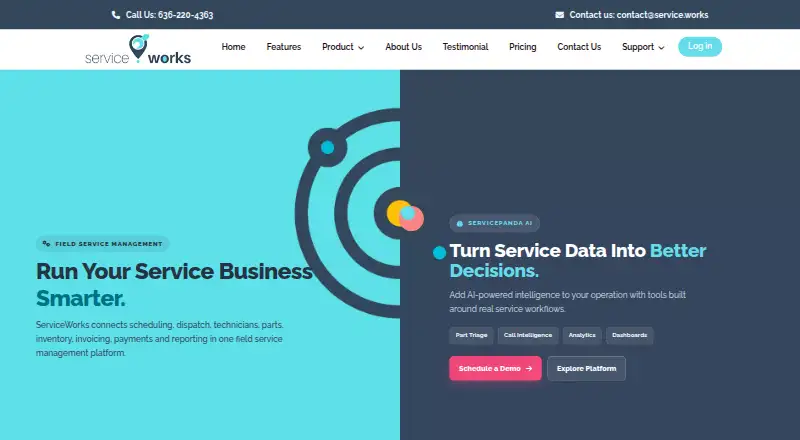
Scheduling, dispatch, mobile field work, inventory, billing, and reporting are managed in ServiceWorks, a cloud platform. Technicians can keep working in the mobile app when connectivity is weak or unavailable; customers can schedule service, make payments, and check service history through a branded portal. The platform connects with accounting, sales, payment, and marketing tools and provides an API. Subscription pricing is available on request, alongside listed plans and a free plan whose scope is not described.
Review
In a line
ServiceWorks is a cloud field-service platform for repair, installation, and maintenance businesses.
What it does
ServiceWorks covers the scheduling and dispatch of jobs, technician details, parts and inventory, estimates, invoices, payments, and reports. Dispatchers can view technician availability, arrange jobs with a drag-and-drop calendar, and optimize routes.
With SWOpsCenter on iPhone, iPad, or Android, technicians can access job information, change status, add notes and attachments, review service history, collect signatures, and accept payments. Field work can continue through weak or unavailable connectivity.
A branded customer portal lets people book service, pay, and check service history. Automated notifications and text messages help keep customers informed. ServicePanda provides features for part triage, call intelligence, analytics, and dashboards.
How it connects
ServiceWorks names QuickBooks Online and Desktop, Shopify, Square, Authorize.Net, Stripe, Mailchimp, and Zapier among its integrations. Customer, invoice, and payment information can sync with QuickBooks.
Through its API, approved customers and partners can connect ServiceWorks to websites, portals, mobile apps, CRMs, OEM systems, accounting platforms, and internal tools. The API can be used for tasks such as creating customers and jobs, syncing job status, and automating workflows. API use is subject to authentication, rate limits, and other usage and security requirements.
ServiceWorks can migrate customer, price-list, and inventory data from existing systems. Its POS keeps retail sales, delivery, installation, and future service connected with inventory, payments, and customer history.
Good fit
Industries ServiceWorks lists include appliance repair, HVAC, plumbing, commercial kitchen, repair and installation, cleaning, fleet service, lawn and landscape, pest control, and pool and spa businesses. It may suit teams that need dispatch, field job tracking, inventory, and customer communication in one system.
It also fits businesses that need estimates and invoices, equipment histories, service agreements, or a customer portal.
Watch for
Each ServiceWorks subscription comes with a required onboarding plan that includes configuration, guided training, and support. Confirm the onboarding requirements and total cost for your team before committing.
The subscription product is hosted in the cloud, not self-hosted. The company says it uses administrative, technical, and physical safeguards for personal information, while noting that internet transmissions and electronic storage cannot be guaranteed completely secure.
If you plan to use the API, check the applicable tier, included credits, overage charges, and usage requirements. The iOS app requires iOS 18.6 or later or iPadOS 18.6 or later; Apple silicon Macs require macOS 15.6 or later.
Pricing
The listed monthly prices are $49 for Starter and $149 for Plus. Custom is listed at $948 a year per user.
The ServiceWorks subscription price is on request and depends on team size, workflow complexity, business impact, and onboarding needs. An onboarding plan is required.
Separate API plans are listed: Bronze is $150 a month with 500,000 credits; Silver is $350 a month with 1 million; Gold is $1,800 a month with 10 million; and Platinum is $4,500 a month with 75 million. Higher usage can incur per-call charges, depending on the tier.
Verdict
ServiceWorks may suit a business looking to manage dispatch, field work, inventory, customer updates, and billing in one cloud system—particularly if QuickBooks or another listed integration is already in use. Technicians can work offline in the mobile app, and customers have access to a portal.
Before choosing it, ask for a subscription quote and clarify what the free plan includes. Include onboarding in your budget, and check API costs separately if you expect to connect other systems. Businesses that require self-hosting should look elsewhere.
Our take
ServiceWorks may suit repair, installation, and maintenance teams seeking cloud-based dispatch, technician job tracking, inventory, customer communication, and billing. Its app supports field work offline, and it connects with QuickBooks, payment services, and Zapier. Key buying questions include the subscription quote, required onboarding, and the features included in the free plan. Teams planning API connections should review credit allowances and possible per-call fees. It is not a fit for businesses that require self-hosted software.
- Scheduling, dispatch, field jobs, inventory, invoicing, and payments are covered.
- The mobile app includes offline access, signatures, notes, and payment collection.
- Customers can schedule, pay, and check service history through a branded portal.
- Integrations include QuickBooks, Shopify, Stripe, Mailchimp, and Zapier.
- The main subscription price is available on request.
- All subscriptions require an onboarding plan.
- API access has tier limits and may add per-call charges.
- Pick it ifRepair and maintenance businesses coordinating technicians and jobs; Field teams needing mobile job details, offline access, and payments; Businesses using QuickBooks or other listed integrations
- Skip it ifYou need software hosted on your own systems.; You need a confirmed total price before discussing your setup.; You cannot budget for onboarding or possible API overage charges.
Pricing
Starter is $49 a month and Plus is $149 a month. Custom is $948 a year per user. A free plan is listed, but its scope is not described. The main ServiceWorks subscription is price on request and requires onboarding.
- Starter$49/mo
- Plus$149/mo
- BronzeMonthly program fee · 500,000 API credits · 0–500K included · 500K–1M N/A · 1M–10M N/A · 10M–75M N/A · 75M+ $0.35 per 1,000 API calls$150/mo
- SilverMonthly program fee · 1M API credits · 0–1M included · 1M–10M $3.50 per 1,000 API calls · 10M–75M $1.75 · 75M+ $0.28$350/mo
- Customper user · custom plan$948/yr
- GoldMonthly program fee · 10M API credits · 0–10M included · 10M–75M $1.40 per 1,000 API calls · 75M+ $0.28$1,800/mo
- PlatinumMonthly program fee · 75M API credits · 0–75M included · 75M+ $0.25 per 1,000 API calls$4,500/mo
- ServiceWorks planTeam size, workflow complexity, business impact and onboarding needs determine setup · required onboarding planOn request
As g2.com lists them, checked 21 Oct 2026.
Questions
How much does ServiceWorks cost?
Starter is $49 a month and Plus is $149 a month. Custom is $948 a year per user. The main subscription is price on request and requires an onboarding plan.
What apps and services does ServiceWorks connect to?
The listed integrations are QuickBooks Online and Desktop, Shopify, Square, Authorize.Net, Stripe, Mailchimp, and Zapier.
Can technicians use ServiceWorks without an internet connection?
ServiceWorks says technicians can continue field work when connectivity is weak or unavailable.
Does ServiceWorks have a customer portal?
Yes. Through its branded portal, customers can schedule service, pay, and view service history.
Does ServiceWorks offer an API?
Yes. Approved customers and partners can use it to connect with websites, portals, mobile apps, CRMs, OEM systems, accounting platforms, and internal tools. API access has usage and security requirements.
Is ServiceWorks self-hosted?
No. ServiceWorks is a cloud-based hosted subscription service.
What support and setup does ServiceWorks provide?
Onboarding covers configuration, guided product training, and support through email, phone, and live chat. Support hours are Monday–Friday 6 AM–8 PM CT, limited Saturday support, and closed Sunday.