Spikes Studio: Editing Long Videos into Social Clips
spikes.studio · checked 20 Oct 2026
Turn long recordings into shorter social videos with Spikes Studio.
How it plugs in
Signal on AI Video Repurposing Tools6.3#13 of 50
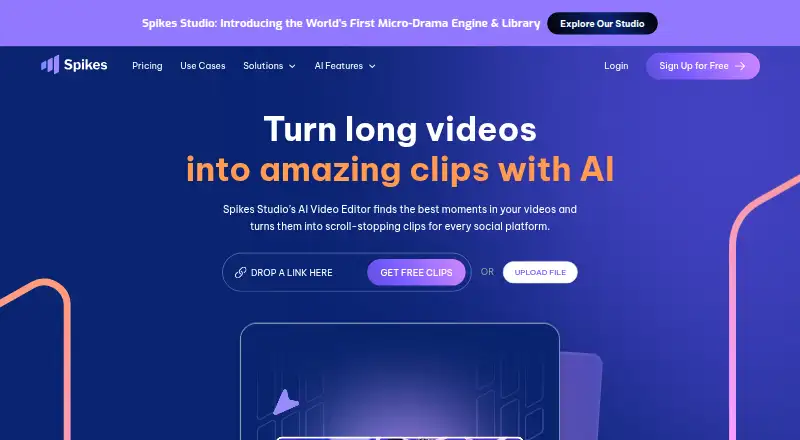
Spikes Studio identifies moments in long videos and makes short clips for social platforms. Editing options include captions, transitions, templates, resizing, scheduling, and analytics, alongside a beta API. A free plan is available; paid plans offer higher monthly video allowances and export quality.
Review
In a line
Spikes Studio is available on the web and through an API, with tools for converting long videos into social clips. AI identifies moments that may work as highlights.
What it does
After footage is uploaded, the service detects standout moments and can create clips with automatic transitions, zoom effects, captions, and formats for different social networks. Users can style captions, customize templates, resize clips, and generate titles, hashtags, descriptions, and emojis.
The platform supports scheduling or publishing to LinkedIn, TikTok, Facebook, and YouTube. Its dashboard presents views, engagement, growth, trends, and performance by post. Workspace features include search, folders, drag-and-drop organization, and team collaboration.
How it connects
Spikes Studio works in a browser and provides a beta API for video editing and summaries. Documented functions include auto-clipping, timestamps, summaries, hashtags, GIF insertion, logo insertion, text overlays, captions, and project status.
API requests use a bearer token in the Authorization header. Auto-edit requests accept YouTube, Google Drive, or direct media links and cost 10 credits per input minute. Public API documentation covers endpoints, parameters, responses, and error codes; some planned endpoints are marked as coming soon.
Social accounts can be connected for scheduling and publishing on LinkedIn, TikTok, Facebook, and YouTube.
Good fit
Spikes Studio identifies aspiring creators, video professionals, small businesses, and teams as audiences. Its tools can support podcast, interview, and other spoken-content workflows that involve making multiple short clips.
The site says moment detection and transcription support more than 99 languages. Social presets, brand templates, and multi-format exports help adapt clips for different networks.
Watch for
AI-generated selections still require curation. Independent reviewers note that users may need to refine clip boundaries, captions, or context before publishing.
The free plan includes a watermark and a monthly content limit. The web editor handles videos up to five minutes through its Add Captions tab. Storage periods are 7 days on Basic and 90 days on PRO+; Enterprise storage is unlimited.
The privacy FAQ says only the user can access uploaded content. The privacy policy describes technical, organizational, and security measures, while noting that server compromise cannot be ruled out.
Pricing
Spikes Studio offers a free plan and free trial. Basic includes demo clips, watermarked 720p exports, auto-captions, a basic editor, and up to 30 minutes of video content per month.
PRO+ is $32.99 monthly or $14.09 per month when billed annually. The monthly option includes 300 minutes; the annual option includes 3,600 minutes per year. Both list no watermark, 1080p export, animated captions, and AI B-roll; other listed tools vary by plan.
Enterprise is $115.99 monthly or $56.34 per month when billed annually. Monthly billing includes 1,200 minutes, while annual billing includes 14,400 minutes per year. Listed features include custom templates, 1080p export, an account manager, and unlimited storage; processing speed is described as fast on the monthly plan.
API pricing lists Pro at $3,360 per month for 50,000 credits, Team at $5,760 per month for 100,000 credits, and Enterprise with pricing on request.
Verdict
Spikes Studio brings clip creation, styling, and social scheduling together for long recordings. The free tier offers a way to try the workflow; paid plans provide larger video allowances, higher export quality, and longer storage.
It may be a poor fit if clips must be ready to publish without review, if the five-minute web-editor limit is restrictive, or if you need storage beyond the stated plan periods without Enterprise.
Our take
Spikes Studio is suited to creators, teams, and small businesses that regularly turn podcasts, interviews, or other long videos into social posts. Its free plan has a watermark and a 30-minute monthly allowance. Paid plans offer larger allowances and additional editing and publishing options. Plan to review AI selections before posting, and consider the web editor's five-minute limit and API credit pricing. Unlimited storage is listed for Enterprise.
- AI identifies highlights and produces short clips from long videos
- Site lists more than 99 languages for moment detection and transcription
- Supports scheduling and publishing to LinkedIn, TikTok, Facebook, and YouTube
- Beta API offers automated editing and summaries
- Free plan and free trial are available
- Free exports have a watermark, and the free plan allows up to 30 minutes of video content monthly
- Generated clips may need manual adjustments to boundaries, captions, or context
- Web editor handles videos up to five minutes
- Basic storage lasts 7 days
- Pick it ifCreators repurposing podcasts, interviews, or long recordings; Teams organizing clips and posts across social networks; Businesses using an API for automated video processing
- Skip it ifYou need AI-generated clips to be publication-ready without review; You need long-term storage without an Enterprise plan; Your web editing projects regularly exceed five minutes
Pricing
A free plan and free trial are available. PRO+ is $32.99 per month or $14.09 per month billed annually; Enterprise is $115.99 per month or $56.34 per month billed annually.
- Basic plan$0.00/month · Demo clips · watermark · 720p export · auto-captions · basic editor · up to 30 minutes of video content per monthFree
- Basicdemo clips · watermark · 720p export · auto-captions · basic editorFree
- PRO+ (annual)$14.09/month, billed annually · 3,600 minutes per year · no watermark · 1080p export · animated auto-captions · AI B-roll · social media scheduler · music & SFX$14.09/mo
- PRO+ (monthly)$32.99/month · 300 minutes per month · no watermark · 1080p export · animated captions · AI B-roll · GIFs & animations · video transcription$32.99/mo
- PRO+Billed Monthly · 300 minutes/month · no watermark · 1080p · animated captions · AI B-roll · GIFs and animations · video transcription$32.99/mo
- Enterprise (annual)$56.34/month, billed annually · 14,400 minutes per year · custom templates · 1080p export · premium editor · account manager · unlimited storage$56.34/mo
- EnterpriseBilled Monthly · 1,200 minutes/month · custom templates · 1080p · fast processing · account manager · unlimited storage$116/mo
- Enterprise (monthly)$115.99/month · 1,200 minutes per month · custom templates · 1080p export · fast processing · account manager · unlimited storage$116/mo
As spikes.studio lists them, checked 3 Oct 2026.
Questions
What does Spikes Studio do?
It uses AI to identify moments in long videos and turn them into short clips for social platforms.
Which social networks can it connect to?
Users can connect LinkedIn, TikTok, Facebook, and YouTube accounts for scheduling and publishing.
Does Spikes Studio have a free plan?
Yes. Basic includes up to 30 minutes of video content per month, 720p exports, auto-captions, a basic editor, and watermarked exports.
What is the web editor's video limit?
The web editor can edit videos up to five minutes long through its Add Captions tab.
Does Spikes Studio offer an API?
Yes. Its beta API includes functions such as auto-clipping, captions, summaries, hashtags, GIF insertion, logo insertion, and project status.
How much does the API cost?
Pro costs $3,360 per month for 50,000 credits, Team costs $5,760 per month for 100,000 credits, and Enterprise pricing is available on request.
How long does storage last?
Basic includes 7 days, PRO+ includes 90 days, and Enterprise storage is unlimited.