SqlBak: Database Backup and Monitoring
sqlbak.com · checked 19 Oct 2026
SqlBak is a hosted service for backing up and monitoring databases across connected servers.
How it plugs in
Signal on Database Backup Software6.6#4 of 27
SqlBak schedules database backups and gives teams a web dashboard to manage jobs on connected servers. Backup support spans several database systems, with destinations ranging from local folders to file-transfer and cloud storage. A Windows or Linux background service connects each database server to the hosted account. Pricing starts with a free plan for one server and two databases, with paid options charged monthly per server.
Review
In a line
SqlBak is a hosted database backup and monitoring service. It brings backup management for connected servers into one web dashboard.
What it does
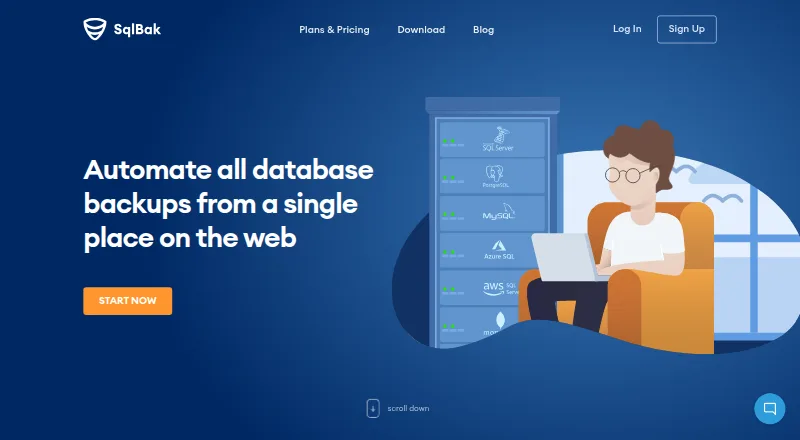
SqlBak schedules backups for SQL Server, MySQL, PostgreSQL, Azure SQL, and Amazon RDS SQL Server. SQL Server jobs can combine full copies, differential snapshots, and transaction-log captures to enable recovery to a selected time.
It can verify backups, monitor server health and availability, and send server-down alerts. The restore option can gather the needed backup files automatically. SQL Server backups can be compressed, and local connections produce native .bak files while remote ones use generated SQL scripts.
How it connects
SqlBak's Windows or Linux app works as a background service, connecting the database server to the web account. The download information also describes Docker and Raspberry Pi installation.
Users can direct backup files to folders on the local machine or network, or use FTP, SSH, and cloud options including Amazon S3, Google Drive, Dropbox, OneDrive, Microsoft Azure, and Backblaze B2. SqlBak also offers a public API and command-line tools for managing jobs and checking their status. It is proprietary software, not open source.
Good fit
SqlBak may suit teams that need to coordinate scheduled database backups across multiple servers from one dashboard. The service also handles monitoring, alerts, and restore tasks.
It can work for people who want backups sent to their own storage location, rather than uploaded through SqlBak.com. The command-line interface can connect servers and configure jobs from scripts or batch files.
Watch for
The agent must be installed on each database server, while setup and monitoring remain tied to SqlBak's hosted web service. Before selecting a plan, verify that it covers both your database type and the place you intend to store backups.
The free plan is limited to one server and two databases. SqlBak says its main product documentation is still under development and points users to support and blog articles. Its privacy policy says it collects database metadata, storage credentials or access tokens, encryption passwords, and DBMS type and version; database passwords are not stored on its server.
Pricing
The no-cost Free tier includes one server and two databases. Per-server monthly pricing is $6 for Standard and $9 for Professional.
A 30-day trial gives access to Professional features and does not require a credit card to start. The service is pay as you go, with upgrades, downgrades, and cancellations allowed at any time. Paying for a year in advance earns an additional 10% off.
Verdict
SqlBak may be a candidate for teams seeking a shared interface for backups across servers while retaining control over where backup files land. Its free plan lets users begin with one server; paid tiers expand storage options, alert frequency, and backup-history limits.
Before committing, confirm the plan covers the number of servers and databases you need, and check the hosted-service requirement and documentation status. It is a weaker match if you need fully self-hosted management or an open-source product.
Our take
SqlBak makes sense for teams that want a single dashboard for scheduled backups, status checks, and restores across database servers. Its free tier provides a starting point for one server and two databases; paid plans add storage choices and longer histories. Check your required database, destination, and server count against the plan limits first. The service is not fully self-hosted: an agent runs on your server, but management uses a hosted web account.
- One dashboard can manage backups from multiple connected servers.
- Supports SQL Server, MySQL, PostgreSQL, Azure SQL, and Amazon RDS SQL Server.
- Backups can be sent to local folders and several cloud storage services.
- Offers backup verification, health monitoring, alerts, and one-click restore.
- Requires a Windows or Linux agent on each database server.
- Configuration and monitoring use a hosted web service.
- The free plan is limited to one server and two databases.
- Main product documentation is still under development.
- Pick it ifTeams managing scheduled backups across multiple database servers; People who want backup files sent to their own storage
- Skip it ifYou need fully self-hosted backup management or open-source software.; Your database or preferred backup destination is not supported.
Pricing
The Free plan covers one server and two databases. Standard is $6 per server monthly; Professional is $9 per server monthly. The 30-day trial includes Professional features and requires no credit card to start. Annual prepayment earns 10% off.
- Free1 server · 2 databases · local/network folder, external HDD/NAS, FTP, Box, Backblaze B2, Yandex.Disk · server-down alerts every 60 min · 1-month backup history · AES encryption · health check · extended support · white label · public APIFree
- Standardmonth / server if you start now! · FTPS, SFTP, Dropbox, Google Drive, OneDrive, OneDrive for Business · server-down alerts every 10 min · 6-month backup history · AES encryption · health check · extended support · white label · public API$6/mo
- Professionalmonth / server if you start now! · Amazon S3, Microsoft Azure Storage, S3 Compatible · server-down alerts every 5 min · 12-month backup history · AES encryption · health check every 60 min · extended support · white label · public API$9/mo
As sqlbak.com lists them, checked 19 Oct 2026.
Questions
Which databases does SqlBak support?
The service supports SQL Server, MySQL, PostgreSQL, Azure SQL, and Amazon RDS SQL Server.
Where can SqlBak store backups?
Options include local or network folders, FTP, SSH, and services such as Amazon S3, Google Drive, Dropbox, OneDrive, Microsoft Azure, and Backblaze B2.
Is there a no-cost SqlBak option?
Yes. The Free plan covers one server and two databases. It also includes local and network folders, selected storage destinations, alerts, and one-month backup history.
How much do the paid plans cost?
Standard costs $6 a month per server, and Professional costs $9 a month per server. Paying for a year in advance earns an additional 10% off.
Can I try SqlBak before paying?
Yes. The 30-day trial offers Professional plan features and can be started without a credit card.
Does SqlBak send backups through its own website?
SqlBak says backups are encrypted and travel straight from the customer server to the chosen storage, without passing through SqlBak.com.