srelens: Free Kubernetes Workspace
srelens.com · checked 15 Oct 2026
A free, open-source Kubernetes workspace for inspecting and operating clusters from desktop, terminal, web, or MCP.
How it plugs in
Signal on Local Kubernetes Tools7.7#1 of 23
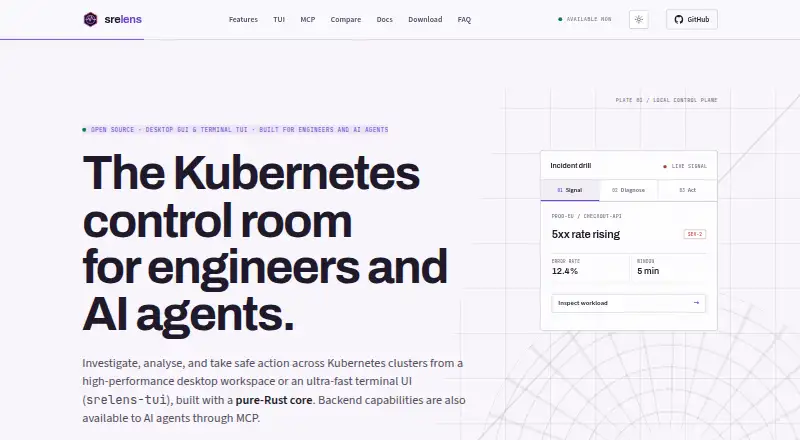
srelens is a free, open-source Kubernetes workspace. It gives engineers a graphical desktop for viewing resources, logs, YAML, Helm releases, metrics, terminals, and port forwards. It connects directly to clusters through local kubeconfig files. An MCP server lets supported AI clients inspect and change clusters, with confirmations required for mutating actions.
Review
In a line
srelens is a Kubernetes workspace for browsing, investigating, and operating clusters. It is available as a desktop app, terminal interface, web deployment, or MCP server.
What it does
The workspace covers 40+ Kubernetes resource types, including workloads, networking, storage, access control, autoscaling, admission, and custom resources. Tables update through live Kubernetes watch connections.
You can stream pod and workload logs, open terminals inside pods, attach temporary debug containers, forward ports, inspect Helm releases, and edit YAML with cluster schemas. The editor supports dry-run differences and server-side apply.
Kubernetes Metrics Server supplies CPU and memory figures for nodes and pods. Workloads can be scaled or restarted, and nodes can be cordoned, drained, or evicted. Destructive operations are confirmation-gated and checked against Kubernetes permissions.
How it connects
Using credentials from local kubeconfig files, the desktop app talks directly to Kubernetes API servers without an intermediary srelens cloud service. You can load multiple kubeconfig files and switch contexts.
MCP clients including Claude Code, Claude Desktop, Cursor, and Codex can use the built-in server over standard input/output or loopback HTTP. Mutating MCP calls need an explicit confirmation argument. The terminal MCP server exposes more than 100 Kubernetes, Helm, toolbox, and server tools.
srelens is open source and has native Flux and Argo CD extensions plus an extension catalog. Kubeconfig files you add remain local, while pasted configurations are kept in the application directory. Kubernetes Secret values are masked until revealed per key, subject to your permissions.
Good fit
The project targets SREs, platform engineers, DevOps engineers, and AI agents needing a workspace for cluster inspection and operations. It supports graphical use, terminal work, and MCP-driven workflows across multi-node and multi-cluster setups.
Desktop targets are macOS 11 or newer, Windows 10 x64 or newer, and Linux x86_64.
Watch for
What you can do depends on the selected Kubernetes context and its RBAC permissions. Linux desktop packages need WebKitGTK, although Debian and RPM packages install it automatically.
For production web deployments, the security guidance calls for authentication, TLS termination, a stable SRELENS_MASTER_KEY, and RAM-backed storage for decrypted runtime files. The desktop app has no telemetry and no srelens backend account system.
macOS builds are signed and notarized, and updater artifacts are signed. Windows code signing and GPG signatures for Linux assets are planned rather than available.
Pricing
The Free plan is free. It requires no account or license key and includes desktop, terminal UI, and MCP access.
Verdict
Choose srelens if you want a local Kubernetes control center with live resource views, operational tools, and connections for AI clients. Its direct kubeconfig model may fit teams that do not want a vendor cloud in the path.
Check your operating system, Linux desktop dependencies, cluster permissions, and web security setup before deploying. Teams needing signed Windows packages or a managed hosted service should review those gaps first.
Our take
srelens is a practical choice for people who manage Kubernetes clusters and want desktop, terminal, and AI-assisted access in one open-source tool. Its local connection model keeps kubeconfig material on your machine, while confirmation checks add friction before changes. The free price removes licensing work, but deployment still depends on your operating system, Kubernetes permissions, and—for web use—proper authentication, TLS, key management, and RAM-backed storage for decrypted runtime files. Consider it when direct cluster access matters more than a hosted control plane.
- The Free plan requires no account or license key
- Open-source code with desktop, terminal, web, and MCP access
- Live logs, watches, terminals, port forwarding, YAML, and Helm tools
- The desktop uses credentials from local kubeconfig files to reach clusters
- Confirmation gates protect destructive and mutating actions
- Linux packages require a WebKitGTK runtime
- Production web deployments call for authentication, TLS, a master key, and RAM-backed storage
- Windows code signing is still planned
- Available actions depend on Kubernetes RBAC permissions
- Pick it ifSRE, platform, and DevOps teams managing Kubernetes clusters; AI-assisted workflows through Claude, Cursor, Codex, or other MCP clients
- Skip it ifYou need a managed hosted service instead of direct kubeconfig connections; Your environment requires Windows code signing today; You cannot meet the security requirements for a web deployment
Pricing
The Free plan requires no account or license key and includes desktop, terminal UI, and MCP access.
- FreeNo account · No license key · Desktop, terminal UI and MCP accessFree
As srelens.com lists them, checked 15 Oct 2026.
Questions
Is srelens free?
Yes. The Free plan requires no account or license key and includes desktop, terminal UI, and MCP access.
Which systems can run srelens?
Published desktop targets are macOS 11 or newer, Windows 10 x64 or newer, and Linux x86_64. Linux packages require WebKitGTK.
Does srelens use a cloud service to reach clusters?
Local kubeconfig credentials let the desktop app communicate directly with Kubernetes API servers, without an intermediary srelens cloud service.
Which AI clients connect through MCP?
The built-in MCP server offers configurations for Claude Code, Claude Desktop, Cursor, Codex, and other MCP clients. Connections use standard input/output or loopback HTTP.
Can srelens change cluster resources?
Yes. Workloads can be scaled or restarted, and nodes can be cordoned, drained, or evicted. Destructive actions require confirmation and are checked against Kubernetes RBAC.
How are Kubernetes secrets handled?
Secret values are masked by default and revealed per key, subject to the permissions of the selected Kubernetes context.
What does a self-hosted web deployment require?
Production web deployments require authentication, TLS termination, a stable SRELENS_MASTER_KEY, and RAM-backed storage for decrypted runtime files.