Stept: Customer Support Platform Review
stepped.ai · checked 11 Oct 2026
Stept pairs customer support tools in an open-source platform, including an AI agent, shared inbox, help center and product tours.
How it plugs in
Signal on Chatbot builders6.6#24 of 257
Stept puts support conversations, an AI agent, a help center and product tours in a single platform. It connects to messaging channels and knowledge sources, and works with several model providers. Teams can use Cloud or host the MIT-licensed version themselves. Cloud is free during early access, and its listed paid rates have not yet taken effect.
Review
In a line
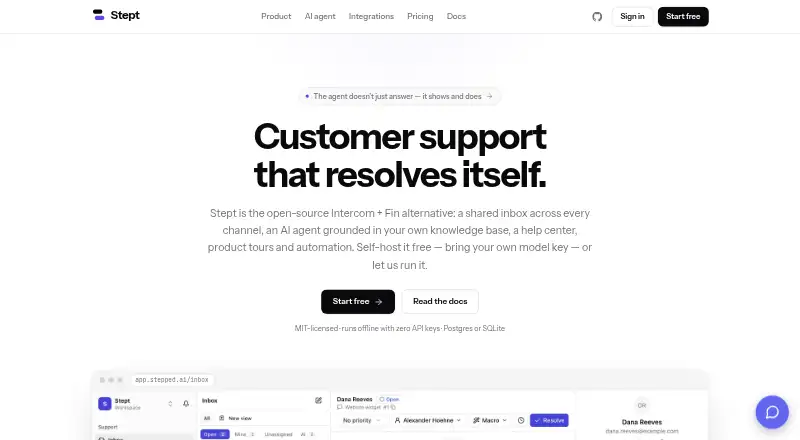
Stept is an open-source platform for customer support. Its tools include a shared inbox, AI agent, help center, product tours and automation.
What it does
The AI agent answers using company documents and can guide visitors through a product interface. It can also perform page actions when a visitor opts in. Teams select a model, define the agent’s persona and choose whether each tool runs automatically, requires approval or remains disabled.
The shared inbox lets teams assign and resolve conversations, add notes and tags, snooze messages, and collaborate in real time. It also includes service-level agreement tracking, saved views and reusable replies called macros. A Chrome extension records product tours, whose steps are described as adapting when page markup changes.
Teams can create a knowledge base using crawled, uploaded or synced material. Stept can re-index sources on a schedule and prune pages that are no longer available. Automation rules, campaigns and reports cover measures such as conversation volume, resolution rate, customer satisfaction and AI deflection.
How it connects
Stept lists email, Slack, Telegram, WhatsApp, Messenger, Instagram, LINE, a web widget and an API as channels. Its knowledge sources include Notion, Confluence, Google Drive, Zendesk, GitHub and Microsoft 365. Webhooks are also listed for connecting automated workflows.
Supported model options named by Stept include OpenAI, Anthropic, Google, Ollama and endpoints compatible with OpenAI’s format. Stept runs on the web, Windows, macOS and Linux, and is also offered as an extension and API. The self-hosted version uses the MIT license, supports Postgres or SQLite, and can operate offline with a mock AI provider.
Good fit
Stept may suit support teams looking for a shared inbox, AI answers based on their own documents, and product guidance with tours. Its channel connections and configurable approval rules may help teams control where the agent can act.
Teams can self-host to keep data in their own database and avoid seat caps. Cloud workspaces run on EU infrastructure.
Watch for
Page actions by the AI agent require visitor opt-in. Teams can require human approval for sensitive tools; password fields are off-limits, and each run has an action cap.
Cloud is free during early access, and the displayed Cloud and Business prices are upcoming. Check current terms before budgeting for a paid Cloud plan. Self-hosting requires selecting and operating your own setup.
Pricing
The MIT-licensed self-hosted plan is free, has unlimited seats and lets teams use their own model key. Cloud is shown at $19 per seat per month for 500 AI resolutions per month; Business is shown at $49 per seat per month for 2,000. Both paid prices are upcoming, while Cloud is free during early access.
Cloud includes managed database hosting, nightly backups, automatic updates and email support. Business adds custom roles, audit logs, service-level agreement management, working hours and priority support.
Verdict
Stept may be worth considering if you want support conversations, document-based AI answers and product guidance together, and its channel and knowledge-source connections fit your setup. Self-hosting may appeal to teams seeking unlimited seats and control over their data storage. Teams preferring managed hosting can use Cloud during early access, but should treat the listed paid price as upcoming.
Our take
Stept may suit support teams seeking an inbox, a document-based AI agent and product tours in one platform. Its channel and knowledge-source connections could help consolidate existing conversations and reference material. Consider self-hosting if keeping data in your own database and avoiding seat caps are priorities. Cloud is free during early access; its displayed paid price is upcoming, so confirm current pricing before budgeting or planning a rollout.
- The shared inbox supports assignment, notes, tags, saved views and real-time collaboration.
- The AI agent answers using company documents and can guide visitors through a product.
- It connects to messaging channels and knowledge sources such as Notion and Google Drive.
- The MIT-licensed self-hosted option has no seat caps and supports offline operation.
- Page actions by the AI agent require visitor opt-in.
- Cloud and Business prices displayed are upcoming, not current paid rates.
- Self-hosting requires running the platform in your own environment.
- Pick it ifSupport teams combining an inbox with document-based AI answers; Teams looking for product tours and visitor guidance; Organizations seeking self-hosting with unlimited seats
- Skip it ifYou need a confirmed long-term Cloud price before choosing a service.; You do not want to manage a self-hosted setup or use early-access Cloud.
Pricing
Self-hosting is free under the MIT license. Cloud is free during early access; its listed $19 per seat per month price is upcoming. Business is listed at $49 per seat per month, also upcoming.
- Self-hostedFree MIT · forever · Every channel · unlimited seats · AI agent with your own model key · knowledge base, RAG & help center · product tours, checklists & surveys · Docker Compose, Postgres or SQLiteFree
- Cloud$19 per seat / month · Everything in self-hosted · 500 AI resolutions / month · managed Postgres & nightly backups · automatic updates · email support$19/mo
- Business$49 per seat / month · Everything in Cloud · 2,000 AI resolutions / month · custom roles & audit log · SLA management & working hours · priority support$49/mo
As stepped.ai lists them, checked 11 Oct 2026.
Questions
Is Stept free?
The self-hosted plan is free under the MIT license. Cloud is free during early access; its displayed paid prices are upcoming.
What does the Cloud plan cost?
Cloud is listed at $19 per seat per month and includes 500 AI resolutions per month. The price is upcoming, and Cloud is free during early access.
What does Business cost?
Business is listed at $49 per seat per month and includes 2,000 AI resolutions per month. The displayed price is upcoming.
Can Stept be self-hosted?
Yes. The MIT-licensed self-hosted version supports Postgres or SQLite, has no seat caps and can run offline with a mock AI provider.
Which apps and services does Stept connect to?
Its listed channels include email, Slack, Telegram, WhatsApp, Messenger, Instagram, LINE, a web widget and API. Knowledge sources include Notion, Confluence, Google Drive, Zendesk, GitHub and Microsoft 365.
Which AI models can Stept use?
Stept lists OpenAI, Anthropic, Google, Ollama and endpoints compatible with OpenAI’s format.
How does Stept control AI actions?
Teams can choose to run tools automatically, require approval or leave them disabled. Sensitive tools can require human approval; password fields are off-limits and actions are capped per run.