ThingLink Review: Interactive Lessons and Immersive Media
thinglink.com · checked 15 Oct 2026
ThingLink creates interactive lessons and immersive media for education and business.
How it plugs in
Signal on Virtual Reality Software6.7#1 of 30
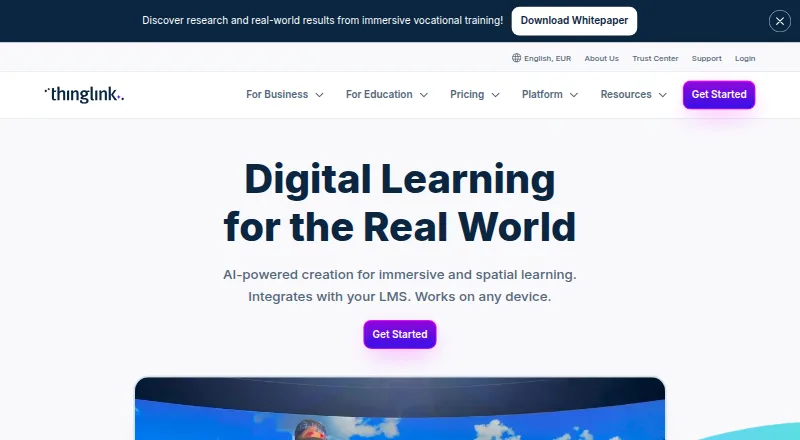
ThingLink is an AI-assisted platform for transforming PDFs, slides, images, video, 3D models and 360° media into interactive learning content. It adds hotspots, questions and branching paths, with AI-assisted creation. Content runs on web and mobile devices, tablets and VR headsets. It offers a free plan and trial alongside paid tiers and enterprise pricing.
Review
In a line
ThingLink is an AI-assisted platform for making interactive lessons, courses and immersive media. Educators, trainers and organizations can publish content for learners on multiple devices.
What it does
PDFs and slideshows can be authored as immersive lessons and courses through its no-code tools. The platform can also generate 2D images and 360° media, text, tags, modules and scenario structures from prompts or uploaded PDFs.
Hotspot tags let creators add text, audio, video, questions, links and embedded resources to images, videos, 3D models and 360° environments. Scenario Builder adds linear or branching paths with choices, checkpoints, questions and data collection.
Content supports self-paced learning, interactive activities, multimedia and learner analytics. Accessibility features include navigation, assistive options, automatic translation and stated WCAG 2.2 AA support.
How it connects
ThingLink shares projects by link or iframe embed, with Embedly support for wider website compatibility. LMS and LXP sharing is listed for Canvas, Moodle, 360Learning, Docebo and Cornerstone.
Single sign-on can use Microsoft, Google, Okta, SCIM and LTI 1.3. Analytics can use xAPI to track engagement, completion and performance.
Its terms mention APIs, but the cited materials do not present public SDK documentation. SCORM export is not available. The service is hosted; official materials do not describe a self-hosted deployment.
Good fit
ThingLink suits teachers, trainers and organizations creating interactive instruction, virtual tours or guided experiences. Its audiences include K-12, higher education, vocational education, healthcare, manufacturing, safety and professional development.
Content is supported on desktop, mobile, tablets, VR headsets and immersive spaces, and the company says it supports iOS and Android apps. Paid Windows and macOS apps allow offline scene viewing, subject to limits described below.
Enterprise tools support translation in more than 30 languages, with update records documenting support for more than 40.
Watch for
When a trial or license ends without an upgrade, published content is unpublished, while the account retains access to its content. Offline viewing does not support scenarios, 3D models or third-party embeds.
Reviewers report mobile embedded-content sizing problems, imperfect integrations, limited customization and export, and no simultaneous co-editing. Some also mention occasional video, text or audio issues and minor tagging or audio-recording difficulties.
Check browser support before editing: current Firefox, Chrome, Safari and Edge are supported, while Internet Explorer 11 is not.
Pricing
ThingLink has a free plan and free trial. Paid access starts at $9/user/mo (annual).
Create - Starter costs $29 a month (billed monthly). Create Starter / Create XR is $66 a month (billed annually) or $99/month billed monthly. Create - XR costs $99 a month (billed monthly).
Teacher License is $108 a year (billed annual). Team starts at $500 a month, Business at $1500 a month, Department at $4250 a year, and College/School at $8500 a year. Enterprise, K-12 Enhanced School License, K-12 Essentials School License and School District use price on request with custom terms.
Verdict
Choose ThingLink if you need interactive, media-rich learning that can be shared through links, embeds or learning-system connections. It offers branching scenarios, analytics, translation and accessibility features for classroom, training and organizational use.
Look elsewhere if SCORM export, simultaneous editing, extensive customization or reliable offline support for scenarios and embedded content is essential. Compare the plan limits, view allowances and custom enterprise quotes with your audience size before buying. For other interactive lesson tools, see Interactive Lesson Makers, H5P or Nearpod.
Our take
ThingLink is a practical choice for educators and training teams that want to build interactive lessons without writing code. Its mix of hotspots, branching scenarios, AI creation, analytics and device support covers many teaching and onboarding projects. The free tier and trial allow initial evaluation. However, buyers needing SCORM files, true co-editing, broad export controls or full offline scenario use should compare other tools. Confirm integration behavior on mobile, content-view limits, and what happens when a subscription ends before committing to a larger rollout.
- No-code editor turns documents and media into interactive lessons.
- Supports hotspots, questions, branching paths and learner analytics.
- Content is supported on desktop, mobile, tablets and VR headsets.
- Offers LMS, LXP, SSO and xAPI connections.
- Free plan and free trial are available.
- SCORM export is not available.
- An ended license without an upgrade unpublishes published content.
- Offline mode excludes scenarios, 3D models and third-party embeds.
- Reviewers report mobile, integration and customization issues.
- No simultaneous co-editing is reported in reviews.
- Pick it ifTeachers and trainers building interactive, self-paced lessons; Organizations creating virtual tours and guided learning; Teams needing analytics, translation and LMS connections
- Skip it ifYou require SCORM export or extensive export customization.; Your team needs simultaneous editing or full offline scenario support.; You need a self-hosted deployment rather than hosted service.
Pricing
A free plan and trial provide entry points.
- Create - Starterbilled monthly · individual creator · AI-powered tools$29/mo
- Create Starter / Create XRbilled annually · or $99/month billed monthly · 1 creator seat · 250 views/month · 200 AI credits/month · individual creator license$66/mo
- Create - XRbilled monthly · individual creator · publishing across devices and VR$99/mo
- Teacher Licenseannual · single teacher · 5,000 content views · 25 360° uploads$108/yr
- Create - Starterbilled annually · individual creator · AI-powered tools$232/yr
- Teamstarting at · small teams · advanced tools · pilot projects$500/mo
- Create - XRbilled annually · individual creator · publishing across devices and VR$792/yr
- Businessstarting at · advanced analytics · LTI/xAPI integrations · multi-department rollouts$1,500/mo
As support.thinglink.com lists them, checked 15 Oct 2026.
Questions
Does ThingLink have a free plan?
Yes. ThingLink offers a free plan and a free trial. Paid access starts at $9/user/mo (annual).
Which learning systems connect to ThingLink?
Canvas, Moodle, 360Learning, Docebo and Cornerstone are listed for LMS or LXP sharing, alongside LTI 1.3 and other single sign-on options.
Can ThingLink export SCORM packages?
No. The feature information indicates that SCORM export is unavailable.
Can I use ThingLink offline?
Paid users can download scenes for offline viewing in Windows and macOS apps. Scenarios, 3D models and third-party embeds are not supported offline.
What happens when a license ends?
Without an upgrade, published material is unpublished, but the account retains access to its content.
Does ThingLink offer a public API?
Its terms refer to APIs, but the cited materials do not provide public SDK documentation.
Which devices support ThingLink content?
ThingLink content is available on desktop, mobile, tablets, VR headsets and immersive spaces, with iOS and Android apps also supported.