The Tool Desk
Outbyte Driver Updater FREEScan for outdated or missing drivers - takes under a minuteDriver Scan →Outbyte PC Repair FREERepair Windows errors before they cause bigger problemsFix Now →Inferse is reader-supported. When you buy through links on our site, we may earn an affiliate commission. As an Amazon Associate I earn from qualifying purchases. Learn more
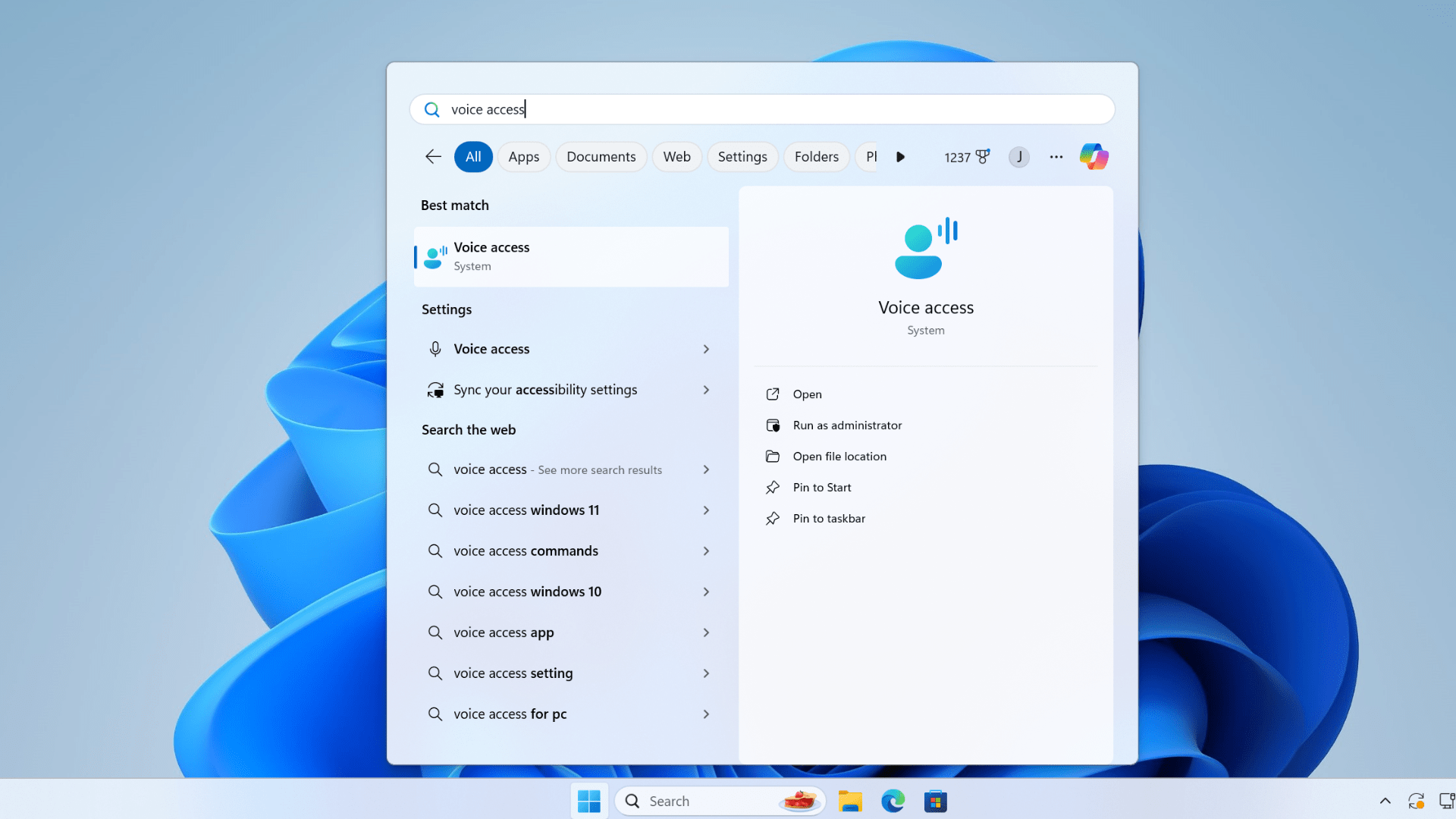
Windows 11 is making significant strides in accessibility and ease of use with the introduction of Voice Access, a powerful tool that enables users to control their PCs and create text using voice commands. This update marks a pivotal shift from the traditional Windows Speech Recognition (WSR) to a more advanced, on-device speech recognition system that operates without the need for an internet connection.
Key Highlights:
- Voice Access allows for seamless control of PCs, including opening apps, browsing the web, and managing emails, purely through voice commands.
- It supports a wide range of commands for navigating and interacting with the computer, enhancing accessibility for individuals with mobility disabilities.
- Windows 11 versions 22H2 and later will exclusively feature Voice Access, with WSR being phased out starting September 2024.
- The update introduces custom voice shortcuts, extended language support, and improved multi-display functionality.
- Voice Access is now available in additional languages including German, Spanish, French, and more, catering to a global audience.
- Integration with Narrator, Windows’ screen-reading tool, for dictating text and executing commands.
In-Depth Analysis
Voice Access: A Leap Forward in Speech Recognition
Windows 11’s Voice Access signifies a significant technological leap, offering a modern on-device speech recognition system that ensures accuracy and reliability even without an internet connection. This advancement is particularly beneficial for individuals with mobility disabilities, allowing for unprecedented control over their computing experience using voice commands.
Expanding Language Support and Customization
With the introduction of additional language support and the ability to create custom voice shortcuts, Voice Access is poised to cater to a diverse, global user base. The feature’s expansion to include German, Spanish, and French, among others, alongside English, demonstrates Microsoft’s commitment to inclusivity and accessibility.
Enhanced Multi-Display and Narrator Integration
The update also brings enhanced support for multi-display setups, allowing users to use voice commands across multiple screens efficiently. Integration with Windows Narrator enhances the accessibility features of Windows 11, enabling users to dictate text and navigate through commands seamlessly.
Shopping ad

- 1.1 GHz (boost up to 2.4GHz) Intel Celeron N5030 Quad-Core
Deprecating Windows Speech Recognition
The shift towards Voice Access involves phasing out the older Windows Speech Recognition feature, a change that underscores the evolution of speech recognition technology since its inception with Windows Vista. This transition reflects Microsoft’s focus on enhancing user experience and accessibility through technological advancements.
Windows 11’s Voice Access represents a significant step forward in making computing more accessible and user-friendly. By leveraging advanced speech recognition technology, Microsoft is paving the way for a future where everyone, regardless of their physical abilities, can navigate and control their PC with ease.
Quick Recap
Shopping ad

- 【Efficient Performance】 Powered by Intel Core i3 processor (2 cores, 4 threads, up to 3.4GHz) with 12GB RAM and 256GB SSD. Handles multitasking, office software, online classes, and HD video streaming smoothly. Integrated Intel UHD Graphics 620
- Backlit Keyboard & Complete Package】Comes with a cool backlit keyboard. Comes with awebcam, dual stereo speakers (8Ω/1.0W each), DC charger, and user manual – ready for late-night studying, online classes, video conferencing, and daily productivity
- 【Vibrant Display】 15.6-inch Full HD (1920x1080) anti-glare screen with 16:9 aspect ratio delivers crisp images and vivid colors – perfect for studying, watching lectures, or entertainment. Thin-bezel design maximizes viewing area
- 【Fast Connectivity & Expansion】 Equipped with WiFi 6 (802.11ax) and Bluetooth 5.2 for stable, high-speed wireless. Features 3 x USB 3.0, HDMI 2.1, Type-C (supports PD3.0 fast charging), and a TF card slot expandable up to 2TB – easily connect external monitors, mice, drives, or expand storage for all your files
- 【Long Battery Life & Portable】 Built-in 11.55V 5000mAh/57.75Wh high-capacity battery delivers approximately 7 hours of mixed-use battery life – enough for a full day of classes and assignments. Lightweight at just 1.63kg (3.6 lbs) and 19.5mm thin, plus a compact packing size – easily slips into a backpack for campus, library, or coffee shop
Shopping ad

- EFFORTLESS EVERYDAY PERFORMANCE: Powered by Intel Celeron N4020 processor and Windows 11 Home system, delivering reliable, low-power efficiency for daily tasks like document editing, email, online classes, and web browsing
- 15.6-INCH FULL HD DISPLAY: Enjoy immersive visuals on the 15.6" FHD (1920x1080) anti-glare screen with micro-edge bezels. Delivers clear details and comfortable viewing for long study sessions, working on spreadsheets, and video playback
- RESPONSIVE MULTITASKING & STORAGE: Built with 4GB LPDDR4 RAM and 128GB eMMC storage for smooth daily essential use. Expand your storage by up to 1TB via the integrated TF card slot to easily store movies, photos, and working files
- ADVANCED CONNECTIVITY: Outfitted with 2x Full-Featured Type-C ports for data transfer, fast charging, and dual-monitor output, alongside 2x USB 3.2 Gen1 ports and a 3.5mm audio jack for complete peripheral compatibility
- LIGHTWEIGHT & SILENT OPERATION: Slim and portable for effortless travel or commuting. Features a 1MP HD webcam for remote meetings, 38Wh battery with 45W Type-C fast charging, and a fanless silent design for peaceful work environments.
Shopping ad

- 14" diagonal, 1366x768 resolution, HD BrightView LED, Glossy NON-TOUCH Display
Shopping ad

- 256 GB SSD of storage.
- Multitasking is easy with 16GB of RAM
- Equipped with a blazing fast Core i5 2.00 GHz processor.
Product prices and availability are accurate as of the date/time indicated and are subject to change. Any price and availability information displayed on Amazon at the time of purchase will apply.