AudioGen Text-to-Sound Review
github.com · checked 3 Oct 2026
A free, self-hosted model that turns text descriptions into WAV sound effects.
How it plugs in
Signal on AI Sound Effect Generators6.3#3 of 29
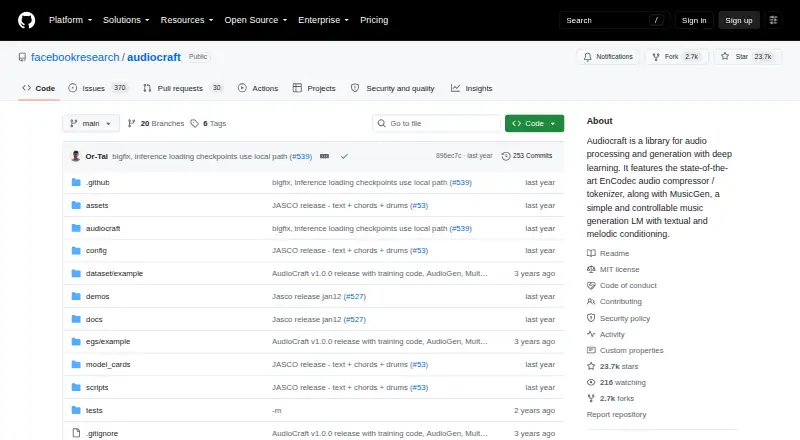
AudioGen uses AudioCraft for text-to-sound generation. It produces samples from written prompts and can extend audio supplied as a prompt. Access includes an API, a local notebook demo, Linux, and self-hosting. The repository uses the MIT license for its code, while the model weights are licensed under CC-BY-NC 4.0. Running the medium model calls for a GPU with at least 16 GB of memory.
Review
In a line
AudioCraft provides AudioGen, a model that makes sounds from text descriptions. It can also extend audio provided as a prompt.
What it does
The documented API turns text descriptions into audio samples and demonstrates saving the result as a WAV file. Its example is configured for five-second samples.
Generation can be conditional or unconditional. You can continue audio from a prompt and choose greedy, temperature, top-K, or top-P sampling.
The available medium model contains 1.5 billion parameters. Its autoregressive Transformer works with EnCodec audio tokenization.
How it connects
AudioGen offers API access, Linux support, and self-hosting. The project also provides a Jupyter notebook demo for local use with a GPU.
The repository's code is MIT-licensed; the model weights carry the CC-BY-NC 4.0 license, which restricts commercial use. You can save output as WAV or provide an audio reference to continue.
AudioCraft's installation instructions call for Python 3.9 and PyTorch 2.1.0, with ffmpeg recommended.
Good fit
Primary users named in the model card include audio, machine learning, and AI researchers, plus amateurs learning about generative models.
It suits people who want to make sounds from text, study a text-to-audio system, or run a local notebook and use the API. It also supports experiments in prompt-based audio continuation.
Watch for
Using the medium model for inference calls for a GPU with at least 16 GB of memory. AudioGen's training datasets are not provided, and its training pipeline may not fully reproduce the paper results.
English descriptions were used to train AudioGen; performance is lower in other languages. It does not generate realistic vocals, and prompt engineering may be needed for satisfying results.
The available models differ from those used to report results in the AudioGen publication. The model card recommends further risk evaluation and mitigation before downstream use.
Pricing
AudioGen has a free plan and no free trial. The self-hosted plan has no price stated by the maker and uses local inference.
The free plan still means providing your own GPU with at least 16 GB of memory to run the medium model locally. The CC-BY-NC 4.0 license on the model weights limits commercial use.
Verdict
Choose AudioGen if you are comfortable running open-source software locally and need text-based sound generation, audio continuation, or a model to study. API access, a notebook, and WAV output support experimentation, but setup is aimed at technical users.
Skip it if you need a ready-made commercial audio service, realistic singing, or multilingual prompting. Check the model-weight license before commercial use, and plan for a suitable GPU rather than a hosted workflow. For other options, see AI sound effect generators.
Our take
AudioGen is a practical free option for researchers and learners who can manage local setup and a 16 GB GPU. It supports text prompts, audio continuation, sampling controls, and WAV output without a subscription. Trade-offs include weaker performance beyond English, no realistic vocals, unavailable training data, and commercial restrictions on the model weights. Those seeking a hosted service or a simple consumer app should look elsewhere.
- Free plan and self-hosting
- Text prompts and audio continuation
- API access and local notebook demo
- WAV output and adjustable sampling
- MIT-licensed code
- The medium model calls for a GPU with at least 16 GB of memory for inference
- Lower performance in languages other than English
- Cannot generate realistic vocals
- Training datasets are not provided
- Model weights restrict commercial use
- Pick it ifAudio and AI researchers; Learners experimenting with generative models; Local text-to-sound projects
- Skip it ifYou need hosted software without local setup; You need realistic vocals; You require unrestricted commercial model weights
Pricing
AudioGen has a free plan and is self-hosted. There is no free trial. The maker states no price for the self-hosted plan. Running the medium model locally means supplying your own GPU with at least 16 GB of memory.
- AudioGen (self-hosted)No price stated by maker · Pretrained medium model · local inference requires a GPU with at least 16 GB memoryFree
As github.com lists them, checked 3 Oct 2026.
Questions
Is AudioGen free?
Yes. AudioGen has a free plan and is self-hosted. A free trial is not offered.
What does AudioGen generate?
It creates sounds based on text descriptions. The API example produces five-second samples and shows saving them as WAV audio.
Can AudioGen continue an existing sound?
Yes. It can continue audio from a prompt and generate samples conditionally or unconditionally.
What hardware does AudioGen need?
For medium-model inference, plan on a GPU with at least 16 GB of memory.
Which languages does AudioGen support?
AudioGen's training used English descriptions, and it performs less well in other languages.
Is commercial use allowed?
The CC-BY-NC 4.0 license for the model weights restricts commercial use. Check the license before commercial deployment.
What software is needed to install it?
To install AudioCraft, use Python 3.9 and PyTorch 2.1.0. The repository also recommends ffmpeg.
Where can I get help?
The project directs questions and comments to its GitHub repository or issue tracker.