Wondershare Filmora Review
filmora.wondershare.com · checked 2 Oct 2026
Filmora brings timeline editing, AI tools, and free or paid options to desktop, browser, and mobile devices.
How it plugs in
Signal on Video Editing Software7.5#4 of 153
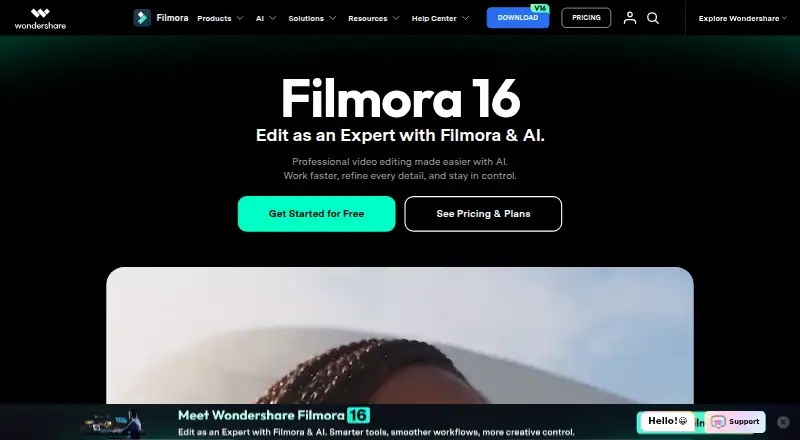
Wondershare Filmora is designed to organize clips, shape them on a timeline, refine their visuals and sound, and produce finished videos. It runs on Windows, Mac, the web, Android, and iOS. Its tools include captions, AI media analysis, creative assets, and 4K export. Free exports carry a watermark, while paid plans add cloud storage and other features.
Review
In a line
With Filmora, you can organize clips, work on their picture and sound, and export a completed video. Versions are available for desktop, web, and mobile.
What it does
Filmora lets people trim clips and edit them on a timeline. Its toolset also has keyframes, camera tracking, motion paths, and controls for changing movement over time.
AI Media Analysis detects people, scenes, actions, speech, and notable moments, and turns them into tags, summaries, and edit suggestions. Filmora also offers AI tools for making video, images, and audio, along with speech transcription and styled captions.
The creative materials on offer span templates, effects, titles, transitions, music, stock media, filters, stickers, and plugins.
How it connects
Filmora runs on Windows and macOS, in a web browser, and on Android and iOS. XML timelines are supported for import, and timelines can be exported in Final Cut Pro 7 XML format.
Paid plans include cloud storage. The amount varies by plan.
Good fit
Filmora is aimed at social creators, businesses and marketers, educators, and people creating AI-assisted stories. Its combination of timeline editing, captions, and creative materials can suit people making a range of videos.
Watch for
The free edition adds a watermark to exported files. A paid plan is needed for cloud storage and the complete creative asset library.
A Perpetual license applies to the major version you buy and its updates, but doesn't extend to later major versions. Subscription AI credits are granted every 30 days, and any balance from the prior period is taken back when the next credits are issued.
Pricing
The Free plan costs nothing and has watermarked exports. Basic is priced at $49.99 per year and comes with 1 GB of cloud storage, creative assets, continuous version upgrades, watermark-free 4K export, and 500 AI Mate conversations.
Advanced is $59.99 annually and comes with 10 GB of cloud storage, 1,000 AI credits each month, creative assets, watermark-free 4K export, and 500 AI Mate conversations. Each annual plan renews automatically, and you can cancel at any time.
The Windows Perpetual license is a one-time $79.99 purchase. It comes with 1,000 one-time AI credits, 1 GB of cloud storage, updates within Filmora 16, and watermark-free 4K export.
Verdict
Filmora may suit people who want to edit across desktop, web, or mobile, and who value AI-assisted tools, captions, and a large selection of creative materials. The free plan offers a way to start, but its exports carry watermarks.
Compare the paid plans based on storage, AI credits, and how you want to receive updates. The one-time option is limited to Windows and does not include future major versions.
Our take
Filmora may be a fit if you're looking for timeline-based video editing across desktop, web, and mobile, with captions and AI features. You can use the free plan to get started, though its exported videos include watermarks that may not work for finished projects you intend to share. Choose between the annual plans and the Windows-only one-time license by checking storage, AI credits, and version updates. If you need future major versions included, the Perpetual plan does not provide them.
- Available on Windows, macOS, web, Android, and iOS.
- Offers timeline editing, captions, and AI media analysis.
- Basic, Advanced, and Perpetual provide watermark-free 4K export.
- Supported XML timelines can be imported, and Final Cut Pro 7 XML timelines can be exported.
- Free exports have watermarks.
- Cloud storage and the full creative asset library require a paid plan.
- The Windows Perpetual license does not cover later major versions.
- Subscription AI credits left over are removed when the next allotment is issued.
- Pick it ifSocial creators, marketers, educators, and businesses making videos; People who want AI-assisted video tools and styled captions
- Skip it ifYou need free exports without watermarks.; You want a perpetual license that covers future major versions.
Pricing
Free access includes watermarked exports. The two annual options are $49.99 and $59.99, with different storage and AI credit amounts. The $79.99 one-time Windows license covers updates within Filmora 16, but not later major versions.
- FreeForever · Watermarked exportsFree
- AdvancedUS$59.99 /yr; automatically renews, cancel anytime · 1,000 AI credits/mo · 10 GB cloud storage · 2.9M+ creative assets · watermark-free 4K export · 500 free AI Mate conversations$59.99/yr
- BasicUS$49.99 /yr; automatically renews, cancel anytime · 2.9M+ creative assets · 1 GB cloud storage · continuous version upgrades · watermark-free 4K export · 500 free AI Mate conversations$49.99/yr
- PerpetualOne-time payment · Windows license · 1,000 one-time AI credits · 1 GB cloud storage · updates within Filmora 16 · watermark-free 4K export$79.99 one-time
As filmora.wondershare.com lists them, checked 20 Sept 2026.
Questions
Is there a no-cost Filmora option?
Yes. The Free plan costs nothing, but exported videos carry watermarks.
Which platforms support Filmora?
Filmora has versions for Windows, macOS, web, Android, and iOS.
Which Filmora plans allow watermark-free 4K output?
Watermark-free 4K export is included with Basic, Advanced, and Perpetual.
What comes with a Perpetual license?
The one-time $79.99 Windows license comes with 1,000 AI credits, 1 GB of cloud storage, updates within Filmora 16, and watermark-free 4K export.
How do the yearly Filmora options compare?
Basic is $49.99 per year with 1 GB of storage. Advanced is $59.99 per year with 10 GB and 1,000 monthly AI credits. Each includes creative assets, watermark-free 4K export, and 500 AI Mate conversations.
Can Filmora exchange timelines with Final Cut Pro?
It imports supported XML timelines and exports timelines in Final Cut Pro 7 XML format.
Are unused Filmora AI credits kept for the next period?
No. Credits are provided every 30 days, and any unused balance from the preceding period is reclaimed when the next allotment arrives.