
Cerb: Shared Inbox and Workflow Software
cerb.ai · checked 15 Oct 2026
Shared inbox and workflow software for human and AI teams, with self-hosting and open-source code.
How it plugs in
Signal on Help desk software8.6#3 of 101
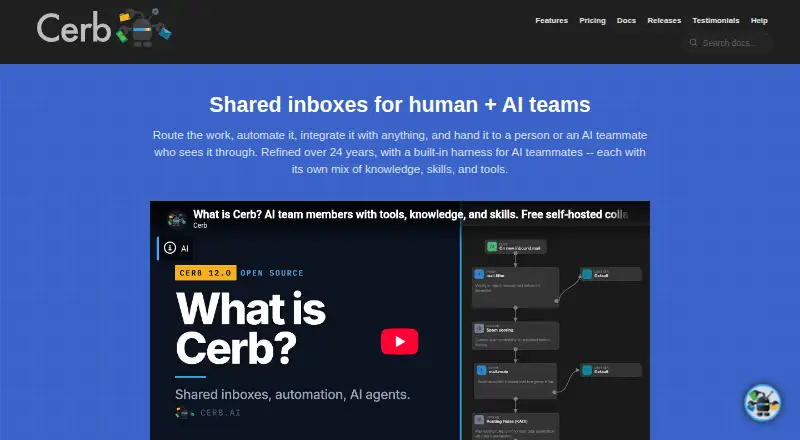
Cerb turns email or social accounts into shared team inboxes. It routes, assigns and automates incoming work, with ticket tools, customer portals, dashboards and AI agents. Cerb is available as a web service or self-hosted software, includes a free community option, and offers a REST API for connecting other systems.
Review
In a line
Cerb is shared-inbox and workflow software for teams that handle customer or internal requests. It supports human staff and AI agents, and can run in the cloud or on your own servers.
What it does
Email and social accounts can become team inboxes. Cerb routes, assigns and prioritizes incoming work, keeps customer context, supports snippets and bulk replies, and tracks service targets and satisfaction.
It also provides ticket automation, customer portals, help-center tools, customizable dashboards and pages, comments, mentions, searches, notifications and custom records. AI agents can own tickets, join groups, use tools, and assist staff or customers.
How it connects
Cerb has a REST API for creating tickets, searching records, sending notifications, running tasks and executing automations. It supports OAuth 2.0 and returns XML or JSON. Documentation covers libraries for Python, PHP, Perl, Apex and Node.js.
Connected services can use OAuth, API keys, bearer tokens, HTTP Basic, AWS credentials, OpenID Connect, SAML, webhooks, portals and plugins. Cerb can connect AI agents to fourteen model providers or a self-hosted endpoint.
The code is open source under the Devblocks Public License 1.0. Community self-hosting uses Docker images for amd64 and arm64, with a FastCGI web server such as Caddy, nginx, Apache or IIS. Shared Inbox Software
Good fit
Cerb suits teams that need a shared inbox with routing, ticket automation, service-level tracking and customer access in one system. Its customizable workspaces and reusable workflow templates fit organizations with team-specific processes.
It can also suit teams that want to run the software themselves, connect existing services through an API, or add integrations and record types with plugins. Help desk software
Watch for
Community self-hosting is limited to three concurrency slots, with two AI-agent turns per slot. Licensed installations remove the slot cap and allow six turns per slot.
Larger self-hosted deployments may need Redis or compatible caching and search tools such as Elasticsearch, Qdrant or Pinecone. Self-hosting also requires server setup, database administration and attention to Cerb's security guidance.
The license gives a 90-day limited warranty, then provides the software as-is and limits liability to the amount paid.
Pricing
Community self-hosted is free forever and includes unlimited workers and seats, all features, three concurrency slots and two AI-agent turns per slot. A Community plan is also listed with no price and the same worker, seat and slot limits.
Cerb Cloud Slots costs $40 a month per slot, with the first three slots included. Cerb Cloud costs $40 a month per seat plus $40 a month per slot, with the first three slots included; managed hosting, backups, recovery, scaling and monitoring are included, along with a free trial while active.
Licensed self-hosted costs $40 a month per seat. It removes the concurrency cap, allows six AI-agent turns per slot, and includes queue-lane settings and same-business-day email support.
Verdict
Choose Cerb if your team needs shared inboxes, automated routing and customizable workflows, especially when self-hosting or API access matters. The free community edition offers a way to run the full feature set, but its concurrency and AI-agent limits may constrain busy operations.
Cloud plans reduce infrastructure work, while licensed self-hosting gives uncapped concurrency and extra support. Check the server, database and security requirements before choosing self-hosting, and confirm that the slot limits fit your workload.
Our take
Cerb is a fit for organizations that want shared inboxes, ticket automation, service-level tracking and customer portals in one customizable system. Its API, plugins, open-source code and self-hosting options help teams connect it to existing tools. The free community edition is useful for smaller workloads, but three concurrency slots and two AI-agent turns per slot set a clear ceiling. Larger deployments may need extra caching and search services, so review infrastructure needs before committing.
- Shared inboxes support routing, assignment, priorities and customer context.
- REST API supports tickets, searches, notifications and automation.
- Free self-hosted plan includes all features and unlimited seats.
- Custom workflows, dashboards and plugins support tailored processes.
- Community self-hosting is limited to three concurrency slots.
- Each free slot allows only two AI-agent turns.
- Larger deployments may need Redis and separate search infrastructure.
- Self-hosting requires server, database and security administration.
- Pick it ifTeams combining shared inboxes with workflow automation; Organizations needing self-hosting or a broad API; Groups using human and AI workers together
- Skip it ifYou need a simple inbox without server or workflow administration.; Your workload exceeds three free concurrency slots.; You cannot provide the required web server and database setup.
Pricing
A free self-hosted edition is available.
- CommunityUnlimited workers · Unlimited seats · 3 concurrency slots · 2 AI agent turns per slotOn request
- Cerb Cloud Slots$40 per slot/month; first three included · First 3 slots included$40/mo
- Community self-hostedFree forever · Unlimited workers/seats · 3 concurrency slots · 2 AI agent turns per slot · all features · self-hostedFree
- Cerb Cloud$40 per seat/month + $40 per slot/month, first three included · Managed hosting · backups and point-in-time recovery · scaling/monitoring · free trial while active$40/mo
- Licensed self-hosted$40 per seat/month · Uncapped concurrency · 6 AI agent turns per slot · queue-lane configuration · same-business-day email support$40/mo
As cerb.ai lists them, checked 22 Sept 2026.
Questions
Does Cerb have a free plan?
Yes. Community self-hosted is free forever, with unlimited workers and seats, all features, three concurrency slots and two AI-agent turns per slot.
Can Cerb run on my own servers?
Yes. Cerb provides Docker images for amd64 and arm64. Self-hosting requires a FastCGI web server and a supported MySQL or compatible database.
Does Cerb offer a cloud version?
Yes. Cerb Cloud is $40 a month per seat plus $40 a month per slot, with the first three slots included. Managed hosting, backups and monitoring are included.
Does Cerb have an API?
Yes. Its REST Web API supports ticket creation, record searches, notifications, tasks and automation execution, with OAuth 2.0 and XML or JSON responses.
Can Cerb connect to AI models?
AI agents can connect to fourteen model providers or to a self-hosted endpoint.
What limits apply to the free edition?
Community self-hosting has three concurrency slots, and each slot allows two AI-agent turns. Licensed installations remove the slot cap and allow six turns per slot.