
Front: Shared Inbox, Ticketing and Customer Operations
front.com · checked 16 Nov 2026
Front brings shared inboxes, customer messages, teamwork, automation and analytics into one workspace.
How it plugs in
Signal on Email clients8.0#3 of 142
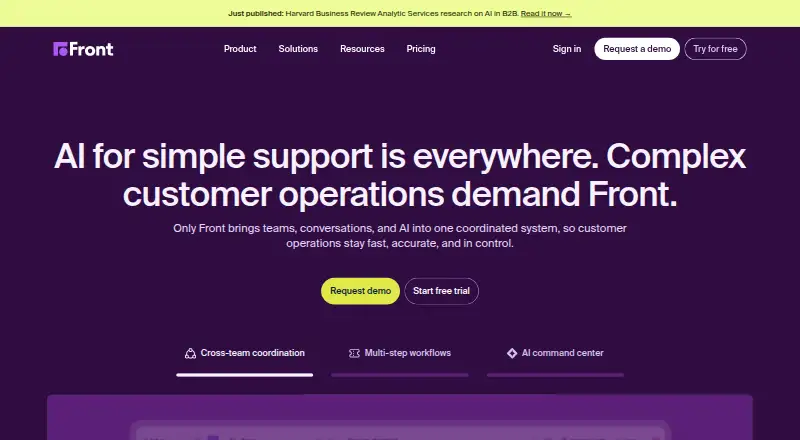
Front is a customer operations platform for managing conversations and support work. It combines shared inboxes, ticketing, team collaboration, workflow rules, analytics and AI. Teams can handle email, SMS, WhatsApp, Front Chat, Slack and social channels in one place, using web, desktop and mobile apps or its API.
Review
In a line
Front is a customer operations platform that puts customer conversations, teamwork, workflows, analytics, integrations and AI in one workspace. It includes shared inboxes and ticketing for handling inquiries.
What it does
Teams can assign conversations, leave internal comments, share drafts, tag messages and work together without forwarding email. Front also tracks customer inquiries through its ticketing system.
It brings together email, SMS, WhatsApp, Front Chat, Slack and social channels. Voice support is handled through integrations. Rules can route, tag, archive or escalate conversations using conditions such as keywords, priority and customer data.
Reports cover response time, resolution speed, workload, CSAT and team performance. Autopilot is an AI agent for complex customer work, while Copilot gives agents account context, next-step suggestions and drafted replies. Smart QA reviews tickets with AI scorecards, and Smart CSAT estimates satisfaction without surveys.
How it connects
Front says it offers more than 160 integrations, including Salesforce, Pipedrive, Jira, Asana, Trello, GitHub and Zapier. These connections can bring other work into the inbox. It also supports shared inbox work and customer-service channels.
A public Core REST API covers items such as contacts and comments. It uses JSON, supports file uploads, search parameters, documented rate limits and a deprecation policy, with OAuth 2.0 or API-token sign-in. Developers can use the Plugin API to bring backend data into the inbox.
Front is not open source. It provides web access plus Windows, macOS, iOS and Android apps. Accounts can be used in a browser without installing the desktop client.
Good fit
Front suits teams that need a shared view of customer messages and internal discussions. It is built for assigning work, avoiding duplicate replies, automating routing and tracking support performance.
It can fit customer service and operations teams that need ticketing, multiple communication channels, integrations and AI assistance. Buyers comparing it with email clients or social media customer service software should note that Front combines those conversations with team workflows.
Watch for
Initial setup can take work, especially when organizing shared mailboxes and automation rules. Reviewers also report weaker search for older or specific messages, plus thread-ordering issues and difficulty distinguishing message changes.
Costs rise as teams need advanced features, and reporting flexibility may lag dedicated support platforms. There is no free plan, so check the included seats, rules, workspaces and AI features against your needs before committing.
Front states that data is encrypted with AES-256 at rest and TLS in transit. It is hosted on Amazon Web Services and states SOC 2 Type II, ISO 27001 and GDPR support.
Pricing
Front has paid plans and no free plan. A 14-day trial is available. The listed starting price is $25/user/mo (annual).
Starter is $25 a month, billed annually, for up to 10 seats. It includes shared inbox and ticketing, AI Topics, up to 10 automation rules, basic analytics and a basic knowledge base.
Professional is $65 a month, billed annually, for up to 50 seats. It adds omnichannel channels, macros, up to 20 automation rules, advanced analytics, multiple workspaces, SSO and SCIM.
Enterprise is $105 a month, billed annually. It includes unlimited workspaces, unlimited rules and macros, a multilingual knowledge base, custom roles and permissions, plus AI Copilot, Smart QA and Smart CSAT.
Verdict
Choose Front if your team wants customer messages, assignments, internal notes, automation and performance reporting in one service. Its broad channel coverage, integrations, API and desktop, mobile and browser access support varied workflows.
Plan carefully if you need very flexible reporting, highly precise search or a simple first-day setup. The paid-only model and higher tiers matter for larger teams or buyers who need advanced AI and administration features. Teams seeking open-source software should look elsewhere, such as Chatwoot.
Our take
Front is a fit for teams replacing scattered customer conversations with one shared workspace. It is most useful when assignments, internal collaboration, routing rules and support metrics matter as much as messaging. The API, plugins and large integration list help connect existing systems. However, setup may be demanding, search and thread handling have reported weaknesses, and advanced capabilities cost more. A 14-day trial gives buyers time to check mailbox organization, reporting, channel coverage and seat needs before choosing a paid plan.
- Shared inboxes support assignments, comments, drafts and tags.
- Handles email, SMS, WhatsApp, chat, Slack and social channels.
- More than 160 integrations plus a public REST API.
- Automation rules can route, tag, archive and escalate conversations.
- Apps are available for web, Windows, macOS, iOS and Android.
- No free plan; paid plans are billed annually.
- Shared mailbox and rule setup can be difficult at first.
- Reviewers report weak search for older or specific messages.
- Reporting flexibility may trail dedicated support platforms.
- Advanced features increase the cost as teams grow.
- Pick it ifCustomer service teams sharing inbox work; Operations teams needing routing, ticketing and analytics; Businesses connecting support workflows to other apps
- Skip it ifYou need open-source software or a free plan.; You require highly flexible reporting or very precise message search.; Your team wants a very simple initial setup.
Pricing
Starter, Professional and Enterprise add seats, channels, automation, analytics, workspaces, administration and AI features at $25, $65 and $105 a month respectively, billed annually.
- Starterannually · up to 10 seats · shared inbox and ticketing · AI Topics · up to 10 automation rules · basic analytics · basic knowledge base$25/mo
- Professionalannually · up to 50 seats · omnichannel channels · macros · up to 20 automation rules · advanced analytics · multiple workspaces · SSO and SCIM$65/mo
- Enterpriseannually · unlimited workspaces · unlimited rules and macros · multilingual knowledge base · custom roles and permissions · AI Copilot, Smart QA and Smart CSAT included$105/mo
As front.com lists them, checked 15 Oct 2026.
Questions
Does Front have a free plan?
No. Front offers paid plans and a 14-day trial.
Which channels can Front handle?
Front centralizes email, SMS, WhatsApp, Front Chat, Slack and social channels. Voice is handled through integrations.
Does Front offer an API?
Yes. Its Core REST API uses JSON, supports OAuth 2.0 and API-token authentication, file uploads and search parameters. Rate limits and deprecation details are documented.
What apps integrate with Front?
Front says it has more than 160 integrations, including Salesforce, Pipedrive, Jira, Asana, Trello, GitHub and Zapier.
Where can I use Front?
Front works in a browser and has official apps for Windows, macOS, iOS and Android. The desktop app is optional.
Is Front open source?
No. Front is proprietary software.