
Clerq: Open-Source Back-Office Software
useclerq.net · checked 15 Oct 2026
Open-source back-office software for freelancers and small development studios.
How it plugs in
Signal on Time Billing Software7.3#2 of 31
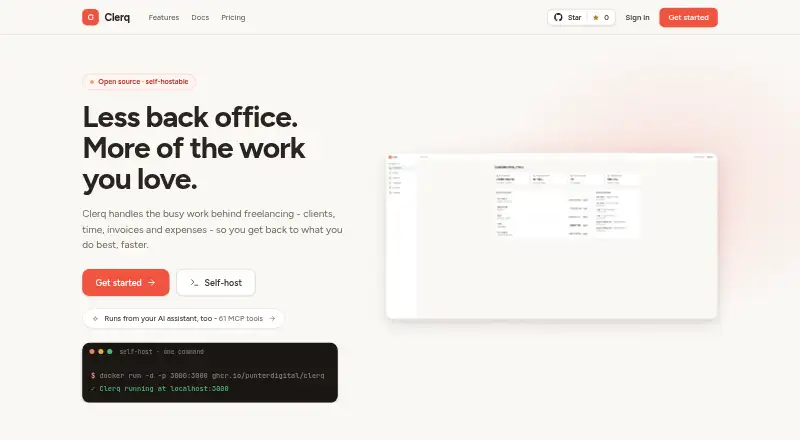
Clerq is an open-source back-office suite for freelancers and small development studios. It combines client records, projects, time tracking, invoicing, expenses, reports and team permissions. It runs on the web, through an API or on infrastructure you manage. Cloud hosting is free during open beta, and self-hosting is free forever.
Review
In a line
Clerq is an open-source back-office system for freelancers and small development studios. It brings client, project, time, invoice and expense work into one place.
What it does
Client records can hold contacts, VAT numbers, rates, notes and an activity thread. Projects offer Kanban or list views, statuses, due dates, time estimates and project-specific rate overrides.
You can run a task timer or enter time manually, mark it billable and review weekly timesheets. Rates are taken from entry, project or client settings and locked when time is recorded.
Unbilled time can become invoices grouped by person and rate, by task or as one line. Invoices support multiple currencies, three VAT treatments, branded PDFs and signed links. Recurring invoices can run weekly, monthly, quarterly or yearly, with payment terms and stop rules.
Expenses record a vendor, category, notes and paid status, with PNG, JPEG or PDF receipts attached. Optional Groq vision scanning extracts receipt details for review. Reports cover profit or loss, cash, accrued views and client budgets.
How it connects
Clerq runs as a web app, through an API, or on your own server. Its self-hosted source is AGPL-3.0 licensed, and businesses can export data as documented JSON files or make full Postgres backups.
An optional MCP server gives connected AI assistants 61 tools for actions such as logging time, creating invoices, recording payments and reading reports. It uses the web app's permissions, so the assistant can do only what that member can do.
Optional Google sign-in is listed, and currency lookups can use Frankfurter with European Central Bank reference rates. Clerq does not require SMTP or send email; invitations are shareable links and invoices are exported as PDFs.
Good fit
Clerq suits freelancers and small development studios that need one system for clients, project work, billable time, expenses and invoicing.
It also fits teams needing seven preset roles, custom roles and per-member Grant, Deny or Inherit access settings. Cloud users get EU/EEA hosting with automatic updates and backups.
Watch for
Clerq records payments but does not send payment messages or collect money. Those tasks stay in other tools.
Self-hosting leaves database backups, restores, security and upgrade redeployments to the operator. Community support is provided through GitHub, while Cloud has small-team support with roles.
Receipt images go to Groq only when scanning is clicked. Self-hosted data stays on infrastructure controlled by the operator, who remains responsible for security and backups.
Pricing
Clerq Cloud is free while the product is in open beta. The cloud plan lists managed hosting, automatic updates, backups, uptime, encrypted servers and full data export.
Self-hosting is free forever. It uses your infrastructure, Docker Compose deployment, the AGPL-3.0 source, optional Google single sign-on and full data control. The pricing page says self-hosting will stay free if paid hosting is introduced later. There is no free trial because the plans are free.
Verdict
Choose Clerq if you want open-source control over freelance or small-studio administration and are comfortable deciding between managed EU/EEA hosting and your own operations.
It is less suitable when built-in email, payment collection or hands-off self-host maintenance are required. The optional AI receipt scan and MCP automation add flexibility, but they depend on connected services and your permission setup.
Our take
Clerq is a sensible fit for independent professionals and compact development teams that want client work, time, expenses and invoices together without a software charge. Cloud removes server upkeep during open beta, while self-hosting offers deeper control and a free license. Consider another system if your workflow depends on sending invoices by email, collecting payments inside the app or having someone else handle every backup and upgrade. Its AI connections are optional, so the core back-office workflow does not require them.
- Open-source AGPL-3.0 self-hosted source
- Free Cloud open beta and free self-hosting
- Invoices can use multiple currencies and VAT treatments
- 61 permission-aware MCP tools for AI assistants
- Kanban, list views, timers and weekly timesheets
- No built-in email sending or SMTP requirement
- Payment collection stays in other tools
- Self-host operators handle backups and upgrades
- Receipt scanning sends images to Groq when used
- Pick it ifFreelancers managing billable projects and invoices; Small development studios needing team permissions; Operators wanting self-hosted data control
- Skip it ifYou need Clerq to email invoices or invitations; You want built-in payment collection; You cannot manage self-hosted backups and redeployments
Pricing
Cloud is free during open beta. Self-hosting is free forever, and the pricing page says it will remain free if paid hosting is added later. There is no separate free trial.
- Clerq CloudFree during open beta · Managed hosting · automatic updates, backups and uptime · encrypted servers · full data exportFree
- Self-hostFree forever · Own infrastructure · Docker Compose deployment · AGPL-3.0 source · optional Google SSO · full data controlFree
As useclerq.net lists them, checked 15 Oct 2026.
Questions
Is Clerq free?
Yes. Clerq Cloud is free during open beta, and the Self-host plan is free forever.
Can I host Clerq myself?
Yes. Clerq provides an AGPL-3.0 source release and a Docker image for self-hosted deployment.
Does Clerq send emails or collect payments?
No. It does not send email or require SMTP, and it records payments without sending messages or taking payments.
What can Clerq's AI connection do?
Its optional MCP server provides 61 tools for connected AI assistants, including logging time, creating invoices, recording payments and reading reports.
Are receipt images sent automatically?
No. Images are sent to Groq only when you click the optional scanning feature.
Where is Clerq Cloud hosted?
Clerq Cloud is hosted in the EU/EEA on managed encrypted servers, with automatic updates and backups listed as cloud features.
Can businesses export their data?
Yes. Businesses can export documented JSON data, and full Postgres dumps can be used for instance backups.