
Excalimate: Hand-Drawn Diagram Animation
excalimate.com · checked 15 Oct 2026
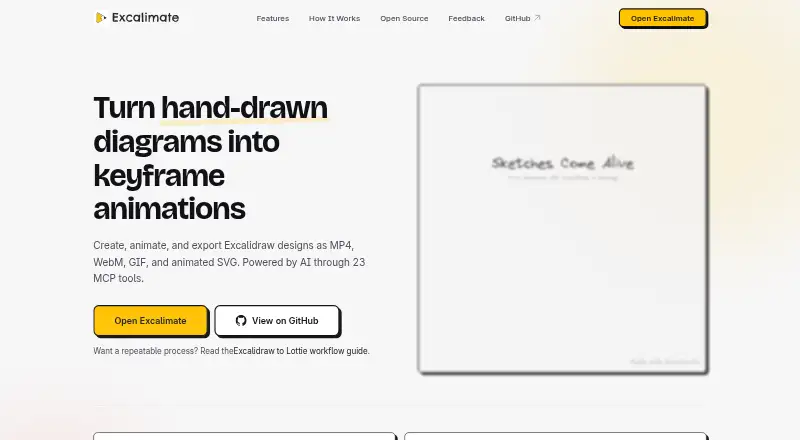
Turn hand-drawn Excalidraw diagrams into keyframe animations, with browser editing and many export formats.
How it plugs in
Signal on Whiteboard Animation Software7.3#1 of 26
Excalimate is an open-source web app for animating hand-drawn Excalidraw diagrams. Its editor handles drawing, timeline keyframes, and camera movement, then exports video, image, vector, and Lottie files. It runs in a browser, can be self-hosted, and offers an MCP server for supported AI clients. Projects can be shared with client-side encryption.
Review
In a line
Excalimate turns hand-drawn Excalidraw diagrams into keyframe animations. It includes an Excalidraw editor for drawing and connecting diagram elements.
What it does
You draw or edit a diagram, then animate its elements on a visual timeline. Tracks can change opacity, position, scale, rotation, and draw progress.
The timeline has collapsible tracks, draggable keyframes, interpolation curves, and zoom controls. Camera keyframes can pan, zoom, and rotate the canvas while locking its aspect ratio.
Exports include MP4, WebM, GIF, SVG, dotLottie, Lottie JSON, PNG, and WebP.
How it connects
Excalimate runs as a web app, with editing, rendering, and animation handled in the browser. It is also available through an API and as self-hosted software. The project is open source under the MIT License.
An MCP server connects it to AI clients including VS Code with GitHub Copilot, Claude Desktop, Claude Code, Cursor, Windsurf, and HTTP-compatible clients. It provides scene, animation, camera, inspection, sharing, and checkpoint tools. The server does not host a model or send scene content to an AI service; processing runs locally.
The web app does not require an account. Projects and recent projects are saved in browser storage for autosave and reopening. Encrypted shares use AES-256-GCM, keep the key in the URL hash, and are stored for up to 30 days.
Good fit
Excalimate suits people who want to turn hand-drawn diagrams into animated explainers or other diagram-based visuals. It supports scene templates, commercial use, and eight export formats.
Its MCP connection fits users who want AI-assisted diagram and animation workflows in the listed clients. Self-hosting is available for teams that want to run the software themselves.
Watch for
The published MCP server is version 0.5.0, still a 0.x release, and its npm profile reports 24 weekly downloads. Check whether that maturity fits your needs.
Encrypted project shares have a 30-day storage life. Optional pseudonymous analytics runs only after consent and can be retained for up to 12 months. Self-hosting requires cloning the repository, installing npm dependencies, and running a local Vite server.
There is no free trial because the plan is free.
Pricing
Excalimate has one Free plan at no cost. It includes the full editor, keyframe animation, eight export formats, MCP tools, encrypted sharing, and use without an account.
Commercial use is allowed.
Verdict
Choose Excalimate if you need editable Excalidraw-style diagrams that can become animated files, especially when browser-based work, self-hosting, or MCP connections matter. Its broad export list and local processing cover several delivery and privacy needs.
Our take
Excalimate is a sensible free option for diagram-led animation. The full editor, camera controls, multiple export types, and commercial-use permission cover a wide range of small projects. Open-source code, self-hosting, and local browser processing give technical users control, while the MCP server adds an AI-client route without sending scene data to an AI service. Weigh the 0.x package status, limited reported downloads, 30-day share retention, and setup work before relying on it for a long-lived production workflow.
- Free plan includes the full editor and keyframe animation
- Exports MP4, WebM, GIF, SVG, Lottie, PNG, and WebP
- Open source under the MIT License and available for self-hosting
- MCP tools connect supported AI clients to local workflows
- No account is required for the web app
- MCP server is version 0.5.0, still a 0.x package
- Published npm profile reports 24 weekly downloads
- Encrypted project shares are retained for up to 30 days
- Self-hosting requires npm setup and a local Vite server
- No free trial is offered because the product is free
- Pick it ifPeople animating hand-drawn Excalidraw diagrams; Users needing self-hosting or MCP-based AI workflows; Projects requiring video, image, vector, or Lottie exports
- Skip it ifYou need a mature, stable MCP package; You require hosted shares that last longer than 30 days; You want a separate trial period
Pricing
The Free plan costs nothing and includes the full editor, keyframe animation, eight export formats, MCP tools, encrypted sharing, and no-account access. Commercial use is allowed.
- Freefull editor · keyframe animation · 8 export formats · MCP tools · encrypted sharing · no account requiredFree
As excalimate.com lists them, checked 15 Oct 2026.
Questions
Is Excalimate free?
Yes. Excalimate has a Free plan with the full editor, keyframe animation, eight export formats, MCP tools, encrypted sharing, and no account requirement.
Do I need an account?
No. The maker says Excalimate is available without an account.
What can Excalimate export?
It exports MP4, WebM, GIF, SVG, dotLottie, Lottie JSON, PNG, and WebP.
Which AI clients can connect to Excalimate?
Its MCP documentation covers VS Code with GitHub Copilot, Claude Desktop, Claude Code, Cursor, Windsurf, and HTTP-compatible clients.
Can I self-host Excalimate?
Yes. The project is open source under the MIT License, and its README documents cloning the repository, installing npm dependencies, and running a local Vite development server.
How long do encrypted shares last?
The sharing service retains encrypted project shares for up to 30 days. The encryption key stays in the URL hash instead of being sent to the server.
Near it
All alternatives →- E
 Explideo#2 on this board
- M
 mySimpleshow#3 on this board
- WV
 Whiteboard Video Maker#4 on this board
- AAnimaker#5 on this board
- A
 AutoScribble#6 on this board
- GAGolpo AI#7 on this board
- RW
 Renderforest Whiteboard Animation#8 on this board
- WAWink AI Whiteboard Video Generator#9 on this board
- ODOpen Doodler#10 on this board
- A
 Animator#11 on this board