
mySimpleshow (simpleshow video maker) Review
simpleshow.com · checked 15 Oct 2026
AI software that turns text or presentations into animated explainer videos.
How it plugs in
Signal on Whiteboard Animation Software6.6#3 of 26
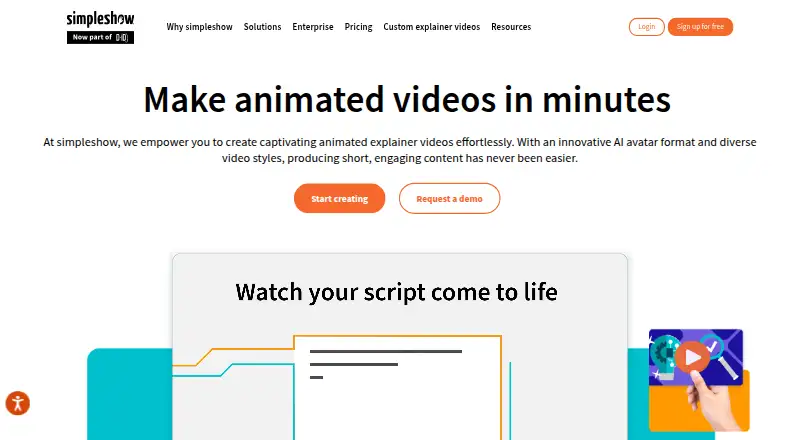
mySimpleshow, now called simpleshow video maker, creates animated explainers from text or imported PowerPoint files. Its guided workflow builds scripts, storyboards and visuals, with options for avatars, narration and illustrations. It runs on the web and offers mobile apps and an API. A free plan is available, while paid tiers add downloads, branding controls, rendering capacity and enterprise services.
Review
In a line
mySimpleshow is an AI video maker for animated explainer videos. You provide text, answers to questions or a presentation, and it turns the material into a structured video.
What it does
The Simplifier reviews pasted text or uploaded files and produces a short script. The AI Story Generator can also write a script after you answer a few questions. Storyline templates help organize the result.
A guided four-step process turns a script or imported presentation into scenes. The Explainer Engine builds a storyboard and recommends images from the illustration library. You can add your own pictures or logos, record narration, upload audio or use text-to-speech voices.
Output options include illustrated videos, AI-avatar videos and narrated videos made from PowerPoint slides. Finished work can be shared through a public or restricted link, embedded, posted to social channels, sent to YouTube or downloaded as MP4.
How it connects
The service runs in a browser, with Android and iOS apps, and offers a video-maker API. The API can create videos from text, templates and avatars, then send finished-video links through webhooks. Its documentation describes workflows at a high level and asks prospective users to schedule a meeting rather than providing public endpoint or SDK references.
Listed connections include Microsoft Teams, YouTube and Google Drive, along with Vimeo, Wistia, Pinterest, LinkedIn, Facebook and Neogov. It can import .ppt or .pptx files up to 50 MB and 20 slides, subject to a 2,750-character script limit. LMS users can download HD or SD MP4 files or use embed code.
This is proprietary SaaS, not open source, and the facts do not describe self-hosting. It is hosted in an AWS virtual private cloud. simpleshow says it completed a SOC 2 assessment, follows TISAX requirements and designs data handling around GDPR principles. User input is not used to train its underlying AI models and is deleted within 30 days at most. See explainer video software alternatives.
Good fit
The product is aimed at learning and development, internal communications, sales and marketing, HR, compliance, health and safety and project management teams. Team collaboration, scene templates, a character library and drawing animation support repeat video work.
It supports scripts in more than 40 languages and one-click translation into more than 20. Commercial-use rights, subtitles, sharing pages and LMS downloads are available features; check the plan details for the options you need. Compare AI explainer video makers.
Watch for
The free plan is available indefinitely but has limited features. PowerPoint imports are capped at 50 MB, 20 slides and 2,750 script characters.
The API information is not a full developer reference, and the software is licensed rather than open source. Check whether your required integrations, privacy controls, download format and branding options are included in your plan.
Enterprise buyers should confirm deployment needs because the published information describes browser-based SaaS hosting and does not describe self-hosting.
Pricing
A free Classroom plan supports up to 50 students, collaboration, full illustration access, storyboard downloads and subtitle editing. The Free plan has automated text-to-video, AI avatars, 40-plus languages and video-link sharing, and can be used indefinitely.
Fun costs $5.99 a month, billed monthly. It adds video downloads, scribble color and effects, background music and subtitles. Business costs $129 a month, billed monthly, with commercial use, watermark removal, custom closing frames, downloads, your own voiceover and privacy controls.
Pro costs $499 a month, billed monthly, and includes unlimited renderings, your own watermark, AI voice imitation, all AI avatars, HD and SCORM downloads and third-party transfer. Enterprise pricing is by request and includes custom team size, dedicated support, branding, AI and privacy controls and enterprise single sign-on. A free trial is also offered.
Verdict
Choose mySimpleshow if your team needs guided creation of explainers from written material or slides, especially when multilingual scripts, avatars, narration and LMS sharing matter. The Free plan can be used indefinitely, while higher plans cover commercial publishing and larger production needs.
Look elsewhere if you require open-source code, self-hosting or detailed public API documentation. Before buying, match the PowerPoint limits and publishing features to your workflow, and confirm that the integrations you need are on the listed plan. Review whiteboard animation software options.
Our take
mySimpleshow suits teams that need to turn training, marketing or internal information into short animated explainers without building videos from scratch. Its text and slide inputs, multilingual support, avatar choices and sharing tools cover a wide range of publishing tasks. The free offerings reduce initial cost, but feature limits may push regular business users toward paid plans. Buyers with strict deployment rules should note that it is proprietary browser-based SaaS, with no stated self-hosting option. Those needing a deeply documented public API should ask for details before committing.
- Free plans include an indefinite option and a separate Classroom tier.
- Turns text or PowerPoint files into scripts, storyboards and animated videos.
- Supports 40+ script languages and translation into 20+ languages.
- Offers avatars, illustrations, narration recording and text-to-speech.
- API can return completed video links through webhooks.
- Free plan has a limited feature set.
- PowerPoint imports stop at 50 MB, 20 slides and 2,750 script characters.
- API material is high-level and lacks published endpoint or SDK references.
- Proprietary SaaS with no described self-hosting deployment.
- Paid plans range from $5.99 to $499 per month before Enterprise pricing.
- Pick it ifTraining and internal communications teams; Explainer videos from text or slide decks; Organizations needing multilingual video output
- Skip it ifYou need open-source software or self-hosting.; You require a fully documented public API before purchase.; Your presentations exceed the stated import limits.
Pricing
There are free Classroom and Free plans, plus a free trial. Paid monthly plans cost $5.99 (Fun), $129 (Business) or $499 (Pro). Enterprise pricing is on request; features and commercial rights expand by tier.
- ClassroomUp to 50 students · collaboration · full illustration access · storyboard download · subtitle editingFree
- FreeAutomated text-to-video · AI avatars · 40+ languages · video-link sharingFree
- Funmonthly · Download video · scribble color · background music · scribble effects · subtitles$5.99/mo
- Businessmonthly · Commercial use · watermark removal · own voiceover · closing-frame customization · downloads · privacy controls$129/mo
- Promonthly · Unlimited renderings · own watermark · AI voice imitation · all AI avatars · HD and SCORM download · third-party transfer$499/mo
- EnterpriseCustom team size · dedicated support · custom branding · AI and privacy controls · enterprise SSOOn request
As simpleshow.com lists them, checked 15 Oct 2026.
Questions
Is mySimpleshow free?
Yes. Classroom and Free plans cost nothing, and the Free plan can be used indefinitely with limited features. A free trial is also available.
What files can it import?
PowerPoint .ppt and .pptx files are supported up to 50 MB and 20 slides, with a 2,750-character script limit.
Does it have an API?
Yes. The video maker API creates videos from text, templates and avatars and can return completed-video links through webhooks. Public documentation is high level.
Which languages are supported?
Scripts are supported in more than 40 languages. One-click video translation is available for more than 20 languages.
Can I download videos for an LMS?
Yes. The service provides HD or SD MP4 downloads for LMS upload, embed code, social sharing and public or link-restricted landing pages.
Is the software open source or self-hosted?
No. It is proprietary SaaS accessed in a browser and hosted in an AWS virtual private cloud; self-hosting is not described.
What integrations are listed?
The integrations page lists Microsoft Teams, YouTube, Google Drive, Vimeo, Wistia, Pinterest, LinkedIn, Facebook and Neogov.
Near it
All alternatives →- E
 Explideo#2 on this board
- WV
 Whiteboard Video Maker#4 on this board
- E
 Excalimate#1 on this board
- AAnimaker#5 on this board
- A
 AutoScribble#6 on this board
- GAGolpo AI#7 on this board
- RW
 Renderforest Whiteboard Animation#8 on this board
- WAWink AI Whiteboard Video Generator#9 on this board
- ODOpen Doodler#10 on this board
- A
 Animator#11 on this board