FastBack Minecraft Backup Mod
github.com · checked 15 Oct 2026
Git-backed Minecraft world snapshots in an open-source mod.
How it plugs in
Signal on Minecraft Backup Software7.6#1 of 30
FastBack provides free Minecraft world backups on Linux, macOS, and Windows. It records incremental snapshots locally, on Git servers, or across network volumes, and can restore a chosen snapshot as a separate world copy. Scheduled runs, retention controls, and optional mod files are supported. Minecraft must be able to find native Git and Git LFS, and very large worlds may require another backup tool.
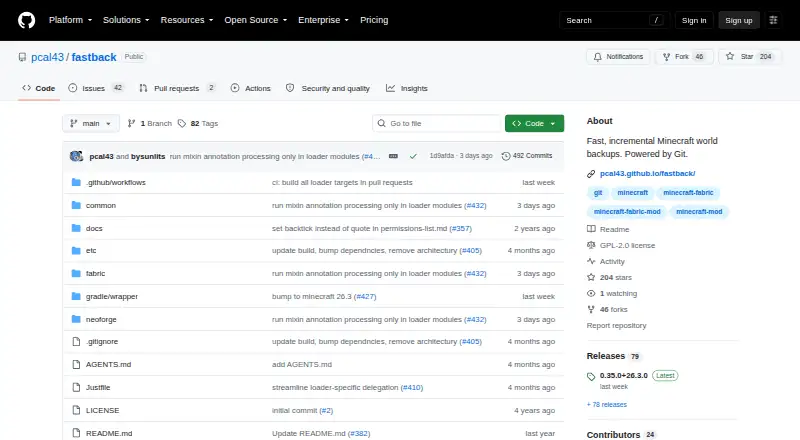
Review
In a line
FastBack captures Minecraft worlds as incremental snapshots. Each snapshot stores only parts changed since the previous one.
What it does
Minecraft commands provide local, full, list, restore, push, prune, and garbage-collection backup operations. Backups may start at world shutdown, following autosaves, or on configured schedules.
A selected snapshot is restored into a fresh copy, so the active world files remain untouched. Remote snapshots can likewise be listed and restored into a newly created copy.
Retention rules can prune local and remote snapshots. Optional settings let snapshots include mod JAR files and configuration files, and servers can broadcast a configurable message when a backup starts.
How it connects
Local backup information resides in a hidden .git directory within the world folder. Snapshots may be sent to any Git server, including GitHub, or to a network filesystem that does not run a Git server.
Minecraft's process PATH must expose installed native Git and Git LFS. Fabric, Forge, and NeoForge are supported, with operation on single-player clients and dedicated servers running Linux, macOS, or Windows.
LuckPerms permissions work through the Fabric Permissions API. The documentation covers Minecraft commands and configuration rather than a public HTTP API or SDK. Downloads are linked through FastBack's project documentation.
Good fit
FastBack suits Minecraft players and server operators who want versioned world snapshots with changed files stored incrementally. It supports local copies, Git-based remotes, and network-volume targets.
It is designed for worlds up to about 5 GB, with automatic scheduling and custom retention controls. Open-source code is licensed under GNU GPL version 2.
Watch for
Both native Git and Git LFS need to be installed and visible to Minecraft. The initial backup is slower while the base snapshot is established; subsequent ones are faster.
The project recommends another backup tool for a 200 GB server world. GitHub remotes are recommended only for worlds below 500 MB because of GitHub size restrictions.
FastBack runs as a Minecraft mod, not as a general backup application. Check your loader, operating system, world size, and remote storage before committing.
Pricing
FastBack costs nothing to download or use, and its source and mod are released under GNU GPL version 2.
There is no free trial because there is no paid plan. The listed FastBack mod plan covers Fabric, Forge, and NeoForge for Java Edition.
Verdict
FastBack fits Java Edition players and server administrators whose worlds stay within the recommended size and who can run Git and Git LFS. Separate-copy restores, scheduled snapshots, and retention rules manage local and remote backups.
Look elsewhere if your world is very large, you want a backup program outside Minecraft, or installing native dependencies is not practical.
Our take
FastBack is a practical choice for Java Edition players and server administrators seeking incremental, versioned Minecraft backups without a subscription. It handles local disks, Git services, and network storage, while restoring into a separate copy to protect the active world. The main trade-offs are native Git and Git LFS requirements, the roughly 5 GB design target, and GitHub's lower recommended limit. Large servers or users seeking a general-purpose backup app should choose a different tool.
- Free, open-source software under GNU GPL version 2
- Snapshots record only world files that changed
- Supports local, Git-server, and network-volume targets
- Automatic schedules with configurable retention
- Restores snapshots as separate world copies
- Native Git and Git LFS must be on Minecraft's PATH
- Recommended for worlds around 5 GB or smaller
- GitHub remotes are advised only for worlds under 500 MB
- Very large worlds may need another backup tool
- Operations use Minecraft commands instead of a public HTTP API
- Pick it ifMinecraft worlds around 5 GB or smaller; Players and server operators able to install Git and Git LFS; Users seeking local or Git-based snapshot storage
- Skip it ifYou need to protect a world of roughly 200 GB; You want a standalone backup application outside Minecraft; Native Git and Git LFS cannot be installed
Pricing
FastBack is free to download, with no paid tier or trial. Its open-source mod is licensed under GNU GPL version 2.
- FastBackMinecraft backup mod · distributed under GNU GPL version 2Free
- FastBack modfree download · Minecraft mod · Fabric, Forge, NeoForge · Java EditionFree
As github.com lists them, checked 7 Oct 2026.
Questions
Does FastBack cost anything?
Yes. FastBack is a free Minecraft mod whose source and distributed mod use GNU GPL version 2.
What operating systems and loaders are supported?
Linux, macOS, and Windows are supported, along with Fabric, Forge, and NeoForge for Java Edition. It is intended for clients and dedicated servers.
What storage destinations are available?
Backups may remain on the local machine, be sent to a Git server such as GitHub, or use a network filesystem without a Git server.
Which prerequisites are needed?
Install native Git and Git LFS and make them available on the Minecraft process PATH.
What happens when a snapshot is restored?
FastBack builds a separate world copy from the chosen snapshot, leaving the current files unchanged. A remote snapshot can also be restored into a new world copy.
What world sizes are recommended?
The project targets worlds up to about 5 GB. It suggests another tool for a 200 GB server world and recommends GitHub remotes below 500 MB.
Can snapshots contain mods and configuration?
Optional settings allow mod JAR files and configuration files to be included in snapshots.
Is there a public API?
Public documentation focuses on Minecraft commands and configuration rather than describing an HTTP API or SDK.
Near it
All alternatives →- JEJust Enough Backups#2 on this board
- FFolderRewind#3 on this board
- DDriveBackupV2#4 on this board
- MMineBackup#5 on this board
- IInstantBackup#6 on this board
- MBMinecraft Backup#7 on this board
- ABAdvanced Backups#8 on this board
- FFastBack#9 on this board
- CCaCl2Backup#10 on this board
- CBChronos Backups#11 on this board