MineBackup: Free Minecraft Backup Software
github.com · checked 9 Oct 2026
Open-source backup utility for Minecraft saves, with support for any PC folder.
How it plugs in
Signal on Minecraft Backup Software6.6#5 of 30
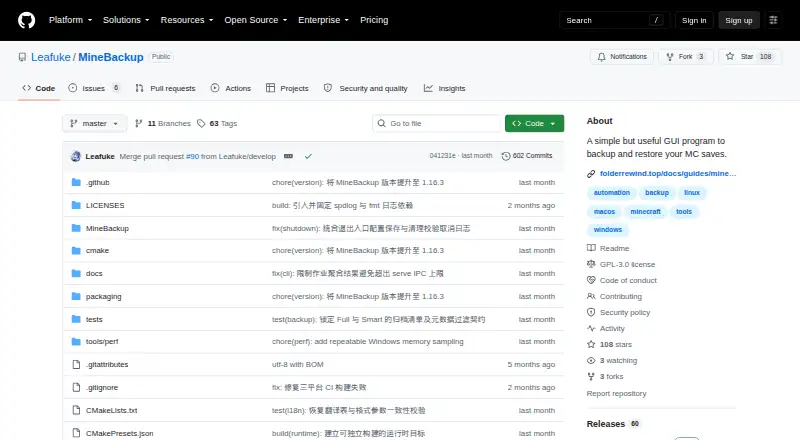
MineBackup is an open-source desktop app for creating and restoring Minecraft-world backups on Windows, Linux, and Apple Silicon macOS. It offers Full and Smart incremental methods, restores from local copies or .7z files, hotkey and exit-based backup triggers, and command-line tools aimed at servers. It supports both Minecraft editions and can back up any PC folder.
Review
In a line
MineBackup gives users a graphical interface for safeguarding Minecraft saves. It also lets you protect any folder stored on your computer.
What it does
Backup jobs can run as complete copies or as Smart incrementals; the latter tracks changes in a Git-like chain to reduce time and storage use.
Restoration can start with either a local backup or a .7z file. You can trigger a live backup with a hotkey, while exit detection can begin one after Minecraft closes.
The integrated 7-Zip core handles compression. Both Minecraft editions are supported, and restores work at the world level.
How it connects
The GPL-3.0 project stores backup data locally. KnotLink lets MineBackup exchange requests with mods or other tools, including asking for a save before a backup; hot restore requires the MineBackup companion mod, version 3.0.0 or newer.
During initial setup, the program can locate supported Minecraft paths and launcher data for HMCL, Prism Launcher, Modrinth App, and other launchers named in the project README.
The headless command-line package can make Full or Smart backups, check archive chains, and carry out confirmed cold restores without opening the GUI. Windows and Linux server packages include instructions for systemd and Task Scheduler.
Good fit
Minecraft players who want local world copies may find MineBackup useful, particularly if they prefer Full or incremental modes. Ordinary computer folders can be included too.
Supported desktop targets are Windows, Linux, and Apple Silicon macOS 15 or later. Linux releases come in deb and AppImage forms.
For server jobs, the command-line package handles backup, verification, and restore work.
Watch for
Incremental detection does not guarantee recognition of edits that preserve both a file's size and its modification time. Check whether that limitation matters for your saves.
MineBackup has no built-in scheduled-backup plan. Windows Service Mode is deprecated and cannot be newly installed or started.
The macOS build is not notarized. The maker says critical bug and security fixes will continue, but updates may trail its second-generation FolderRewind project.
The README asks users to check downloads against SHA256SUMS. Bug reports and feature requests go through GitHub Issues.
Pricing
MineBackup is free, open-source software, with no paid plans or stated usage limits. A trial is not offered because the software itself is free.
Available builds target Windows x64, Linux x86_64, and Apple Silicon macOS 15 or later.
Verdict
Choose MineBackup for no-cost local protection of Minecraft worlds and general folders, with both a graphical interface and server-oriented command-line tools.
Look elsewhere if you need dependable detection of same-size, same-time file edits, a built-in scheduler, or a notarized macOS application. Teams that require faster updates may also prefer the maker's newer FolderRewind.
Our take
MineBackup suits players and server owners seeking free local protection for Minecraft worlds and other folders. Full and Smart modes, .7z archives, and optional command-line operation cover common backup jobs. Its limits are important: incremental detection is not guaranteed for certain unchanged-size and unchanged-time edits, built-in scheduling is absent, Windows Service Mode is retired, and macOS is not notarized. Consider it when local storage and open-source software fit your needs; avoid relying on it where those gaps create unacceptable risk.
- Free, open-source software with no stated usage limits
- Offers both Full and Smart incremental modes
- Runs on Windows, Linux, and Apple Silicon macOS
- Includes graphical and headless command-line tools
- Can back up Minecraft saves and any PC folder
- Incremental detection can miss some unchanged-size, unchanged-time edits
- No built-in scheduled-backup plan
- Windows Service Mode cannot be newly installed or started
- macOS build is not notarized
- Updates may lag behind FolderRewind
- Pick it ifMinecraft players needing local world backups; Server operators using command-line backup jobs; Anyone backing up extra PC folders
- Skip it ifYou need built-in scheduling or Windows Service Mode; You require notarized macOS software; Missed same-size, same-time edits would be unacceptable
Pricing
MineBackup is free open-source software. There are no paid plans or stated usage limits, and no trial is offered.
- MineBackupFree software; no paid plans or usage limits statedFree
As github.com lists them, checked 9 Oct 2026.
Questions
Is MineBackup free?
Yes. MineBackup is available as free open-source software, without paid plans or stated usage limits.
Which systems can run MineBackup?
Listed targets are Windows x64, Linux x86_64, and Apple Silicon macOS 15 or later. Linux releases are provided as deb and AppImage packages.
Can it back up more than Minecraft?
Yes. Any folder on a PC can be included alongside Minecraft saves.
Does MineBackup support both Minecraft editions?
Yes. The listed support covers both Minecraft editions.
Can I run backups without the graphical app?
Yes. The headless minebackup-cli creates Full or Smart backups, verifies archive chains, and performs confirmed cold restores.
Does it offer scheduled backups?
There is no built-in scheduled-backup plan. Server documentation explains how to use systemd on Linux or Task Scheduler on Windows with the command-line package.
What is needed for hot restore?
Hot restore requires the MineBackup companion mod, version 3.0.0 or newer. KnotLink can also request a save before backup.
Is the macOS version notarized?
No. The README says the macOS build is not notarized.
Near it
All alternatives →- DDriveBackupV2#4 on this board
- IInstantBackup#6 on this board
- FFolderRewind#3 on this board
- MBMinecraft Backup#7 on this board
- JEJust Enough Backups#2 on this board
- ABAdvanced Backups#8 on this board
- FFastBack#1 on this board
- FFastBack#9 on this board
- CCaCl2Backup#10 on this board
- CBChronos Backups#11 on this board