Gmail Unsubscribe review: features, limits, and pricing
gmailunsubscribe.com · checked 15 Oct 2026
Gmail Unsubscribe identifies mailing lists in Gmail, submits opt-out requests, and removes older mail from those senders.
How it plugs in
Signal on Email Cleanup Software6.3#7 of 31
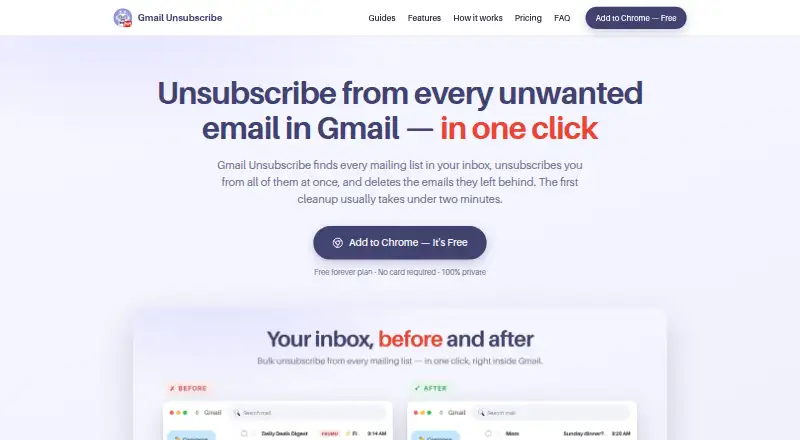
As a Gmail cleanup extension and web service, Gmail Unsubscribe reviews recent subscription messages, reports sender volume and age, and supports bulk unsubscribe, archiving, or trashing. It uses Gmail’s official API with OAuth. Users can start on a free plan, while paid access provides unlimited senders and cleanup rules.
Review
In a line
Gmail Unsubscribe locates mailing lists in a Gmail inbox and helps stop them. It can also archive or delete messages from selected senders.
What it does
The extension examines subscription mail from the latest three months, showing each sender’s message count and how recently it appeared. You may choose a single sender or several, after which unsubscribe requests are sent in bulk while the work proceeds in the background.
It supports RFC 8058 one-click links, email-based opt-outs, and direct unsubscribe requests, with a result shown for every sender. In that same process, older messages from a sender may be archived or sent to Gmail Trash.
Sorting senders by message volume can show which ones use the most Google storage. Dashboard history can bring back cleaned-up messages for 30 days, but it does not restore an unsubscribe request.
How it connects
Gmail Unsubscribe works inside Gmail and uses Google’s official Gmail API through OAuth, a permission system for account access. You can revoke that access in your Google account permissions. If an email opt-out is required, the message goes out through your Gmail account.
The computer setup comes from the Chrome Web Store. Changes made in Gmail also show in the phone mail app. An optional simplified Gmail layout is off by default.
According to the privacy statement, scanning uses message metadata instead of message bodies, and bodies are not retained. Its servers keep the account email, chosen senders, and attempt outcomes; the company says this information is neither sold nor shared.
Good fit
This suits Gmail users with promotion-heavy inboxes, limited Google storage, or a family member’s inbox to clean. It is useful when you want to handle many newsletters together instead of opening each message.
The free tool includes scanning and bulk archive or trash actions without a stated scan limit.
Watch for
Unsubscribe attempts may fail when senders ignore requests. The interface can require a manual step, and the terms do not promise uninterrupted or error-free operation.
The free tool does not create Gmail filters for handling future mail; filter-based handling is described for the full Baxter extension. Installation requires Chrome on a computer.
For Pro AI features, sender names and addresses, limited subject lines, labels, and mailbox statistics are sent to OpenAI. The company says message bodies are excluded and training is disabled.
Pricing
Gmail Unsubscribe offers a free plan but no trial period. Pro costs $35.88 per year. It adds unlimited senders, automatic cleanup rules, labels, and an assistant.
The published free-tier figures disagree: one note allows five unsubscribes each month, while the plan table allows 25 senders monthly to be unsubscribed and cleared. Scanning and bulk deletion or archiving have no stated limit, so confirm the current allowance before depending on it.
Verdict
Choose Gmail Unsubscribe if your main need is to scan Gmail subscriptions, send several unsubscribe requests together, and clear the old messages those senders left behind. Its sender status and 30-day restore window add control during cleanup.
Look elsewhere if you need automatic Gmail filters in the free tool, support for another mail provider, or a guaranteed unsubscribe result. Review the free sender allowance and the Pro AI data handling before paying.
Our take
Gmail Unsubscribe is a focused option for Gmail inbox cleanup rather than a general email manager. It combines sender discovery, bulk unsubscribe requests, and archive or trash actions, with OAuth access that can be revoked. The main cautions are imperfect results, Chrome-on-computer installation, no free filters, and conflicting published limits for the free plan. Pro costs $35.88 annually and adds unlimited senders and rules. It fits people clearing newsletter clutter; it is less suitable for users who need other mail providers or guaranteed results.
- Lists subscription senders with counts and recency
- Bulk unsubscribe, archive, or trash actions
- Uses Gmail’s official API with revocable OAuth access
- 30-day restore window for cleaned messages
- Free scanning and bulk cleanup are available
- Works with Gmail only
- Unsubscribe requests can fail or need manual steps
- The free version cannot create Gmail filters
- Chrome must be installed on a computer
- Published free sender limits conflict
- Pick it ifGmail users clearing promotion-heavy inboxes; People reducing storage used by old sender mail; Cleaning up a family member’s Gmail
- Skip it ifAutomatic filters are required in the free tool; You use a mail provider other than Gmail; You require every unsubscribe request to succeed
Pricing
Free plan available; no free trial. Pro is listed at $35.88 per year. Published free allowances conflict: one note says five unsubscribes monthly, while the plan listing says 25 senders monthly. Verify the current allowance.
- FreeUnlimited inbox scans · 25 senders/month unsubscribed and cleared · archive or trash old emailsFree
- Pro$35.88/year · Everything in Free · unlimited senders · auto-clean rules · labels · assistant$35.88/yr
As gmailunsubscribe.com lists them, checked 15 Oct 2026.
Questions
Can Gmail Unsubscribe handle mail accounts beyond Gmail?
No. The supported provider listed for Gmail Unsubscribe is Gmail.
Can it clear older Gmail messages from a sender?
Yes. As part of the cleanup, selected older messages can be archived or moved to Gmail Trash.
What happens if an unsubscribe request is not completed?
A sender can be marked pending or as needing a manual step. The terms also warn that senders may ignore requests.
Does the service read email content?
The privacy statement says scans use message metadata rather than message bodies, and bodies are not stored.
Can a cleanup be reversed?
Dashboard history lets you restore messages moved by cleanup for 30 days. It does not reverse the unsubscribe request itself.
How do I install the extension, and where do changes show?
Use the Chrome Web Store on a computer for installation; Gmail changes then appear in the phone mail app.
What is the annual Pro price and what does it include?
Pro is billed annually at $35.88 and includes unlimited senders, automatic cleanup rules, labels, and an assistant.