Paperweight: Local Inbox Mapping and Cleanup
paperweight.email · checked 15 Oct 2026
Local inbox mapping and cleanup software for accounts, mailing lists, personal data and deletion requests.
How it plugs in
Signal on Email Cleanup Software7.6#4 of 31
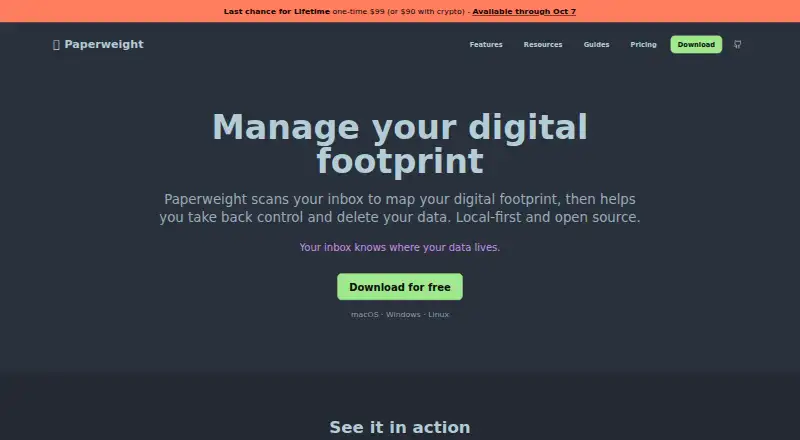
Paperweight is an open-source desktop app for Windows, macOS and Linux. It scans supported mailboxes on your computer, builds an inventory of services and mailing lists, finds personal data and breach risks, and guides unsubscribe and privacy requests. A free plan covers one account; paid options add bulk cleanup, multiple accounts and MCP access.
Review
In a line
Paperweight is a desktop tool that maps the services and mailing lists found in your inbox. It also helps you clean messages and prepare requests to access or delete personal data.
What it does
The app reconstructs a company list from sign-up notices, receipts, password resets and security alerts. It shows mailing lists, breach and risk overviews, and personal details found in old messages, such as phone numbers, addresses, payment cards, IBANs and national identifiers.
You can make real unsubscribe requests through one-click headers, email triggers or sender links. Paperweight can also support bulk cleanup and prepare privacy requests and follow-ups for your review; it does not send deletion requests automatically. Pro can track GDPR cases with timelines and statutory reminders.
How it connects
Paperweight works with Gmail, Outlook, Apple/iCloud, Proton Mail through Proton Bridge, and standard IMAP accounts. It runs on Windows, macOS and Linux, with Windows installer, macOS DMG, Linux AppImage and Linux deb downloads.
Analysis, message storage and account data stay on your computer, according to the maker. Provider connections use HTTPS/TLS, and OAuth tokens are kept in macOS Keychain or Windows Credential Manager. The source is public under the MIT license, and no public REST API or SDK is documented.
Pro includes a local MCP server for connecting an AI tool. It is off by default and can be read-only or read-and-write. The agent can see sender and recipient, subject, previews and classifications, while full bodies and raw headers are excluded and known personal data is masked by default. External model providers may read data sent to them; the changelog recommends local models such as Ollama.
Good fit
Paperweight suits people who want a local inventory of accounts tied to an email address, along with mailing-list cleanup and personal-data discovery. It is also useful for reviewing privacy requests and GDPR case progress.
Its free plan is aimed at one mailbox with full-history sync, inventory, mailing-list, breach and personal-data overviews, local curation and GitHub community support.
Watch for
It only discovers companies represented in your inbox. Services that never emailed you, or messages you deleted, cannot be found. It does not remove records held by data brokers.
There are no automatic cleanup rules. Initial setup and scanning can take substantial time for large or very old mailboxes, and some services cannot be fully automated because their off-boarding steps are difficult.
The comparison guide lists no AI inbox prioritization, daily rollups or digests, mobile apps, browser extensions or cross-device sync. Building from source needs Yarn, environment variables and developer OAuth credentials for Google and Microsoft.
Pricing
The Free plan is free forever for one email account. It includes full-history sync, account and company inventory, mailing-list, breach and risk, and personal-data overviews, plus local curation and GitHub community support.
Cleanup Pass costs $25 one time for 30 days, with multiple accounts, unsubscribe, trash and spam actions, bulk cleanup, privacy requests and follow-ups, and MCP access. It does not renew.
Paperweight Pro costs $60 a year with yearly billing and email support. A crypto-renewal option costs $55 a year with manual renewal using BTC, ETH, XMR or ZEC. Lifetime costs $99 one time; the listed offer is available through October 7, 2026.
Verdict
Choose Paperweight if keeping mailbox analysis on your own computer matters and you want one place to see accounts, mailing lists and personal data. The open-source code and broad provider support help people who prefer desktop tools over browser services.
Skip it if you need mobile access, automatic rules, cross-device syncing, data-broker removal or discovery beyond messages in your inbox. Check the paid plan details carefully if you need more than one account, bulk actions or MCP, and remember that AI services receiving shared data may read it.
Our take
Paperweight is a fit for privacy-minded desktop users who want to inventory services linked to their mailbox and handle cleanup themselves. Its local processing, open-source license and support for major providers are clear advantages. The free tier is useful for one account, while paid plans add multiple accounts, bulk actions, privacy workflows and MCP. However, discovery stops at companies represented in existing mail, and there are no mobile apps, browser extensions, sync or automatic cleanup rules. Large mailboxes may take a long time to scan, so this is better for deliberate cleanup than quick inbox maintenance.
- Local analysis and storage; the maker says email content stays on your device.
- Open-source code under the permissive MIT license.
- Supports Gmail, Outlook, iCloud, Proton Bridge and standard IMAP.
- Free plan includes full-history sync for one account.
- Paid tiers add bulk cleanup, privacy requests and MCP access.
- Cannot discover companies absent from your inbox or deleted messages.
- Does not remove records held by data brokers.
- No mobile apps, browser extensions or cross-device synchronization.
- No automatic cleanup rules.
- Large or old mailboxes may take substantial time to scan.
- Pick it ifPeople mapping services and mailing lists from one or more inboxes; Users who want local processing and open-source desktop software; Anyone preparing privacy requests from mailbox evidence
- Skip it ifYou need mobile apps, browser extensions or cross-device syncing.; You expect automatic cleanup or data-broker removal.; Your target companies never sent email to the account.
Pricing
Free covers one account forever. Cleanup Pass is a $25 one-time 30-day purchase. Pro is $60 a year, or $55 a year with manual crypto renewal. Lifetime is $99 one time; the listed offer ends October 7, 2026.
- Freefree forever · 1 email account · full-history sync · account/company inventory · mailing-list overview · breach/risk overview · personal-data overview · local curation · GitHub community supportFree
- Cleanup Passone payment for 30 days · Everything in Free · unsubscribe/trash/spam · bulk cleanup · privacy requests and follow-ups · multiple accounts · MCP access · GitHub community support · no renewal$25 one-time
- Paperweight Pro cryptomanual renewal · Same Pro access · BTC, ETH, XMR or ZEC · manually verified payment · no recurring subscription$55/yr
- Paperweight Probilled yearly · Everything in Free · unsubscribe/trash/spam · bulk cleanup · privacy requests and follow-ups · multiple accounts · MCP access · email support$60/yr
- LifetimePermanent full Pro access; offer available through October 7, 2026 · Permanent full Pro access · crypto price $90$99 one-time
As paperweight.email lists them, checked 15 Oct 2026.
Questions
Is Paperweight free?
Yes. The Free plan is free forever for one email account. There is no free trial because the product already has a free plan.
Which email accounts work with Paperweight?
It supports Gmail, Outlook, Apple/iCloud, Proton Mail through Proton Bridge, and standard IMAP accounts.
Does Paperweight upload email to its servers?
The maker says analysis, email storage and account data processing stay on your computer, with no Paperweight servers receiving email content or credentials.
Can Paperweight send deletion requests automatically?
No. It prepares access or deletion requests and follow-ups for your review. Pro can track GDPR cases with timelines and statutory reminders.
What does MCP access mean here?
Pro offers a local MCP server that can be switched on and set to read-only or read-and-write. It exposes limited message details, not full bodies or raw headers.
Does Paperweight remove data-broker records?
No. It focuses on first-party relationships found in your inbox and does not remove records from data brokers.
What platforms can I install it on?
Paperweight runs on Windows, macOS and Linux. Downloads include a Windows installer, macOS DMG, Linux AppImage and Linux deb package.
Near it
All alternatives →- GUGmail Unsubscriber#3 on this board
- CE
 Clean Email#5 on this board
- IInboxSweeper#2 on this board
- CCleanfox#6 on this board
- GBGmail Bulk Unsubscribe & Cleanup Tool#1 on this board
- GUGmail Unsubscribe#7 on this board
- SDSmart Delete for Gmail#8 on this board
- GGMClean#9 on this board
- UMUnroll.Me#10 on this board
- Mmailtrim#11 on this board